Parcel Desk
The phone camera reads the label while the courier is still at the desk. Collection is released against a signature, so the answer is one search away.
For concierge security teams, managing agents and Build to Rent
ConciergeDeck is the staff app for residential front desks. Read parcel labels with the phone camera, sign keys and fobs in and out, keep the visitor log and hand over the shift by name. No lockers. No resident app.


Label read and matched to Flat 7 · Sam Rivera
The desk today
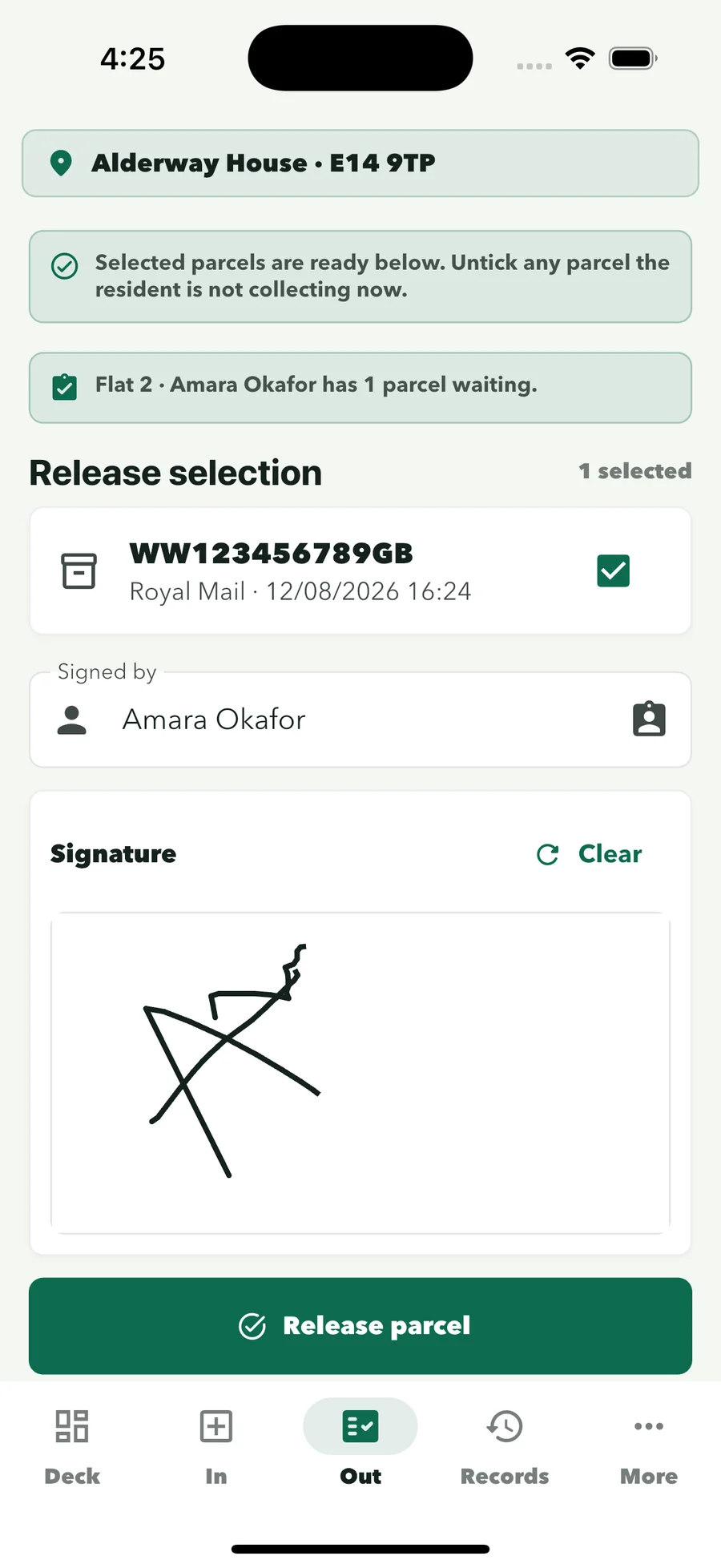
The phone camera reads the label while the courier is still at the desk. Collection is released against a signature, so the answer is one search away.
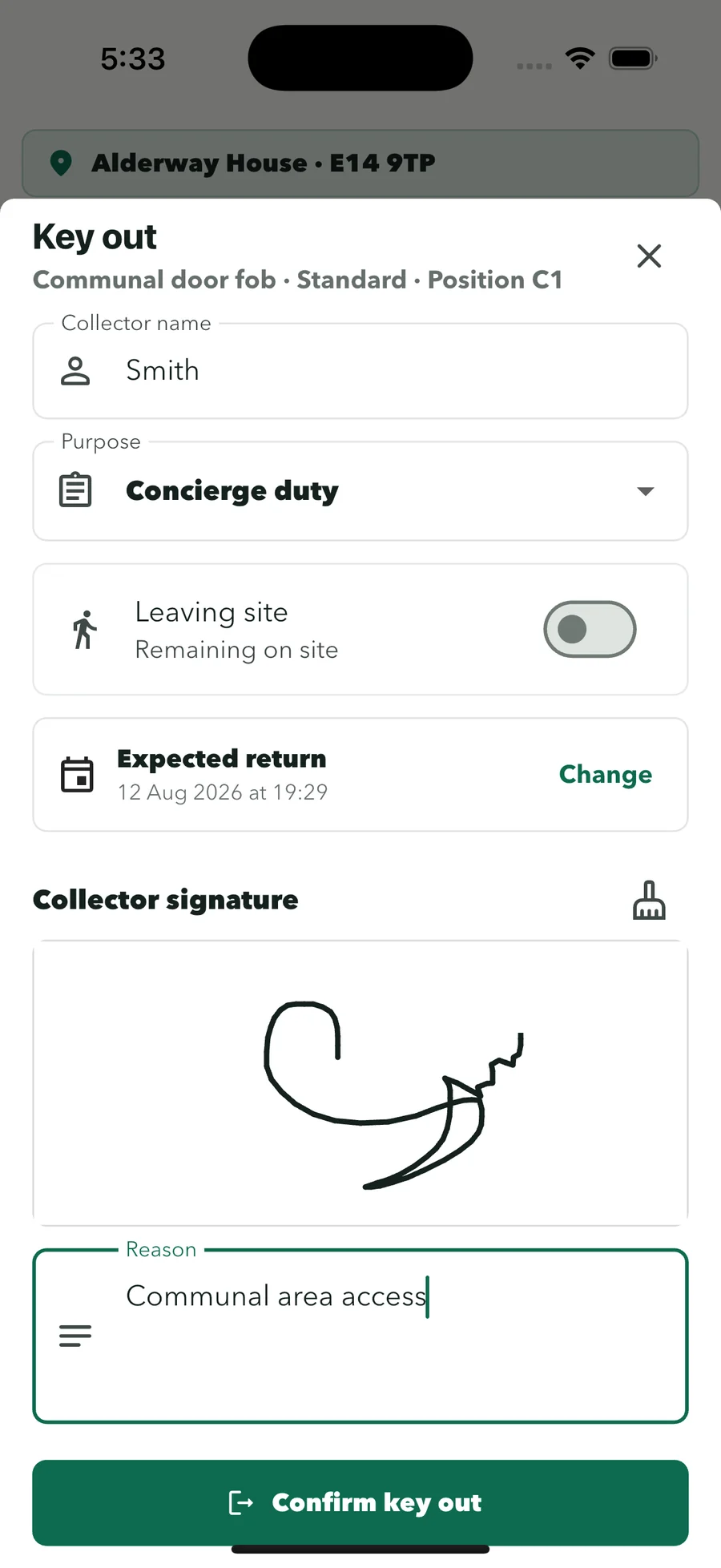
Every key and fob is signed in and out with the collector’s name. Fobs a phone cannot read get a printed QR key tag.
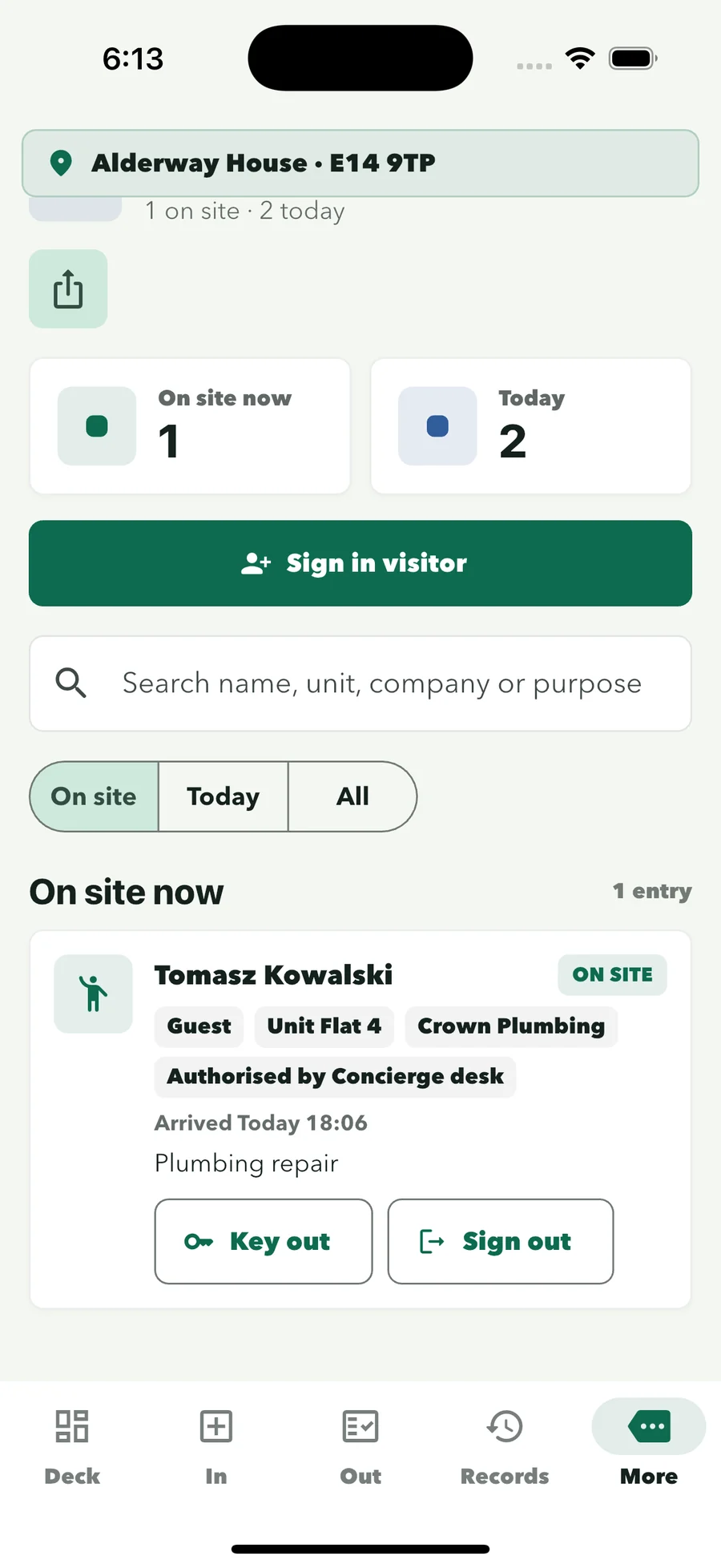
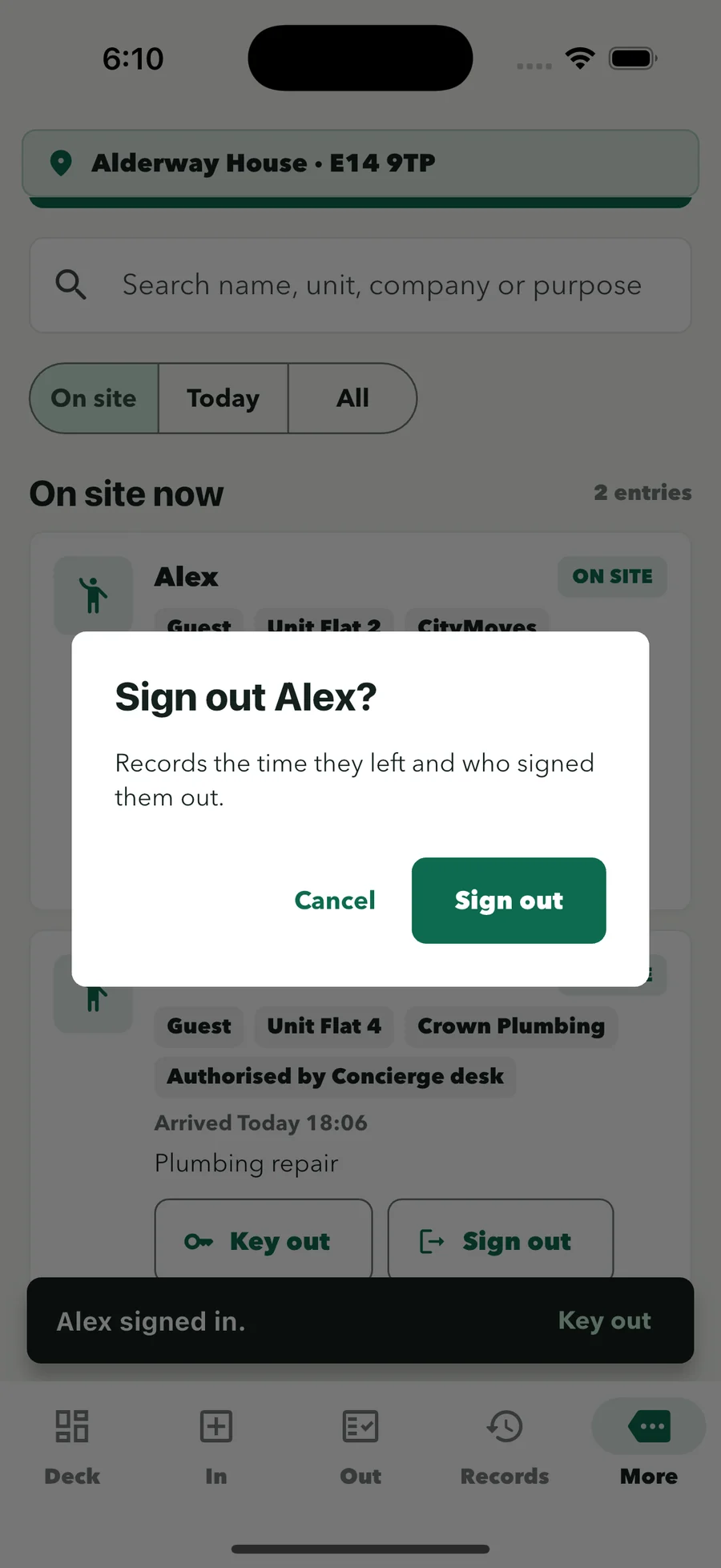
Guests and contractors are signed in and out by the officer on duty, with a live on-site list and any keys linked to the visit.
How it works on shift
Parcel Desk, Key Desk, the visitor log and shift handover, each signed under the officer’s staff profile.


Parcel Desk
Point the phone camera at the recipient block. ConciergeDeck reads the name and address, suggests the resident and logs the parcel against the officer on duty. Manual entry stays available for unclear labels.
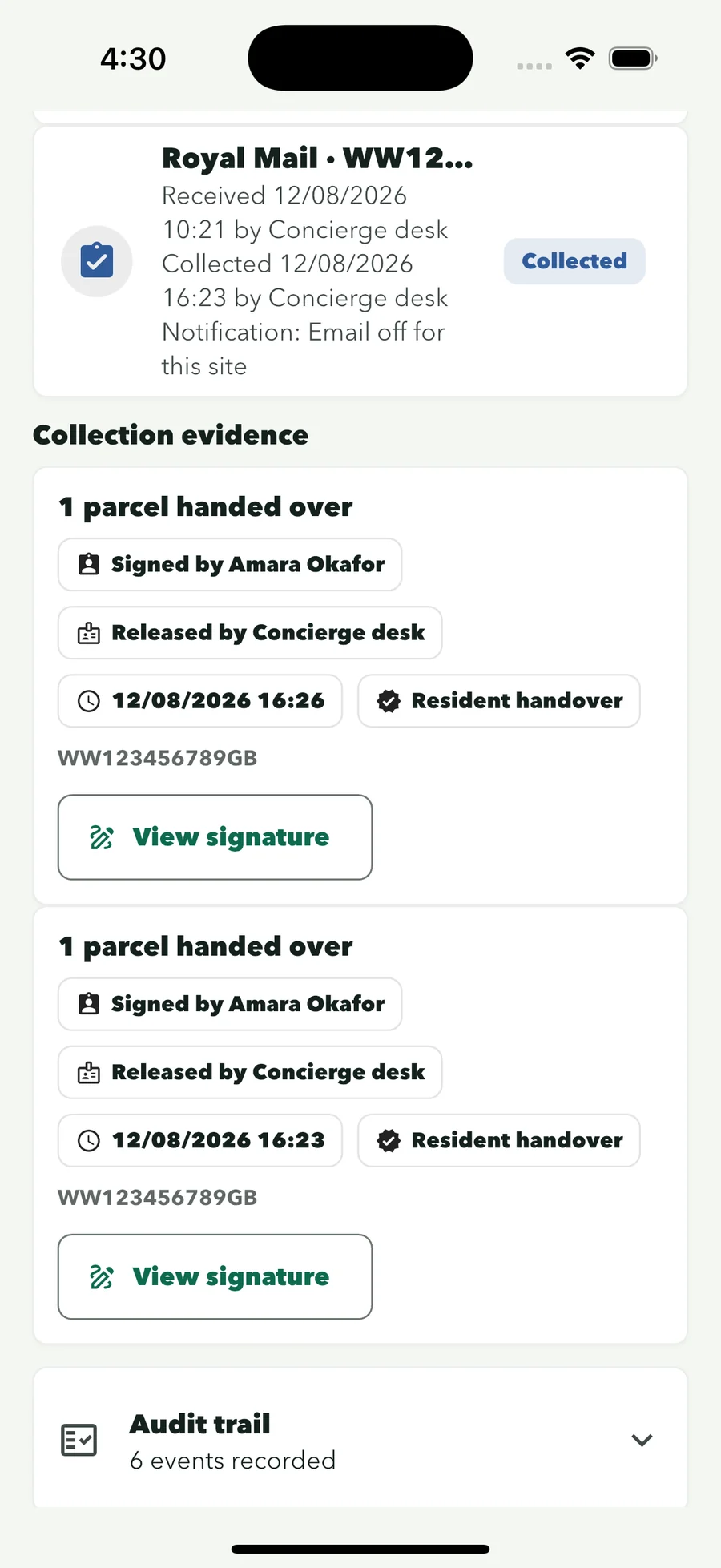
Select the waiting parcels, record who is collecting and capture their signature on screen. The record keeps the collector, time, staff profile and release method.
Key Desk
Hand keys to a resident, contractor or colleague with their signature and the number of keys. See what the desk is holding and the custody history of every set.
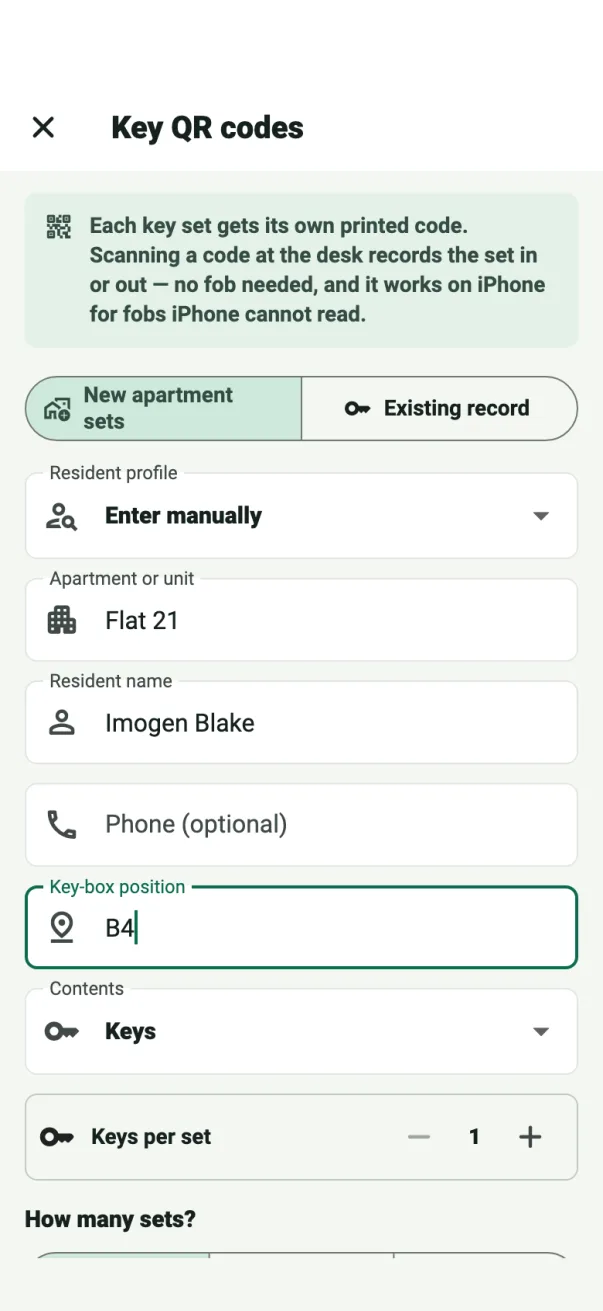
Some older fobs cannot be read by any phone. ConciergeDeck prints a small QR tag for the keyring, and scanning it records the set in or out.
Visitor log
Guests, contractors, deliveries and viewings are signed in and out by the officer on duty, with a live list of everyone on site.
Hand keys to a visitor in one step. If they sign out with keys still out, the desk is told before they leave.
Shift handover and records
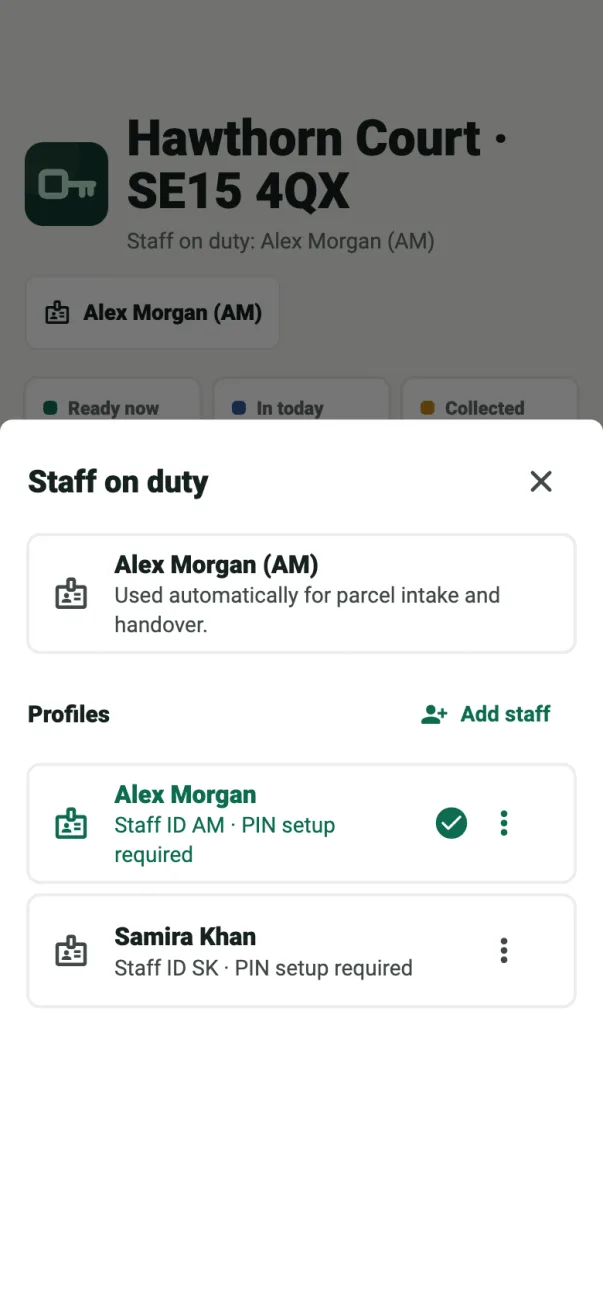
The reception device stays signed in to the site. The incoming officer selects their own profile, and the parcel queue and custody records carry over unchanged.
Search parcel and key activity by resident, flat or date. Each collection shows who signed, who handed it over and when, with CSV export from the Records screen.
For security companies supplying concierge officers
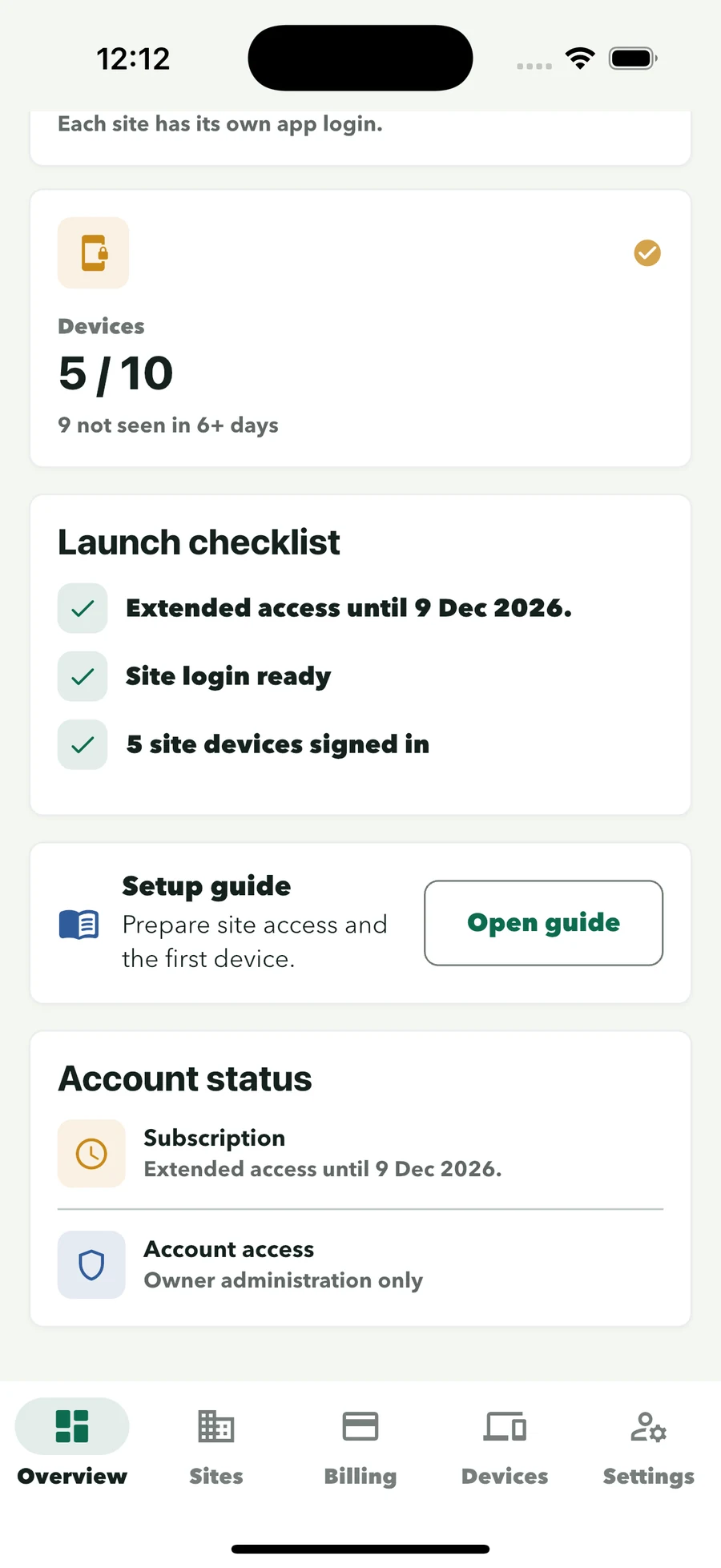
Your officers move between buildings and shifts. ConciergeDeck gives each building its own login and each officer their own profile, so the record stays with the site and every entry names the person who made it.
Who uses it
Security contractors
Site logins, named officer profiles and signed custody records, managed from one owner account.
Talk to salesResidential buildings
Receive parcels, run the visitor book and manage key or fob custody without specialist hardware or a resident app.
For residential receptionBuild to Rent & student housing
Clear parcel, key and visitor workflows, and a one-import resident turnover for moving-in season.
For Build-to-Rent teamsManaging agents
Give every site its own login and manage plan capacity, authorised devices and site settings from the owner account.
For multi-site portfoliosA record you can rely on
When a resident, client or colleague asks a question, search the record instead of the paper. Each hand-in and hand-out stays connected to the staff profile and time.
Read about security and privacyParcel, key and visitor actions are attached to the selected staff profile.
Parcel collectors and key recipients remain connected to the relevant record, with their signature.
Owner administration, site sign-in and staff profiles have distinct roles.
Off by default. Turn parcel notices on per site when contact data and policy are ready.
Pricing
Every plan includes Parcel Desk, Key Desk, the visitor log, staff profiles and searchable records. Upgrade when you add sites or devices.
Starter
£59/month
2 sites · 2 authorised devices
Professional
£129/month
5 sites · 5 authorised devices
Portfolio
£229/month
10 sites · 10 authorised devices
Cloud
£349/month
15 sites · 15 authorised devices
The 30-day trial applies to the first subscription on an owner account. Monthly billing starts automatically after the trial unless cancelled. Need more than 15 sites? Contact sales.
Common questions
ConciergeDeck fits the existing desk process without parcel lockers, new key cabinets or a separate reception computer.
No. Staff use the ConciergeDeck app on a supported iOS or Android device and its camera. Manual intake remains available.
No. ConciergeDeck is used by front desk staff only. Resident email notices are optional, off by default and controlled per site.
Yes. Key Desk records key and fob hand-in and hand-out separately from Parcel Desk.
Key Desk prints QR key tags. Some older door fobs cannot be read by any iPhone, so ConciergeDeck prints a small code for the keyring instead — scanning it records the set in or out on any supported device.
The device signs in with the building’s site credentials. Staff then choose their own profile inside the app.
The device stays signed in to the building. The incoming member of staff selects their own profile, and the parcel queue and custody records carry over unchanged.
The selected parcel, collector, collection time, staff profile, release method and captured signature are kept with the handover record.
Yes. The visitor log signs guests and contractors in and out with staff attribution, shows everyone currently on site at a glance, and links each visit to any keys handed out.
Yes. Each building has separate site credentials, and the selected plan defines the number of sites and authorised staff devices.
Yes. Resident email is off by default and controlled separately for each site.
Import the cohort spreadsheet as it is — ConciergeDeck matches the columns, registers the new residents, offers to archive leavers in one step and flags any of their keys still out.
A first ConciergeDeck subscription starts with a 30-day trial. Monthly billing begins automatically afterwards unless the subscription is cancelled. Checkout shows the exact terms before confirmation.
Put ConciergeDeck on the desk
Create the owner account, connect the first site and run Parcel Desk, Key Desk and the visitor log through a 30-day trial.