Site logins in use.
Admin account
ConciergeDeck admin account
Sign in to manage an existing company account, or create a new admin account.
Admin
ConciergeDeck account
Email verified
Plan
0 sites · 0 devices
Overview
Dashboard
Concierge phones and tablets.
No active subscription yet.
Optional per site once included in the plan.
Verify your email
Verification is required before site logins can be created.
Plan capacity exceeded
Some site or device access is paused by the current plan limit.
Needs your attention 0
Things worth acting on today, from across your sites and account.
No sites or billing need attention right now.
Your sites
Loading sites…
Getting set up
Plan & capacity
—
See parcel activity across every site
Live intake, collection and Key Desk insight appear here on the Cloud plan.
Sites
Each building signs in with a site ID and password. Staff select their own profile after site sign-in.
Loading site allowance...
Your current plan has no free site slots.
Create a site login
The password is displayed once after creation.
Billing
Subscription and invoices
Review the selected plan, subscription status and secure billing management.
No active plan
Choose a plan to continue subscription setup.
Cloud data retention
Selected plan
See all plans
Review subscription
ConciergeDeck plan
Selected plan
No plan selected
Choose the site and device capacity that fits your operation.
Choose a planStep 2 of 3Verify your email
Your plan is saved. Use the link in your inbox, then return here to continue.
Payment happens on our secure checkout page. Your first subscription includes a 30-day trial; returning accounts are billed immediately.
Devices
Registered concierge devices
A device appears after it signs in with a site ID. Removing it frees the plan slot.
Setup
Prepare the first site
Resident email is optional and stays off for a site until the owner switches it on in Sites.
- 1Verify your emailWaiting
- 2Choose a planContinue to billing
- 3Create a site loginCreate in Sites
- 4Sign in on the site deviceInstall app
- 5Run a test parcelBefore go-live
Account
Company account settings
Security and lifecycle controls for the ConciergeDeck admin account.
Company
Company profile
Sign-in
Email and password
—
Change password
2-step sign-in
—
Save your recovery codes now. Each code works once if you lose your phone. They will not be shown again.
Site passwords are separate — manage them per site in the Sites tab.
Permanent action
Delete company account
This ends subscription billing immediately and permanently removes the company account, site access, registered devices, and ConciergeDeck-hosted operational records. Export anything the company must retain before continuing.
Help & Setup
How ConciergeDeck works
Admin guidance for setup and daily control
Use this area for admin setup and account controls. Reception tasks are shown in How ConciergeDeck works.
Admin setup
Prepare the account and first building
In the owner app, check the plan and billing, then create a site login for each building. Reception signs in to the site with that site ID and password.
Step 1 of 4
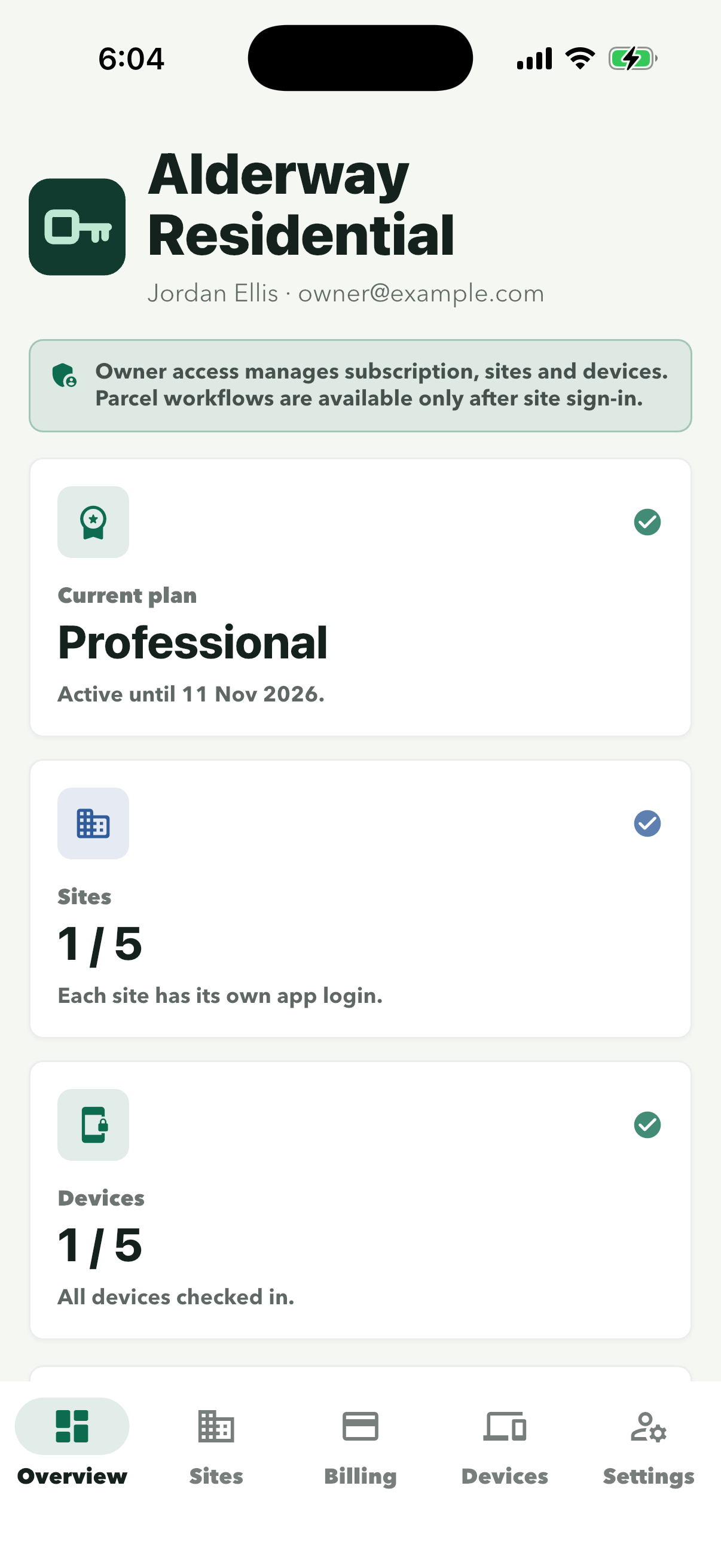
Current plan shows the plan and the date it runs to. Sites and Devices show how many are in use out of the plan’s limit. Then tap ‘Billing’ at the bottom.
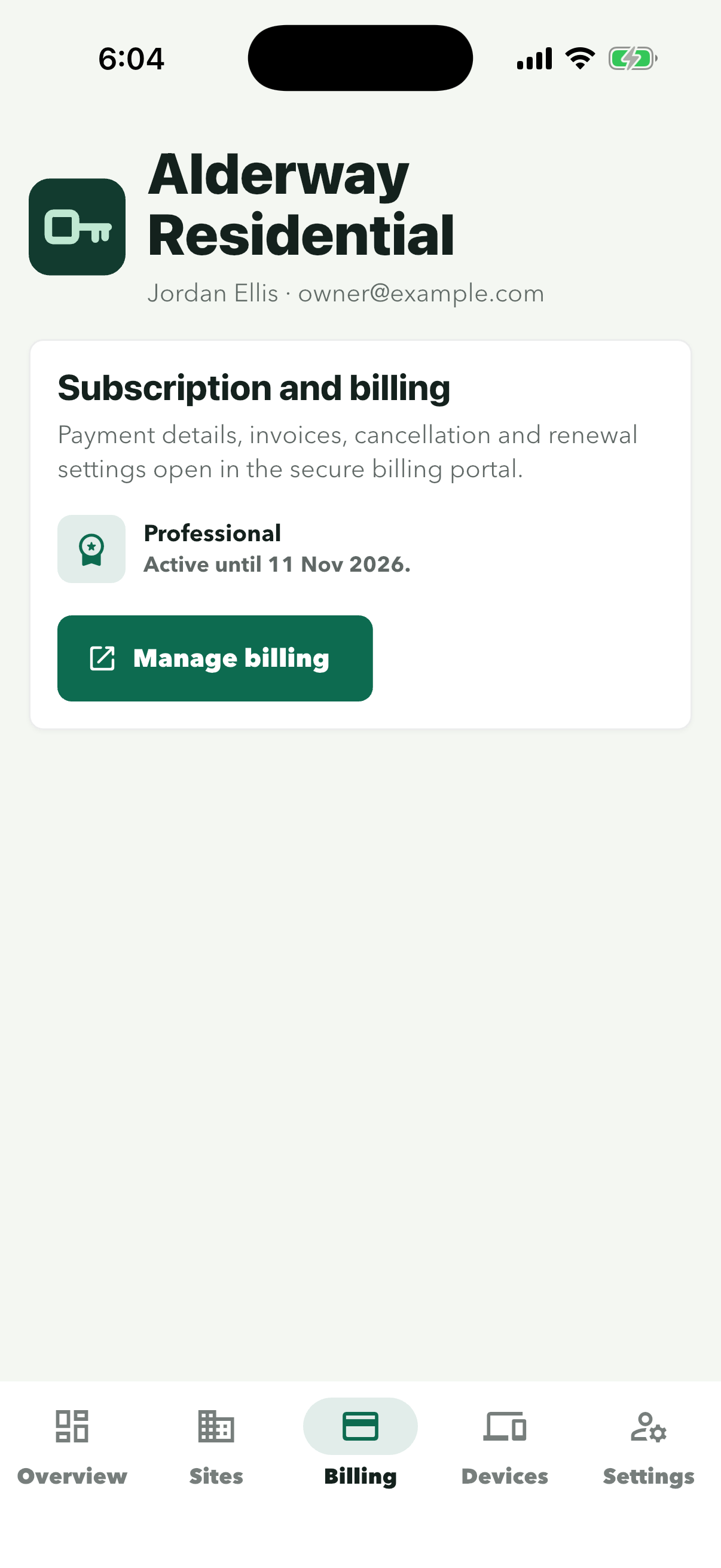
‘Manage billing’ opens the secure billing portal for payment details, invoices, cancellation and renewal settings.
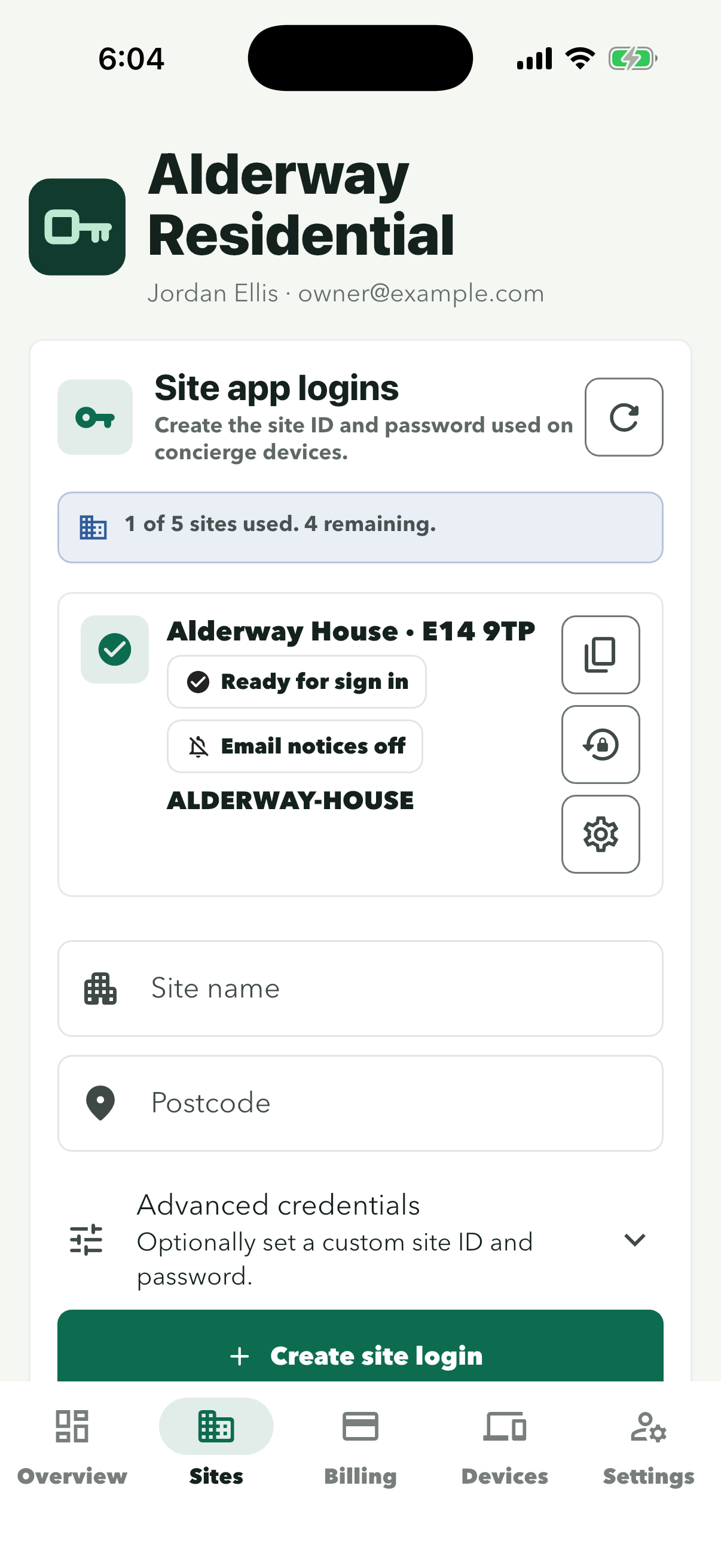
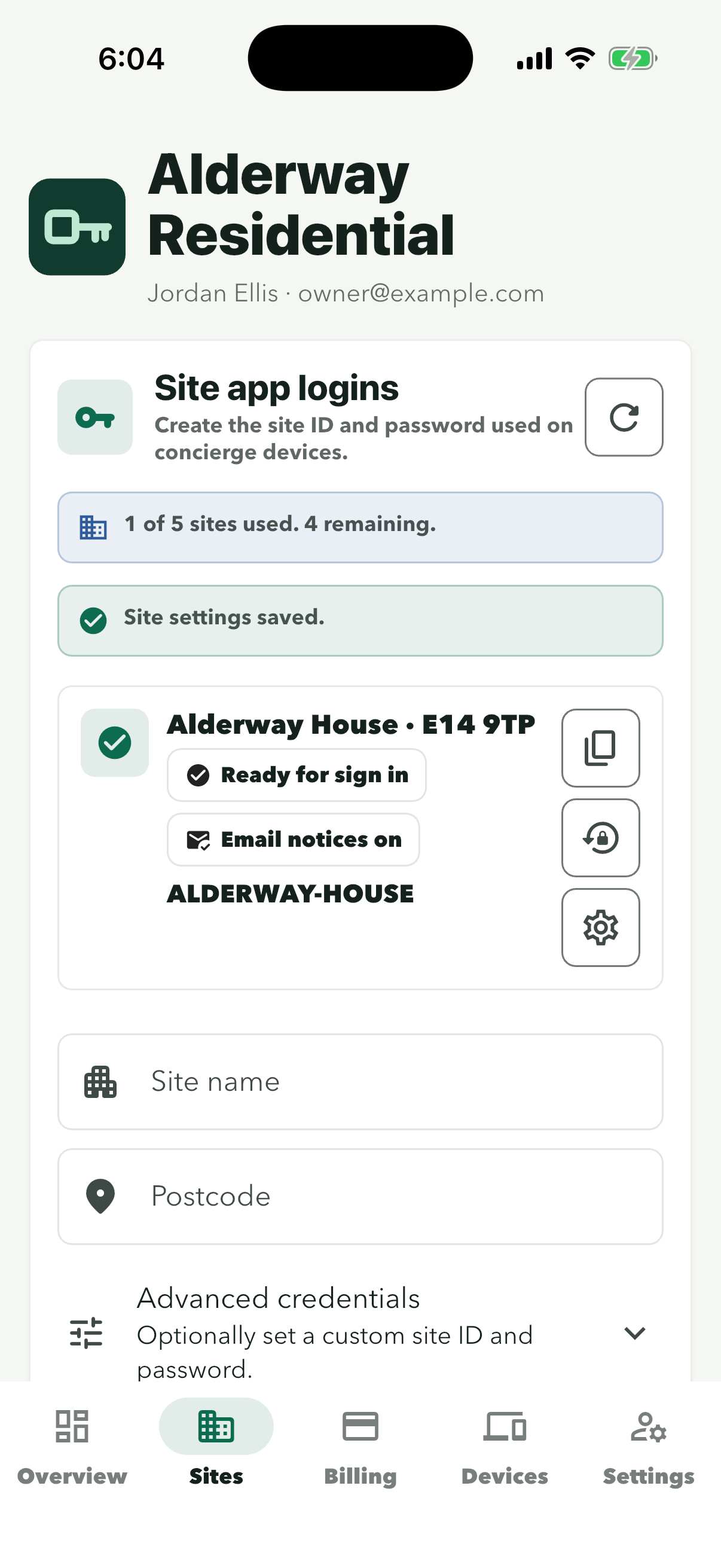
Each building’s card shows its site ID, here ALDERWAY-HOUSE. To add a building, type its Site name and Postcode, then tap ‘Create site login’. The site ID and password are shown once, so note them for reception. Then tap ‘Overview’.
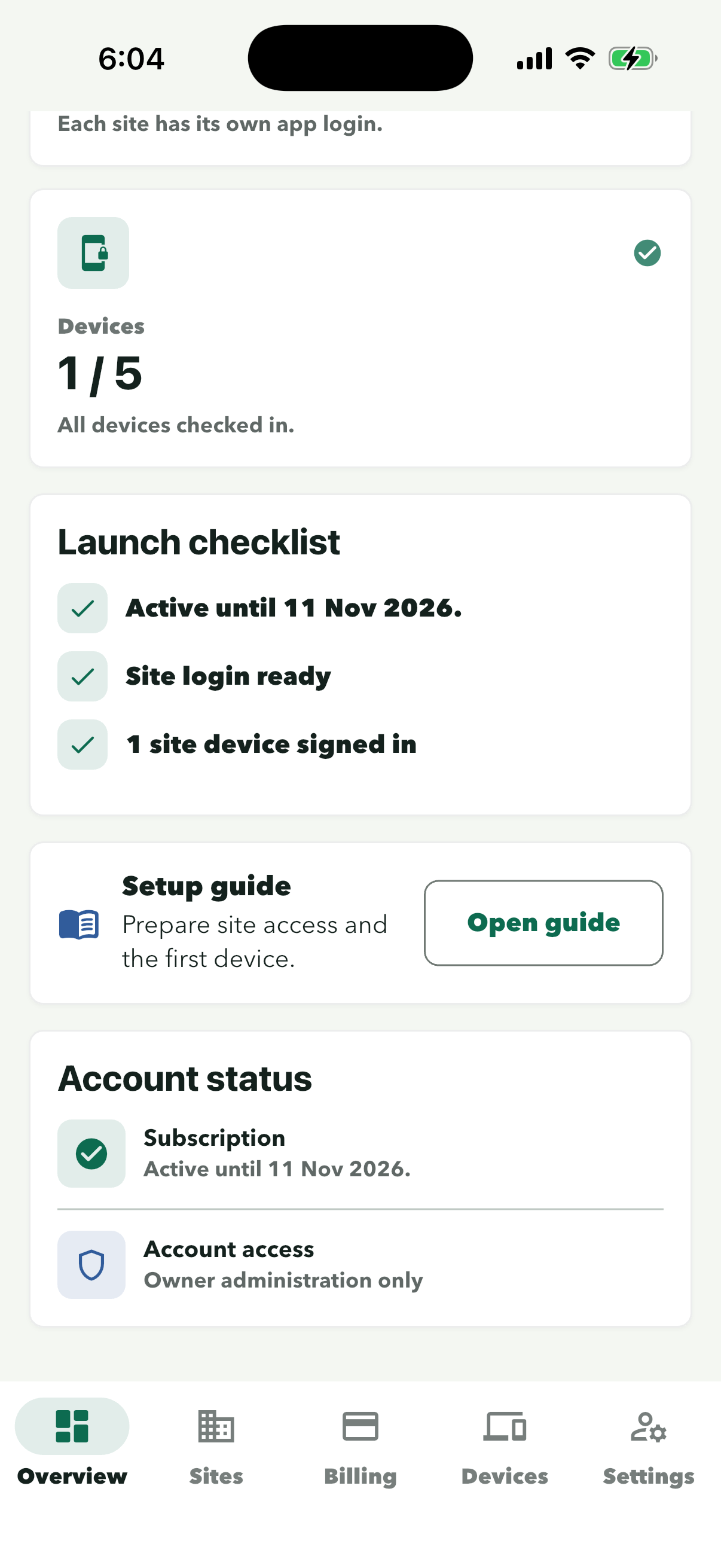
Scroll down on Overview. Each line gets a tick when it’s done: the plan is active, a site login is ready and the site’s reception phone is signed in.
In the owner account
Resident email & devicesTurn on resident email for a site and check its reception phone
In the owner app, resident email is switched on for each site separately. It stays off until you switch it on. Then check that the site’s reception phone is signed in.
Step 1 of 5
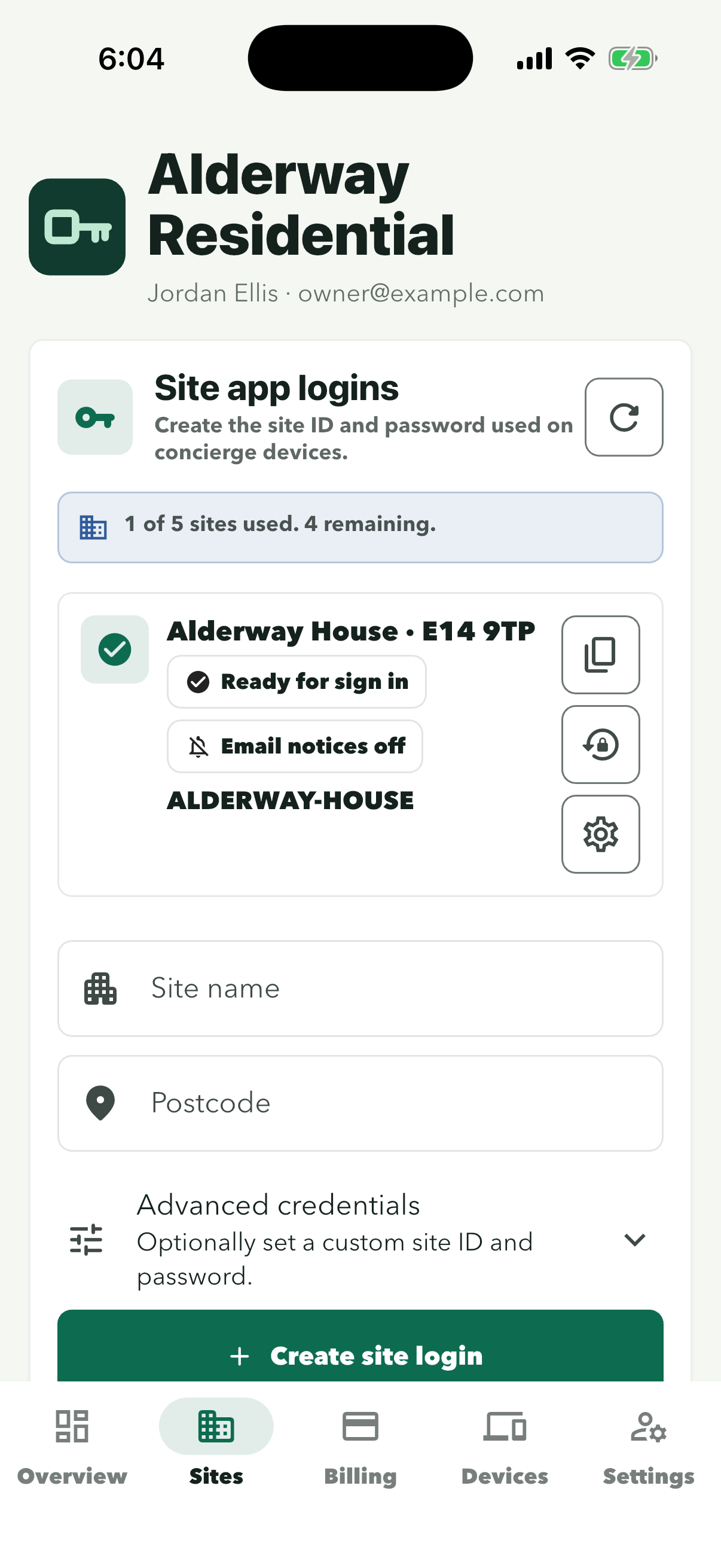
The gear is the bottom of the three buttons on the right of the card. It opens Site settings for that building.
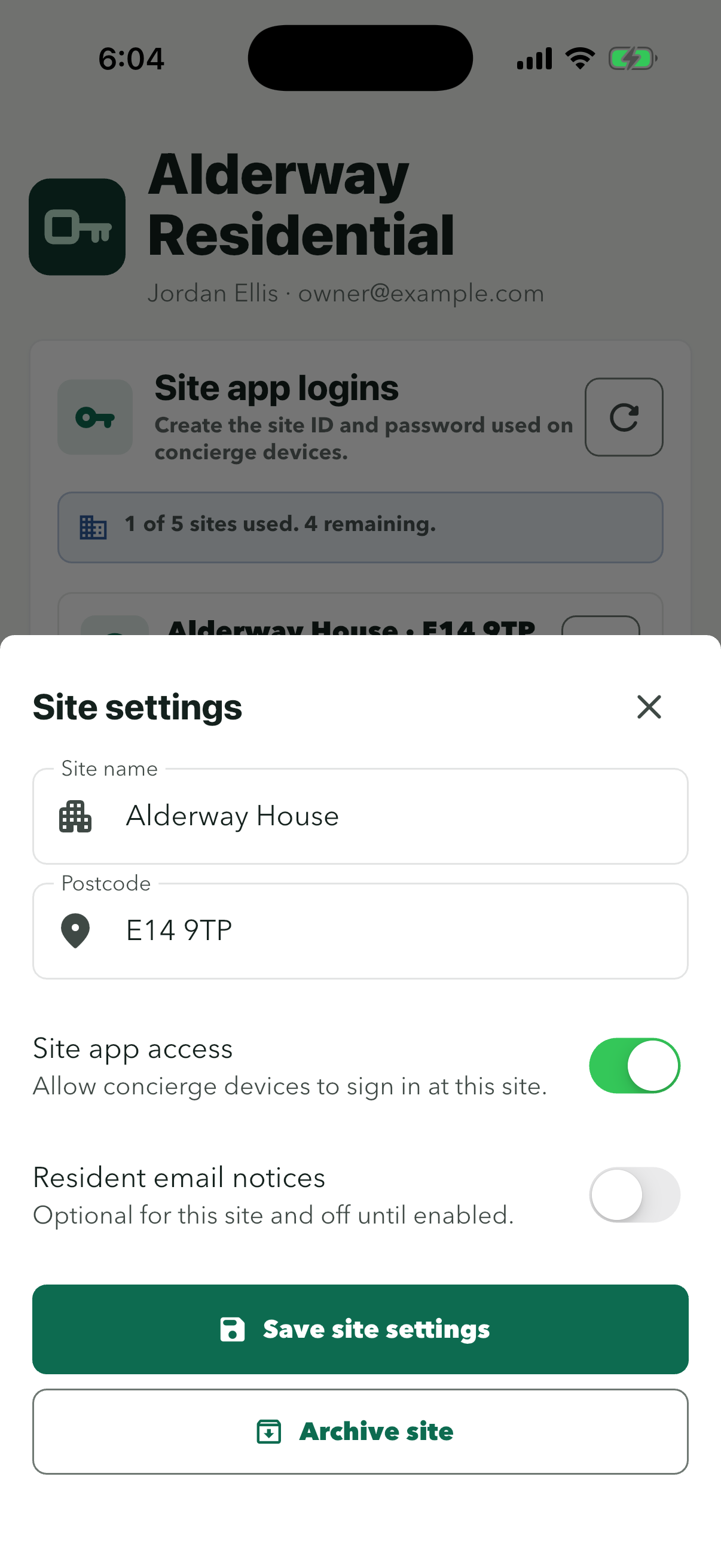
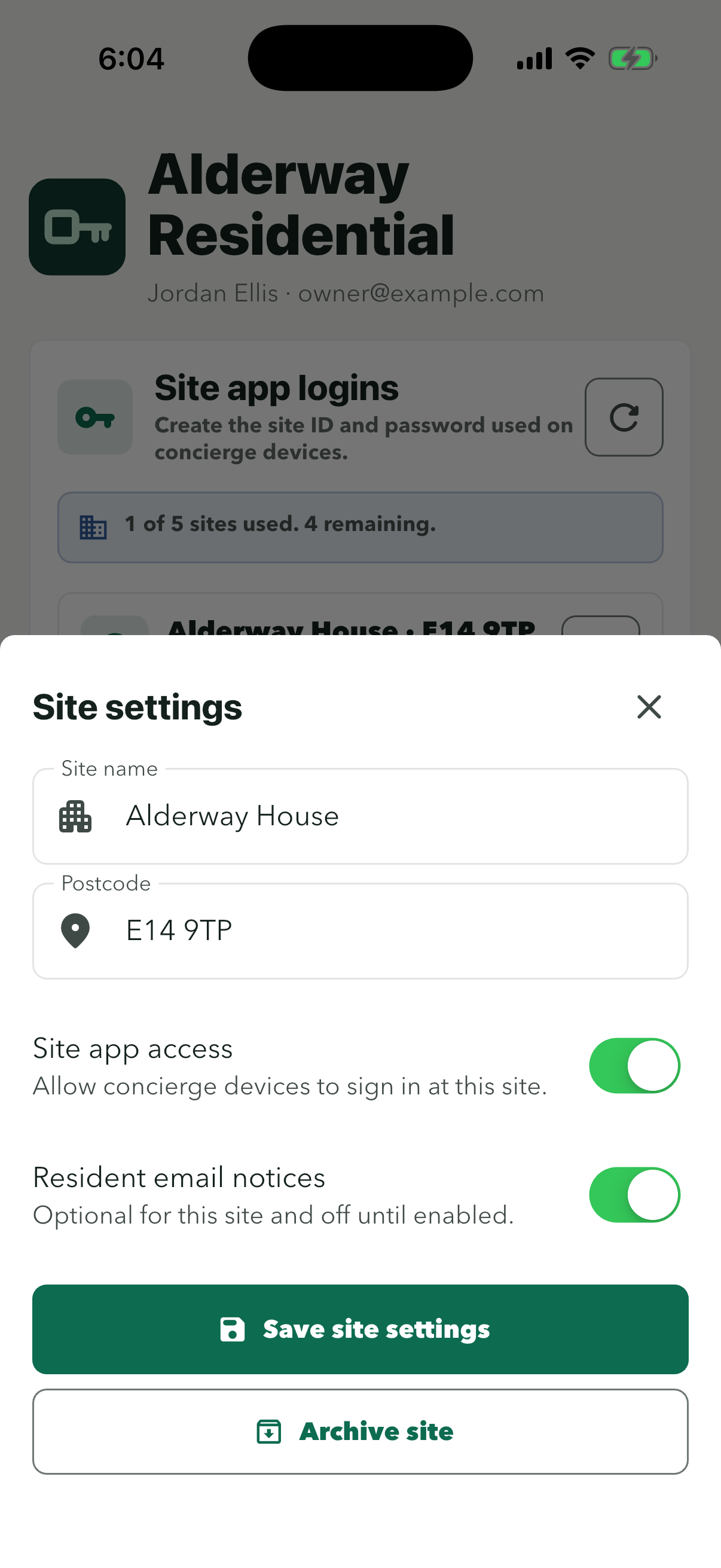
Leave ‘Site app access’ on so reception can sign in. On plans without resident notices this switch can’t be turned on.
Nothing changes for the site until you save.
‘Site settings saved.’ appears above the card, which now shows ‘Email notices on’. Staff connect the site’s email in the site login, under Settings. The guides below show how for Gmail, Microsoft 365 or Outlook, and other providers.
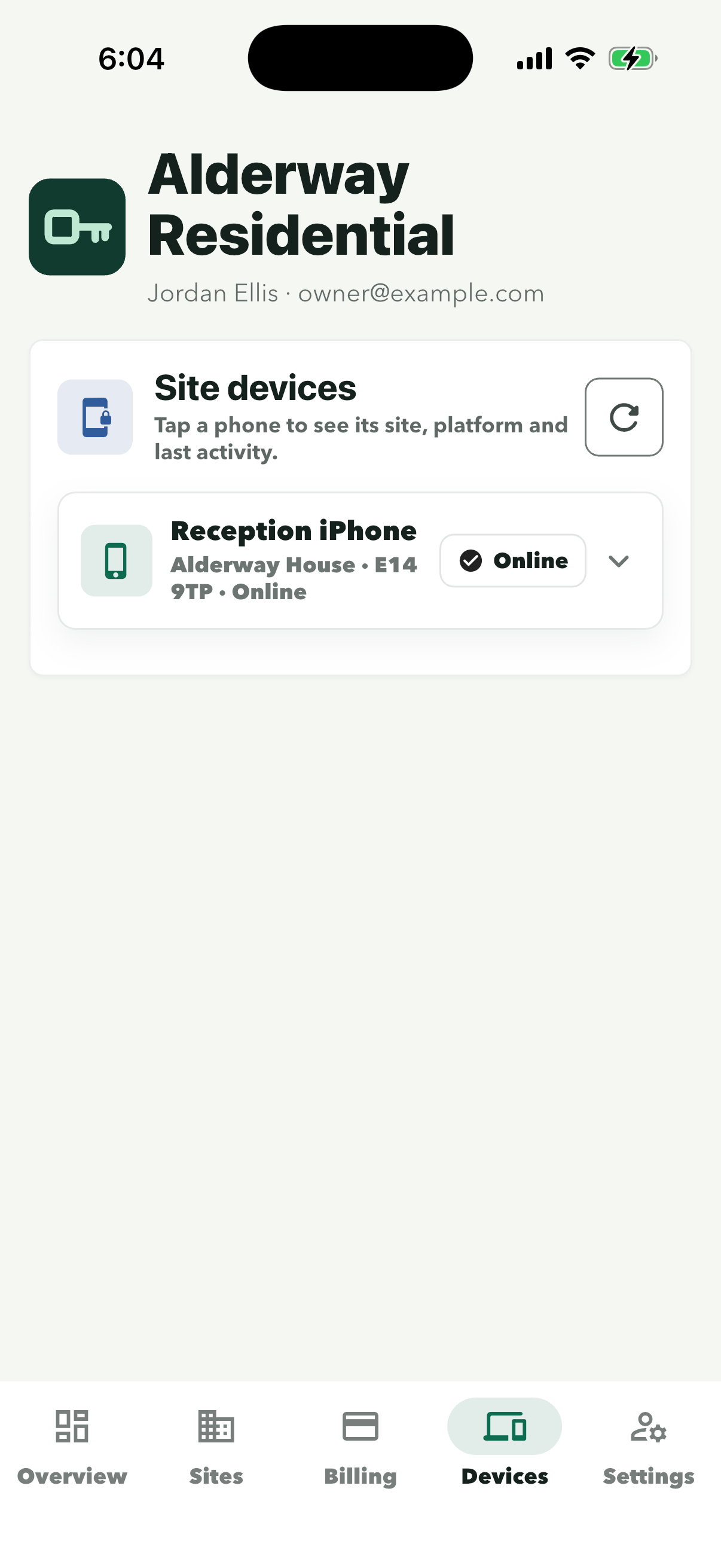
The site’s reception phone is listed with its site and status. Tap it to see its platform and last activity.
Owner accountSite login
Next, staff set up the site’s email.
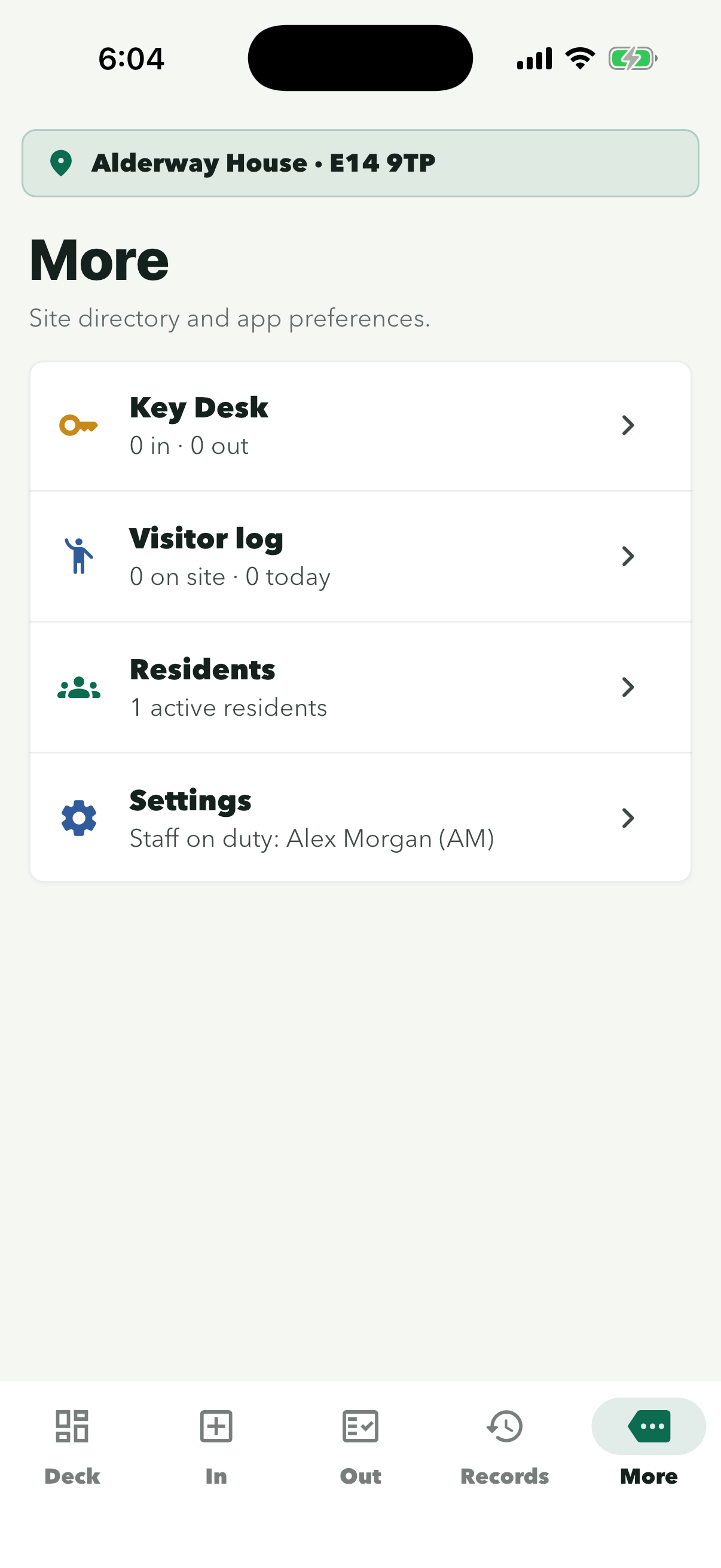
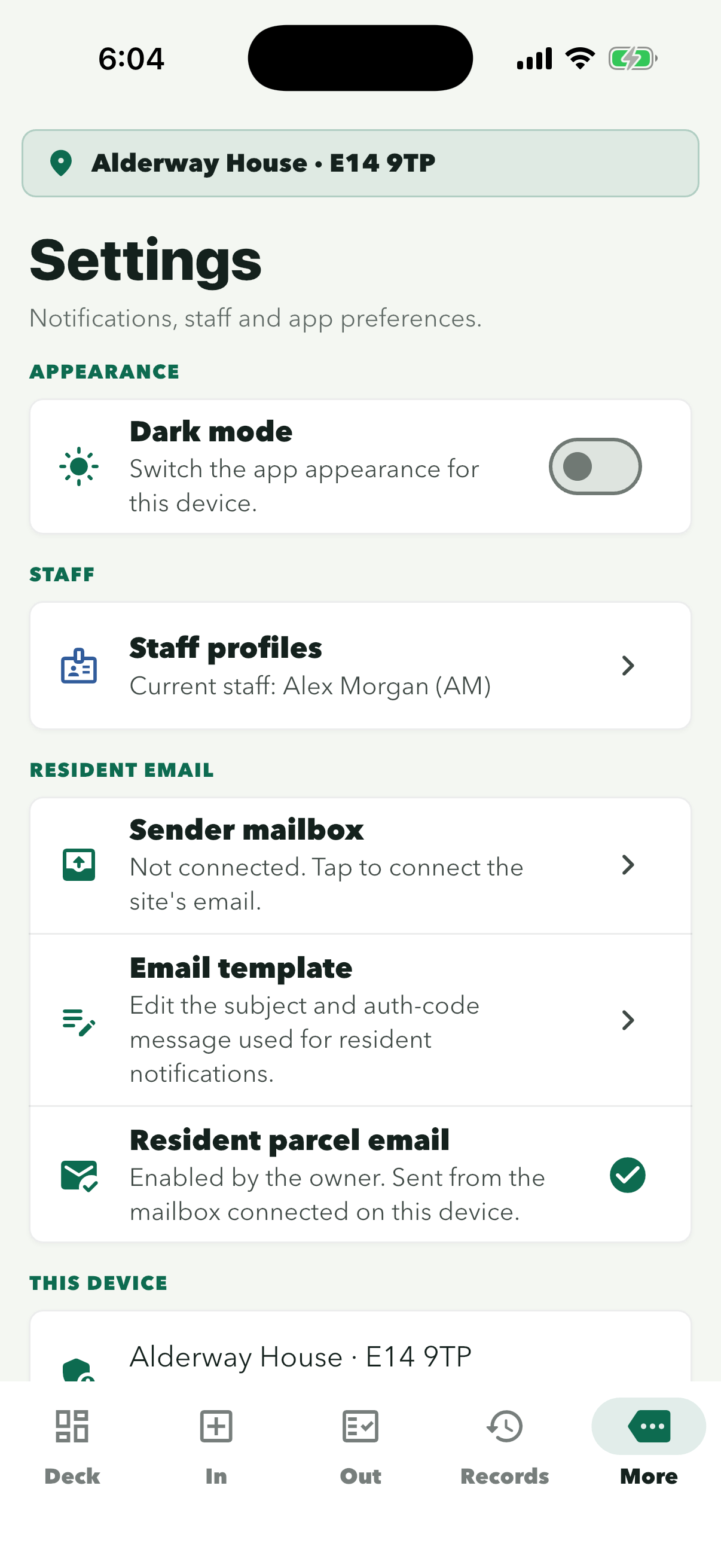
Signed in to the site app, open More, then Settings: connect the site’s email under Sender mailbox, then choose the email style.
Choose the provider: Gmail Microsoft 365 or Outlook Another provider
In the site login
GmailConnect a Gmail address
Send resident emails from a Gmail or Google Workspace address. Google needs an app password for this, so set that up first, then add it in the site app. The mailbox is saved on the site’s reception phone.
Before you start
- A Gmail or Google Workspace address for the site that you can sign in to.
- 2-Step Verification turned on for that account (step 1 below).
App passwords aren’t available if the account signs in only with security keys, uses Advanced Protection, or is a work account whose admin requires security keys. Use another address, or connect it as another provider.
Step 1 of 8
On a computer, sign in to the site’s Google account and turn it on. Choose Google prompts or an authenticator app as the second step, not only a security key.
Google shows the 16-character password only once, so copy it straight away, or keep it on screen until it’s in the app. If you lose it, delete it and create a new one.
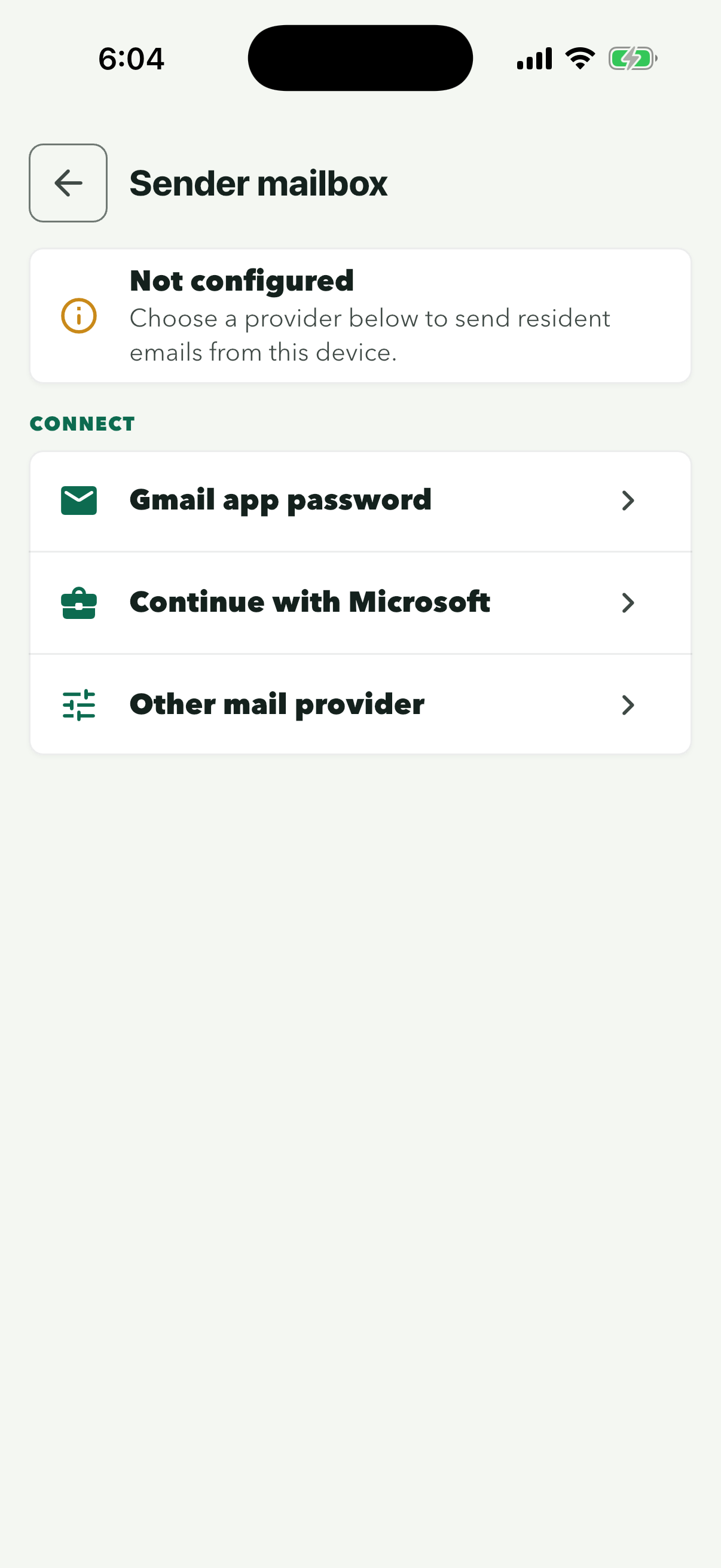
Do this on the reception phone, signed in to the site.
Until a mailbox is connected, the row reads ‘Not connected’.
Sender mailbox shows ‘Not configured’ until a mailbox is connected.
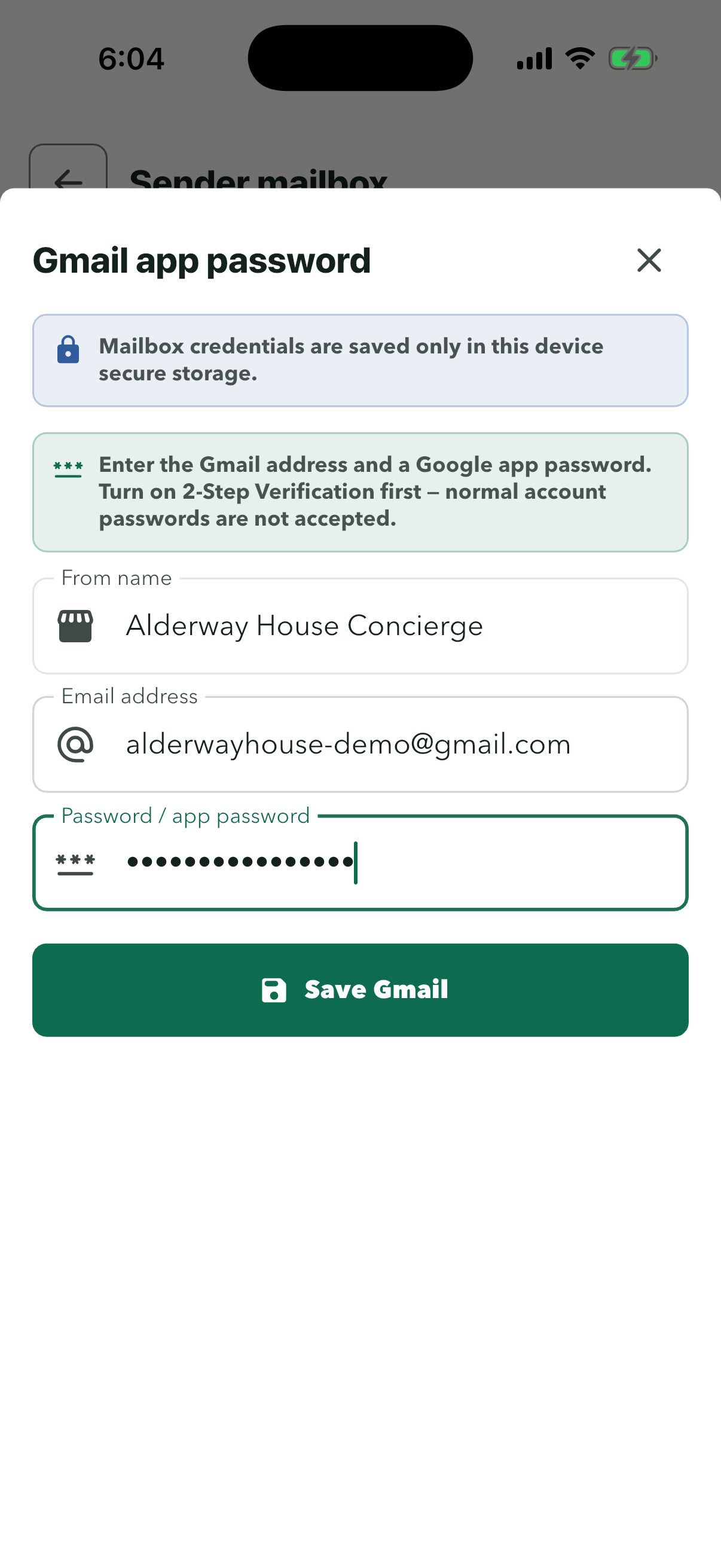
Paste the password without spaces. The normal Google password won’t work here. The From name is what residents see as the sender.
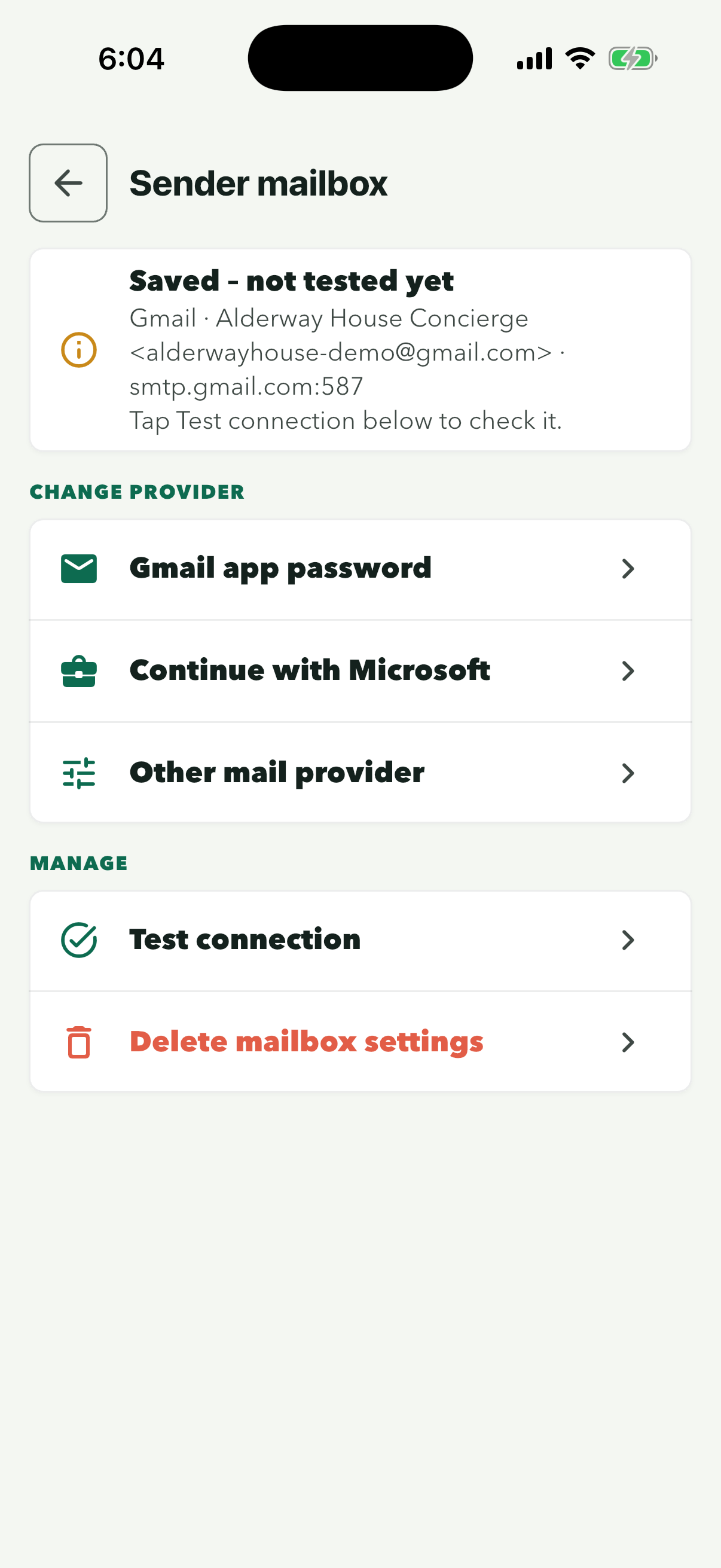
Tap ‘Test connection’ here; with the real app password it then reads ‘Connected’. The app also tests the connection after you save, then moves on to the email style. If a test fails, the app shows what the mail server replied.
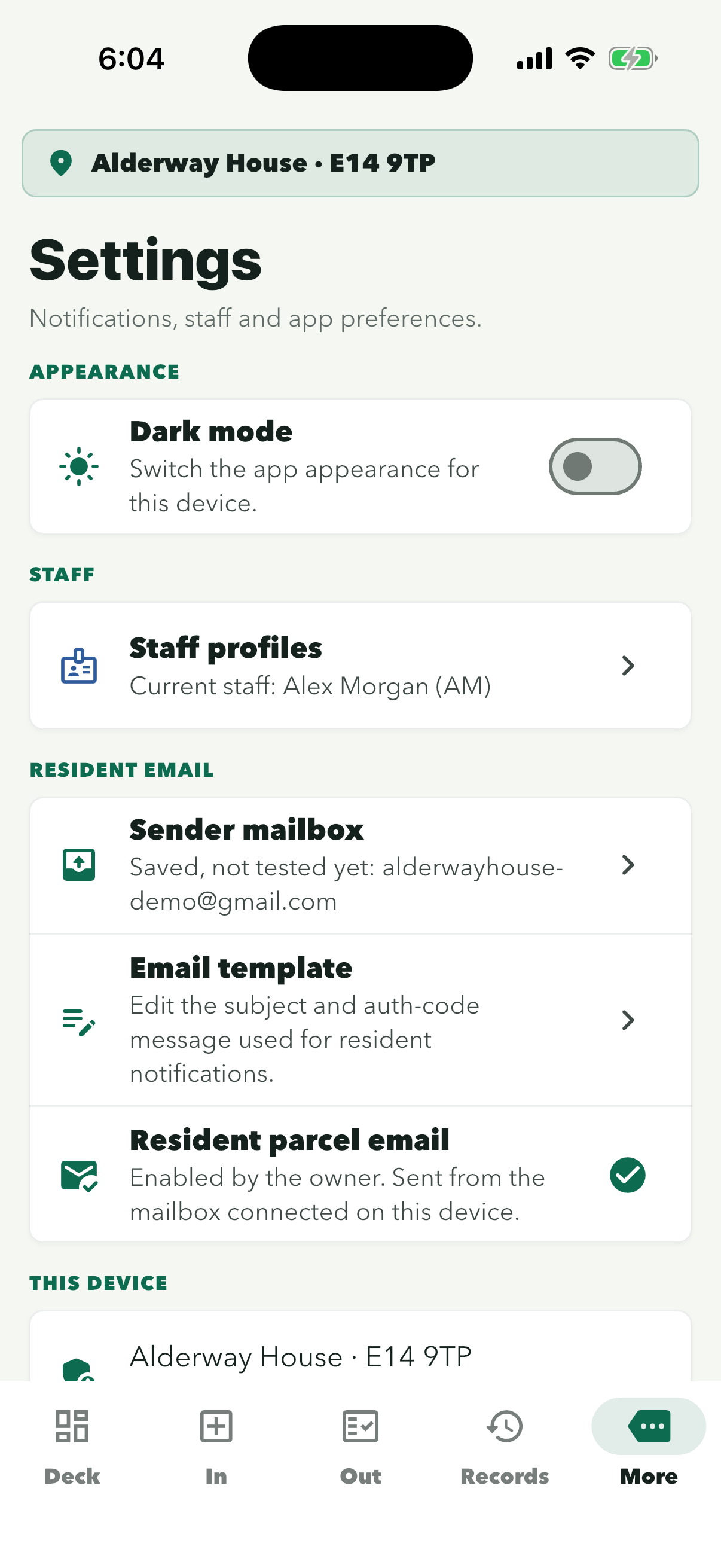
The row shows the same status as Sender mailbox, with the Gmail address. The mailbox is saved on the site’s reception phone.
On your computer
Turn on 2-Step Verification
- Open 2-Step Verification and sign in with the site’s Google account.
- Select ‘Turn on 2-Step Verification’ and follow the steps.
- Choose Google prompts or an authenticator app, not only a security key.
Open 2-Step Verification (opens in a new tab)Google’s help (opens in a new tab)
On your computer
Create an app password
- Open App passwords. Google may ask you to sign in again.
- Type ConciergeDeck as the app name, then select ‘Create’.
- Copy the 16-character password. It’s shown only once.
Open App passwords (opens in a new tab)Google’s help (opens in a new tab)
Good to know
- Changing the Google account’s password cancels its app passwords. Resident emails then stop sending until you create a new app password and enter it again in Sender mailbox.
- If the test shows a reply starting 534, Google wants an app password instead of the normal password. A reply starting 535 means the address or app password wasn’t accepted: check the full Gmail address, then create a new app password and paste it again.
- Gmail sends up to about 500 emails a day from a personal address, and 2,000 a day from a Google Workspace address.
- To stop ConciergeDeck sending from the address, remove the app password on App passwords (opens in a new tab).
In the site login
Microsoft 365 or OutlookConnect Microsoft 365 or Outlook
Send resident emails from an Outlook.com address or a Microsoft 365 work address by signing in with Microsoft. The mailbox is saved on the site’s reception phone.
Before you start
- A personal Outlook.com, Hotmail or Live address needs nothing set up first.
- A company Microsoft 365 account may need your IT admin’s approval the first time it signs in to ConciergeDeck.
Step 1 of 5
Do this on the reception phone, signed in to the site.
Until a mailbox is connected, the row reads ‘Not connected’.
This works for Outlook.com, Hotmail and Live addresses, and for Microsoft 365 work accounts.
The iPhone asks whether ConciergeDeck may use login.microsoftonline.com to sign in. That’s Microsoft’s own sign-in page.
You sign in on Microsoft’s page, so the password stays with Microsoft.
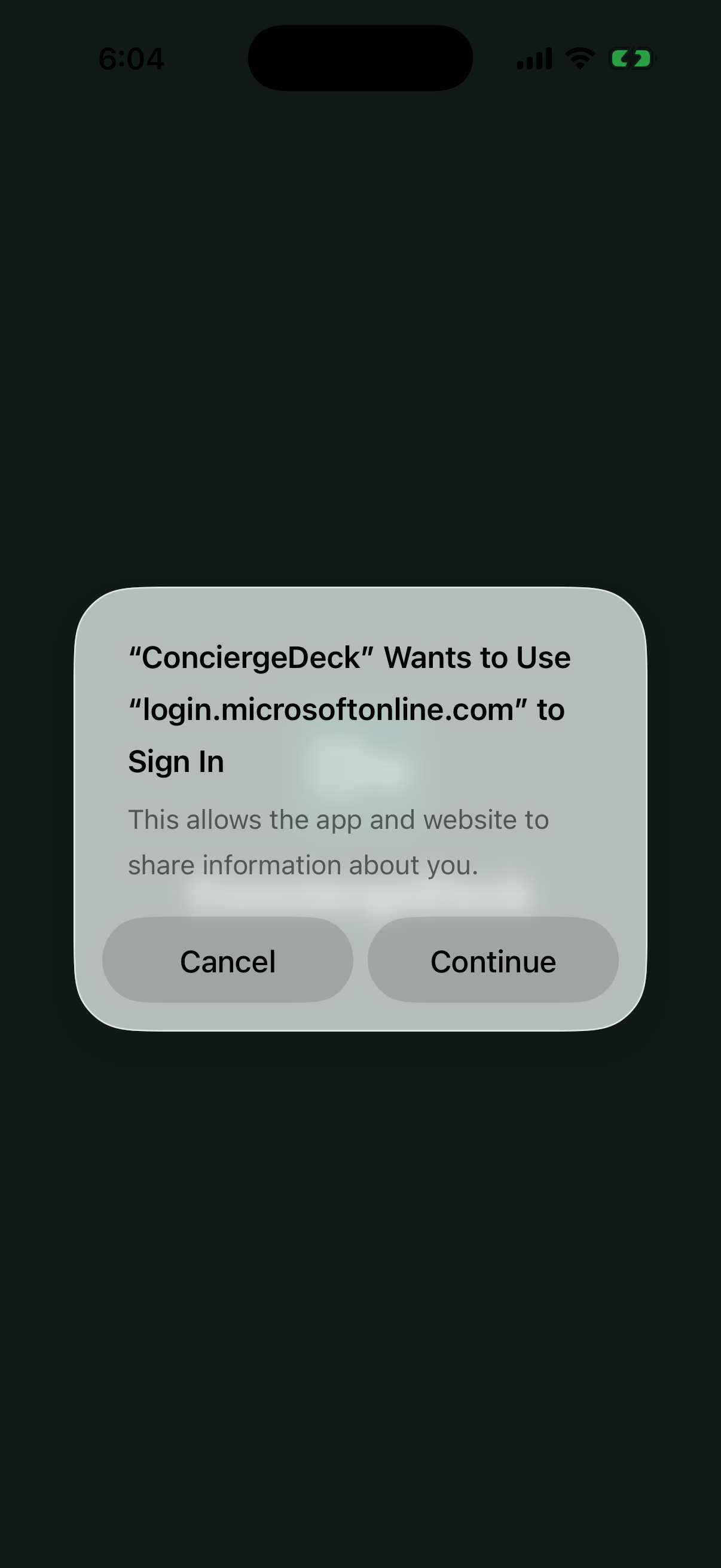
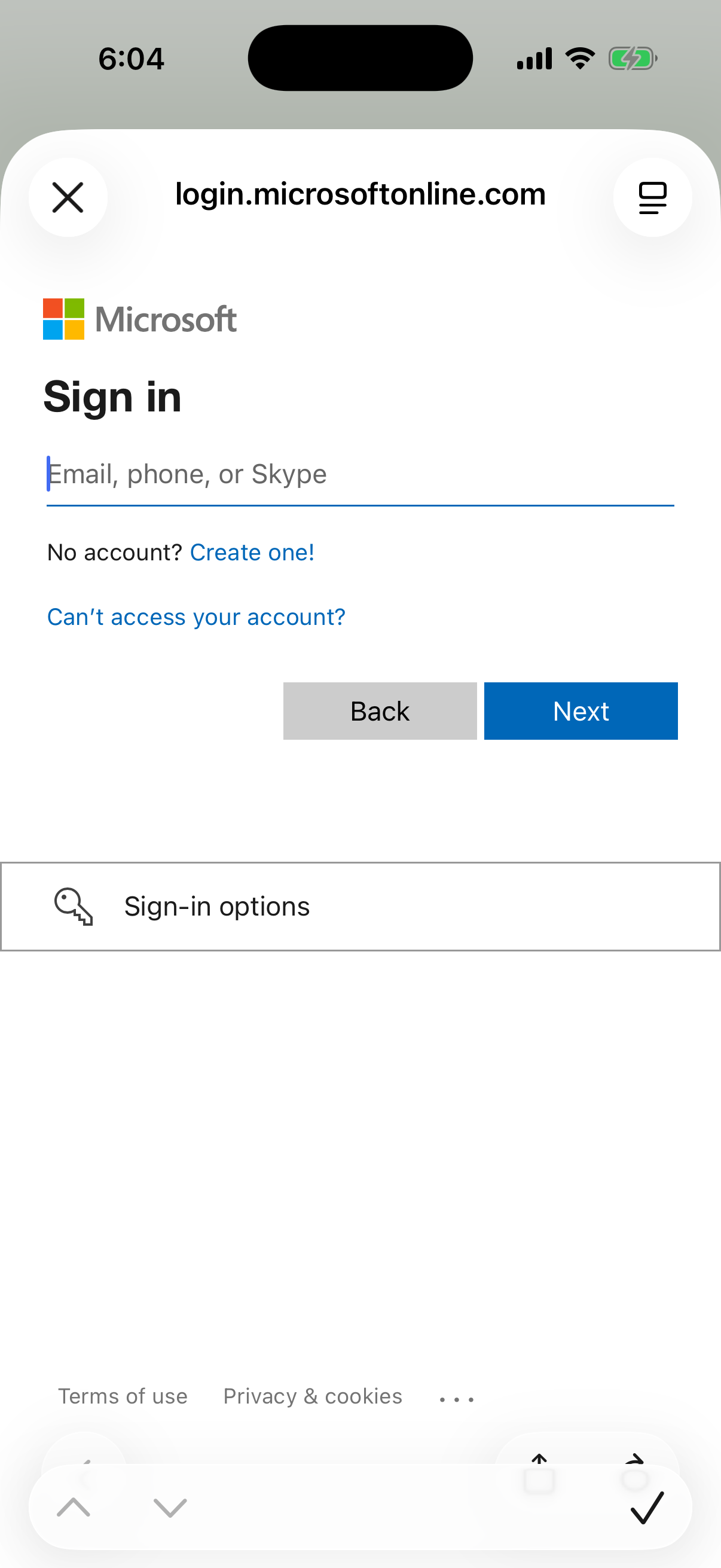
Sign in with the site’s Microsoft account, then check the From name and tap Connect.
In the site login
Another providerConnect another email provider (your own domain)
Send resident emails from an address on your own domain, or from another provider such as iCloud, Yahoo, Zoho or Fastmail. Your provider gives you the server details. The mailbox is saved on the site’s reception phone.
Step 1 of 7
Do this on the reception phone, signed in to the site.
Until a mailbox is connected, the row reads ‘Not connected’.
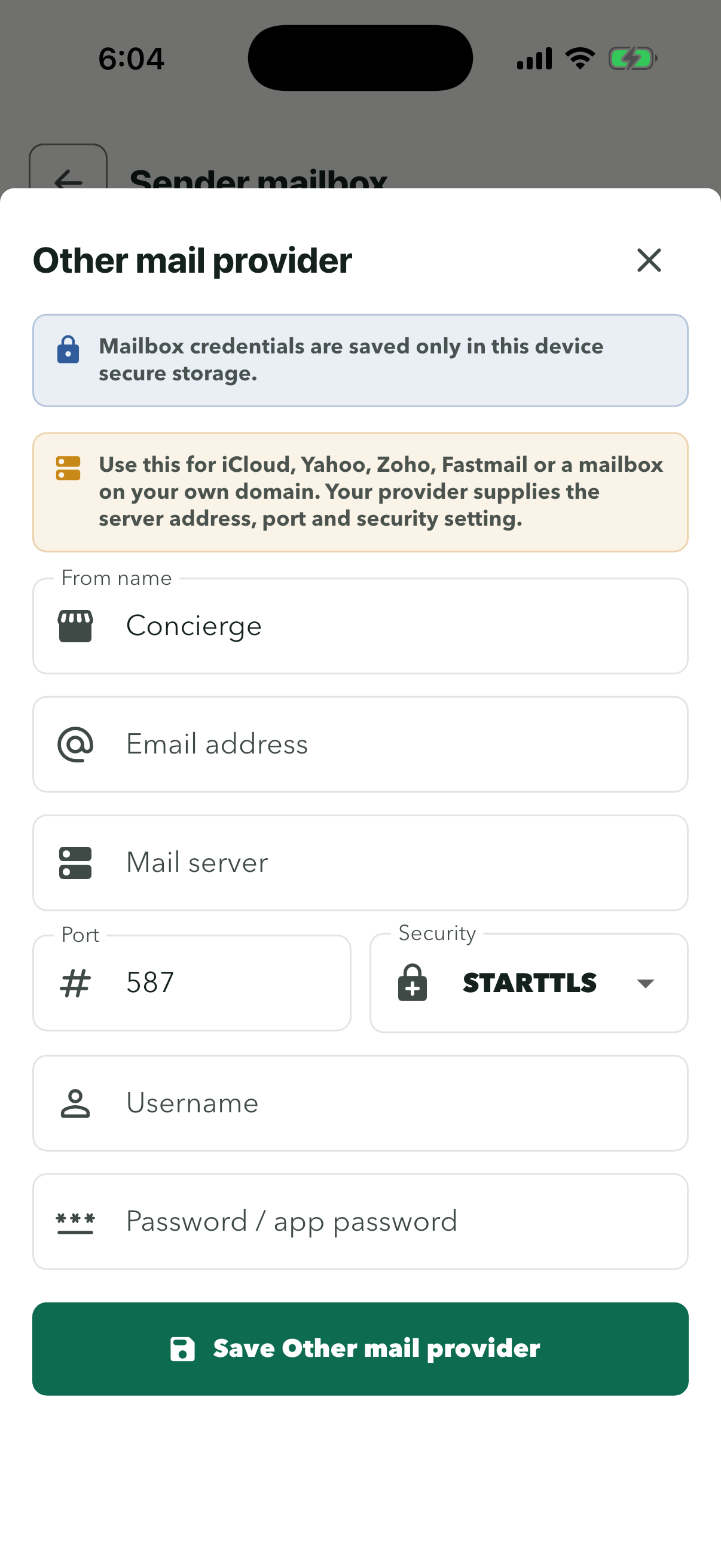
Use this for an address on your own domain, or for iCloud, Yahoo, Zoho or Fastmail.
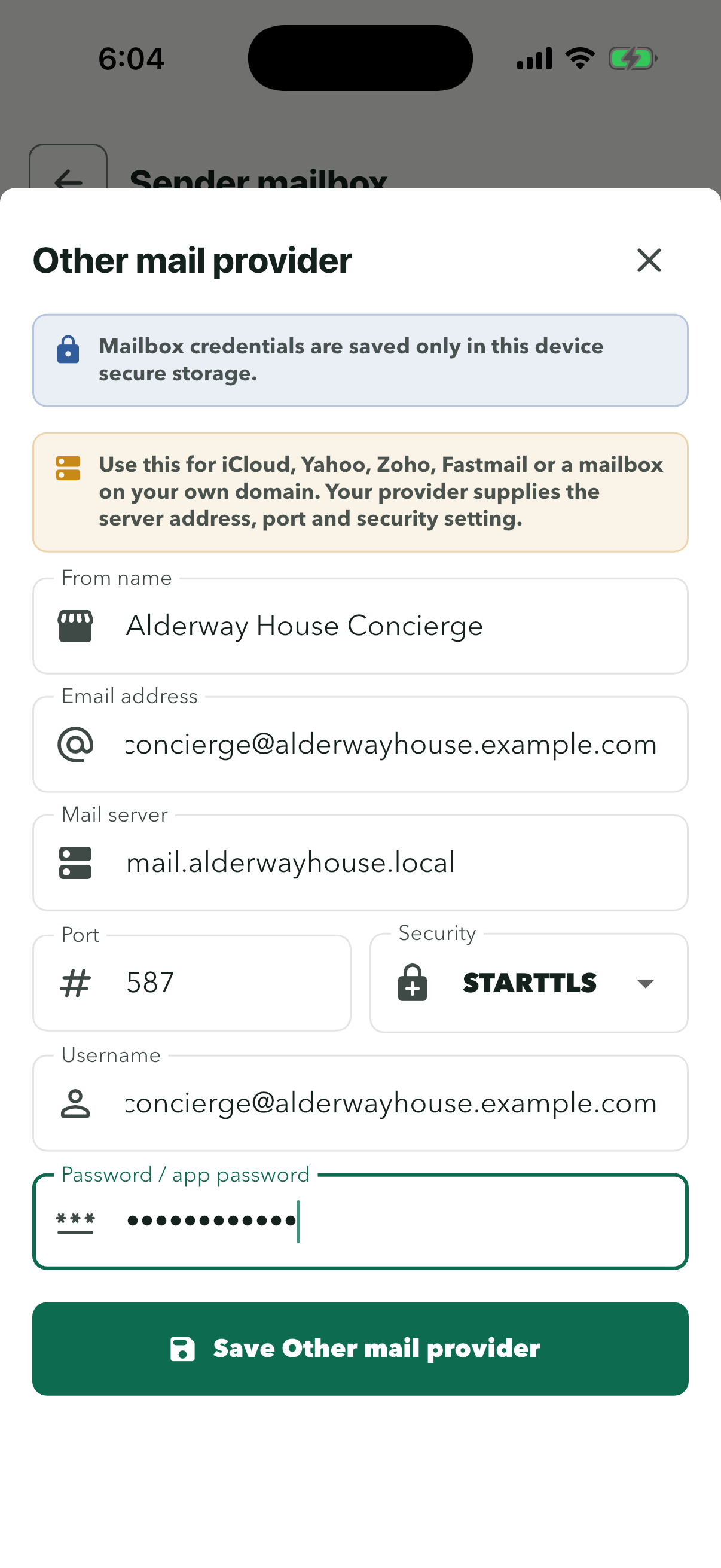
The From name is what residents see as the sender. Choose STARTTLS or SSL/TLS under Security and the port fills in to match.
Use the mailbox password, or an app password if your provider asks for one. The details are saved on the site’s reception phone.
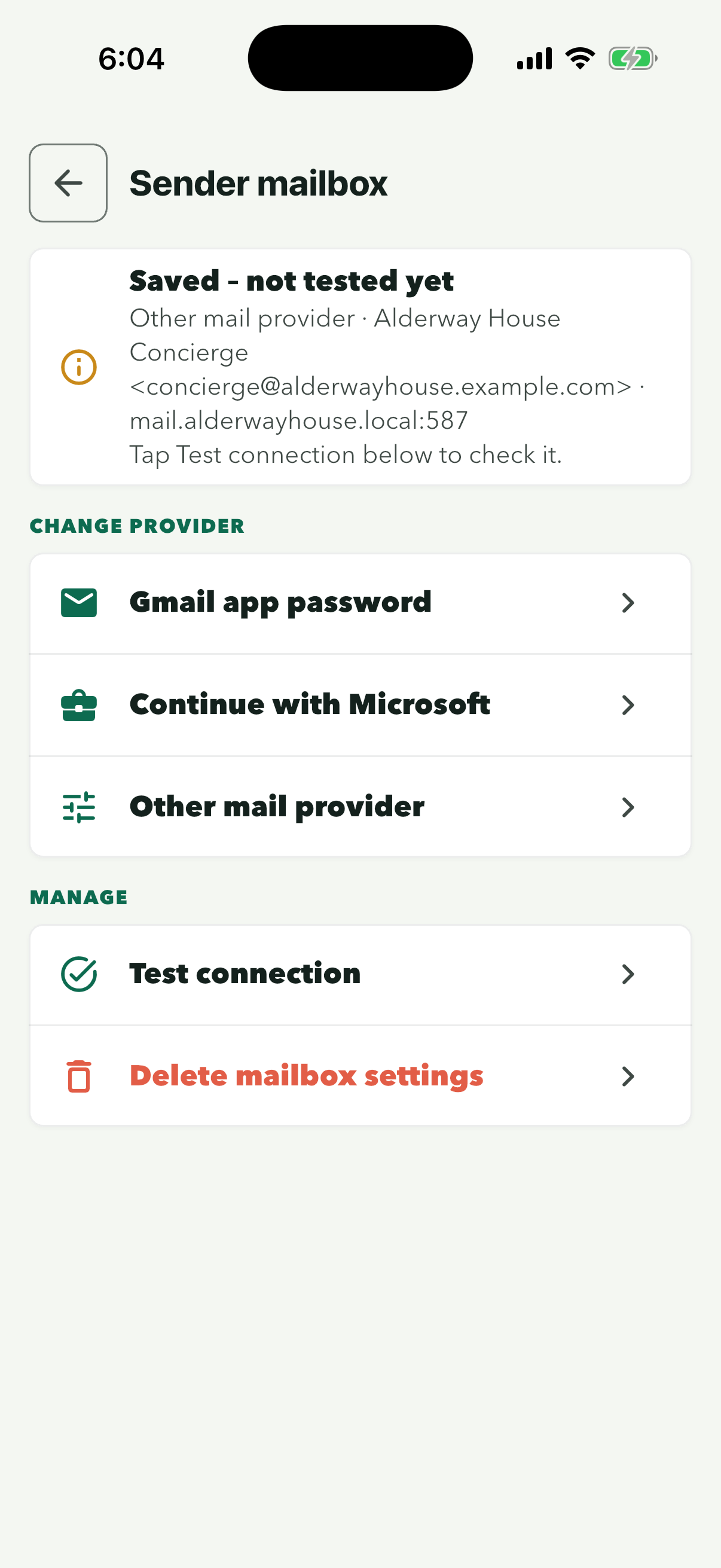
After you save, the app tests the connection, then moves on to the email style. If that test could not reach the server, Sender mailbox reads ‘Saved – not tested yet’. Tap ‘Test connection’ to try again; if it fails, the app shows what the mail server replied.
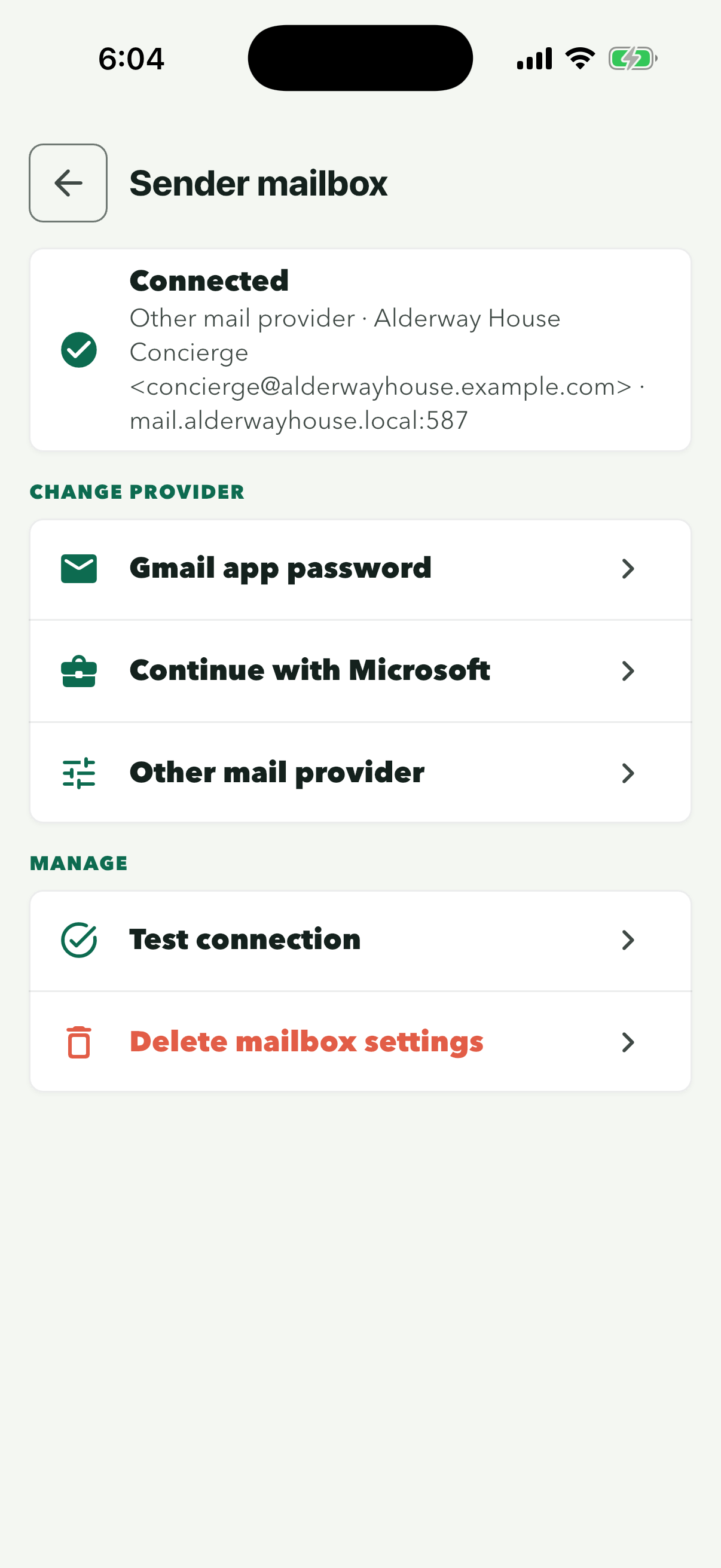
The mail server accepted the sign-in, so the reception phone can send resident emails from the address shown. Next, choose the email style.
Outgoing (SMTP) settings for common providers
Your provider’s help pages list the outgoing server. These are the usual settings, taken from each provider’s own help.
| Provider | Outgoing server | Port and security | Sign in with | Notes |
|---|---|---|---|---|
| Microsoft 365 (your domain on Microsoft) | smtp.office365.com | 587, STARTTLS | Full address and its password | Better: Connect Microsoft 365 or Outlook. A password only works if the admin has turned on SMTP AUTH for the mailbox. Microsoft help (opens in a new tab) |
| Google Workspace | smtp.gmail.com | 587, STARTTLS | Full address and an app password | Better: Connect a Gmail address, which fills in these settings. Google help (opens in a new tab) |
| iCloud Mail | smtp.mail.me.com | 587, STARTTLS | Full iCloud Mail address and an app-specific password | Apple help (opens in a new tab) |
| Zoho Mail | smtppro.zoho.com (paid, your own domain) or smtp.zoho.com (free) | 465, SSL/TLS or 587, STARTTLS | Full address and its password (an app-specific password if two-factor is on) | Accounts in other regions use a different server: Zoho Mail shows yours under Settings, Mail Accounts. Zoho help (opens in a new tab) |
| Fastmail | smtp.fastmail.com | 465, SSL/TLS | Full address and an app password | Not included on the Basic plan. Fastmail help (opens in a new tab) |
| Yahoo Mail | smtp.mail.yahoo.com | 465, SSL/TLS or 587, STARTTLS | Full address and an app password | Yahoo help (opens in a new tab) |
| cPanel or other web host email | Usually mail.yourdomain.co.uk | 465, SSL/TLS | Full address and the mailbox password | Check your host’s email settings page. In cPanel: Email Accounts, then Connect Devices. cPanel help (opens in a new tab) |
The address must be a real mailbox on your domain with a password; the From address should match the username or the provider may reject the email.
Not listed? Search for your provider’s name with ‘SMTP settings’, or ask whoever manages the domain’s email. The username is often the full email address.
In the site login
Resident email styleChoose how resident emails look
Once the site’s email is connected, choose how resident emails look and what they say.
Step 1 of 5
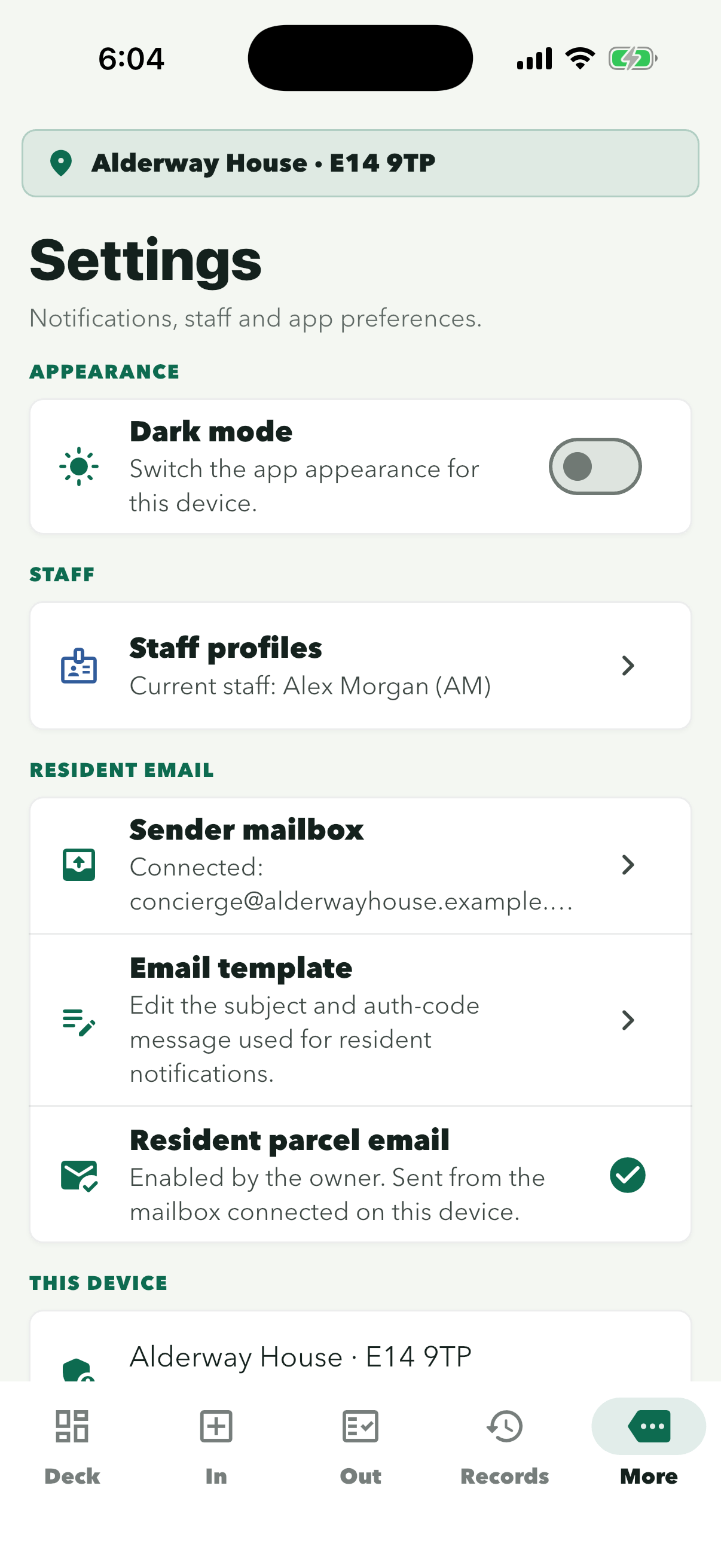
‘Resident parcel email’ below it shows a green tick once resident email is switched on for the site.
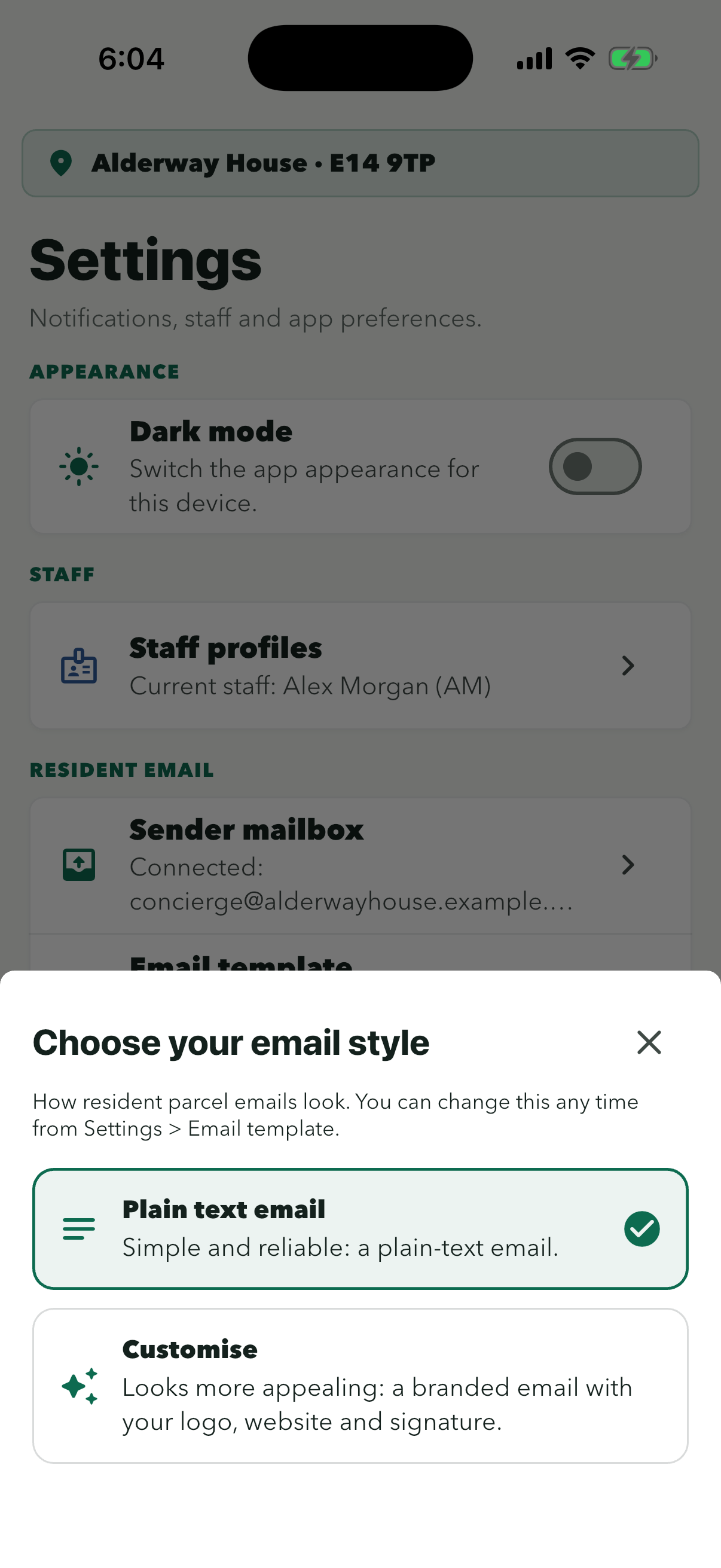
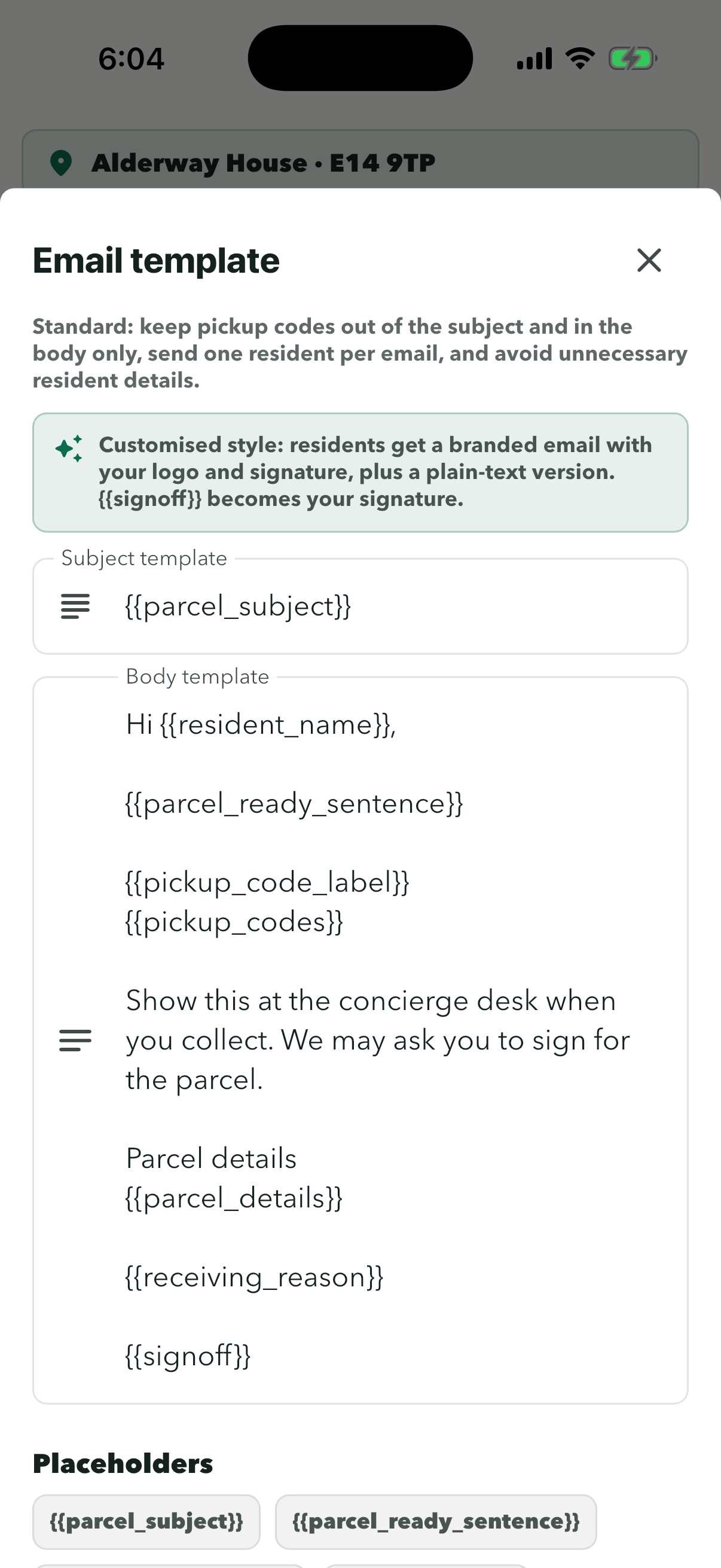
‘Plain text email’ sends a plain-text message with no logo. You can change the style here at any time.
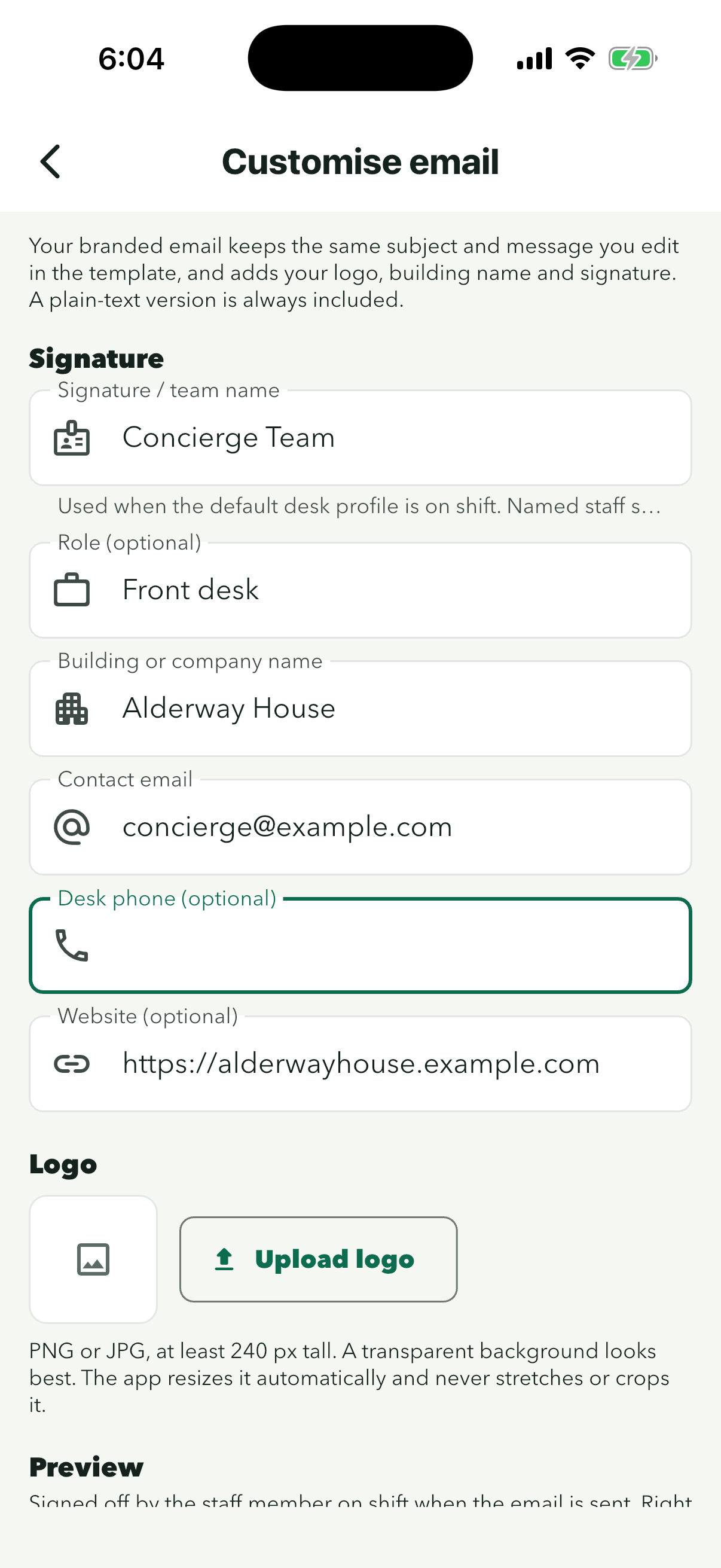
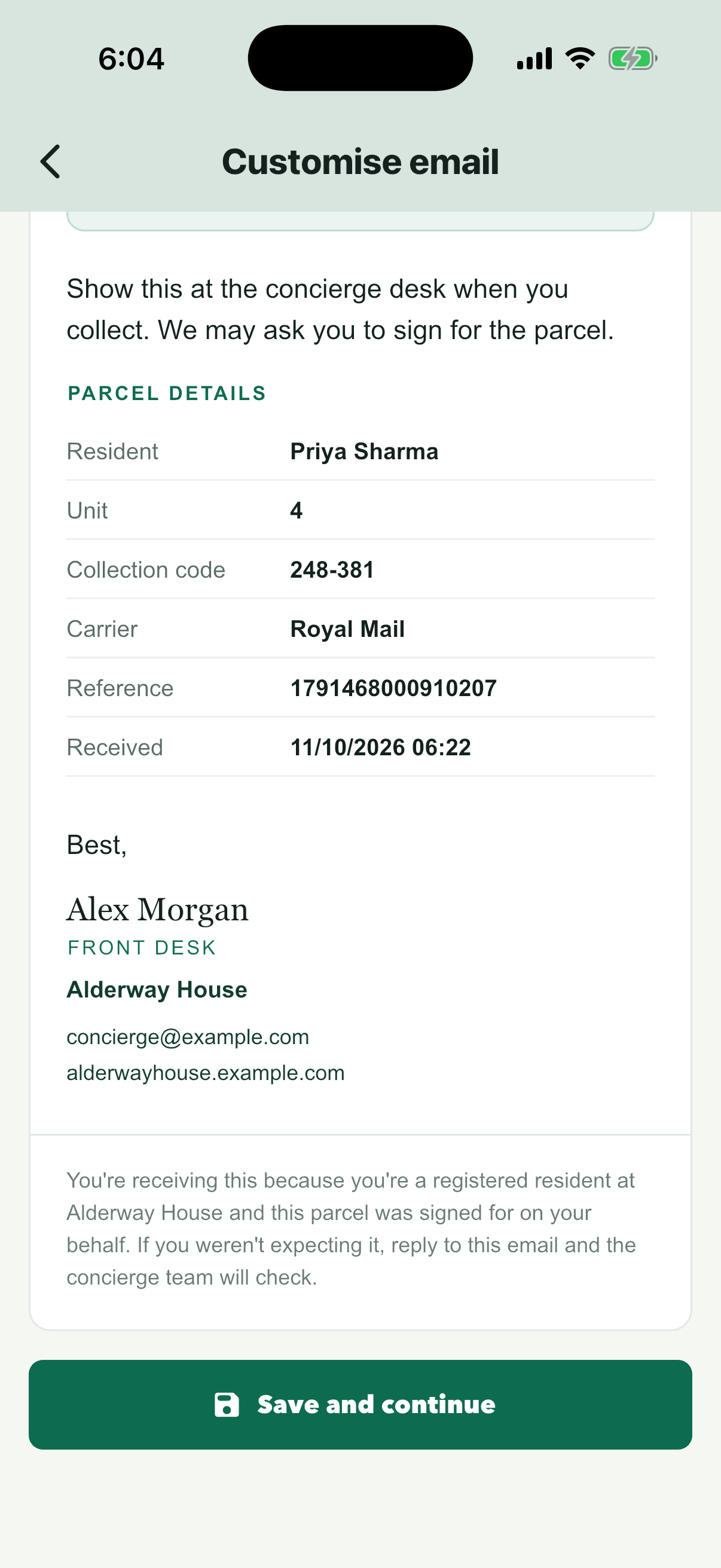
Team name, role, building name, contact email, website and logo. Desk phone is optional; left empty, it isn’t shown. The website needs a full https:// link. Named staff on shift sign off with their own name.
The preview shows the email with your details. Until a notice is waiting to be sent, it uses a sample resident.
Save template is at the bottom of this sheet. The placeholders in braces fill in each parcel’s details.
Residents
Import a resident file from the site app
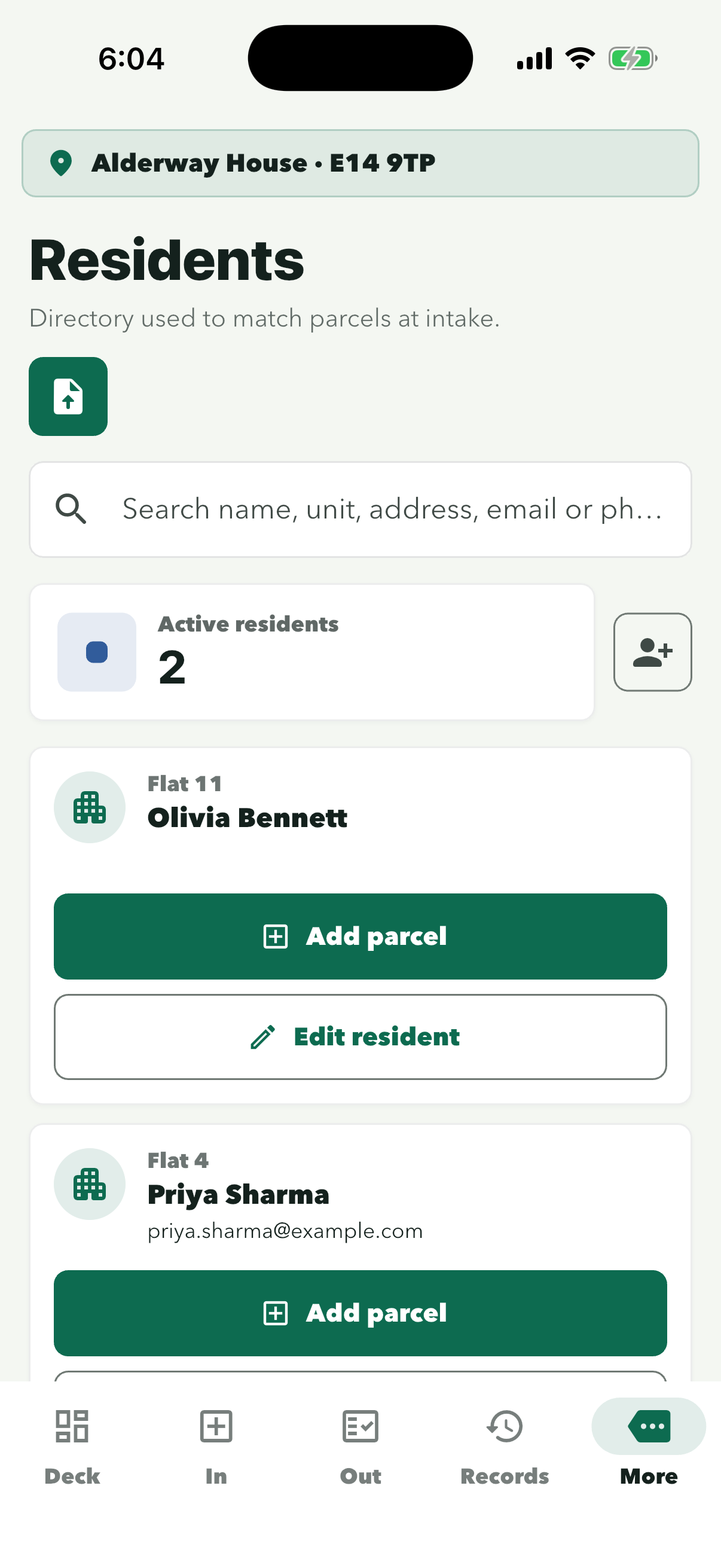
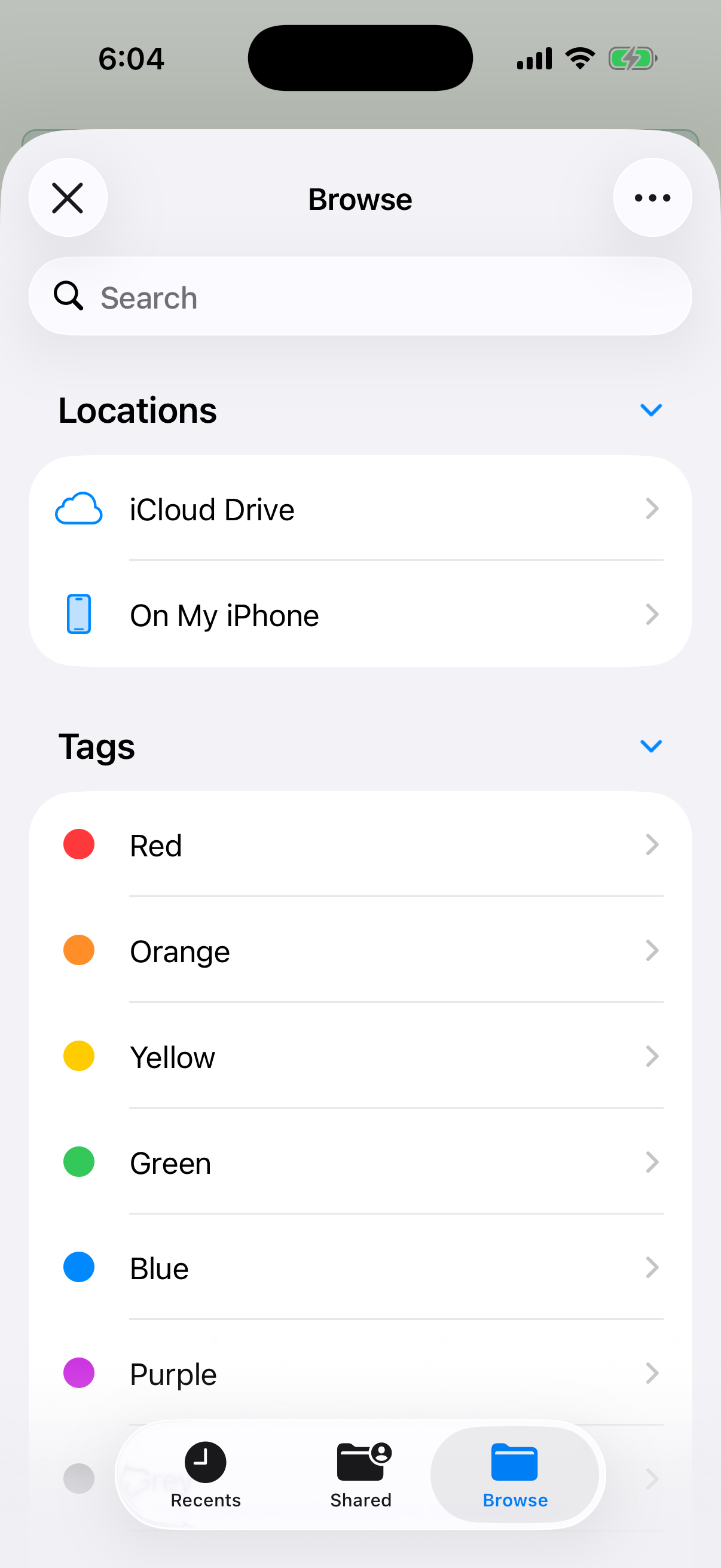
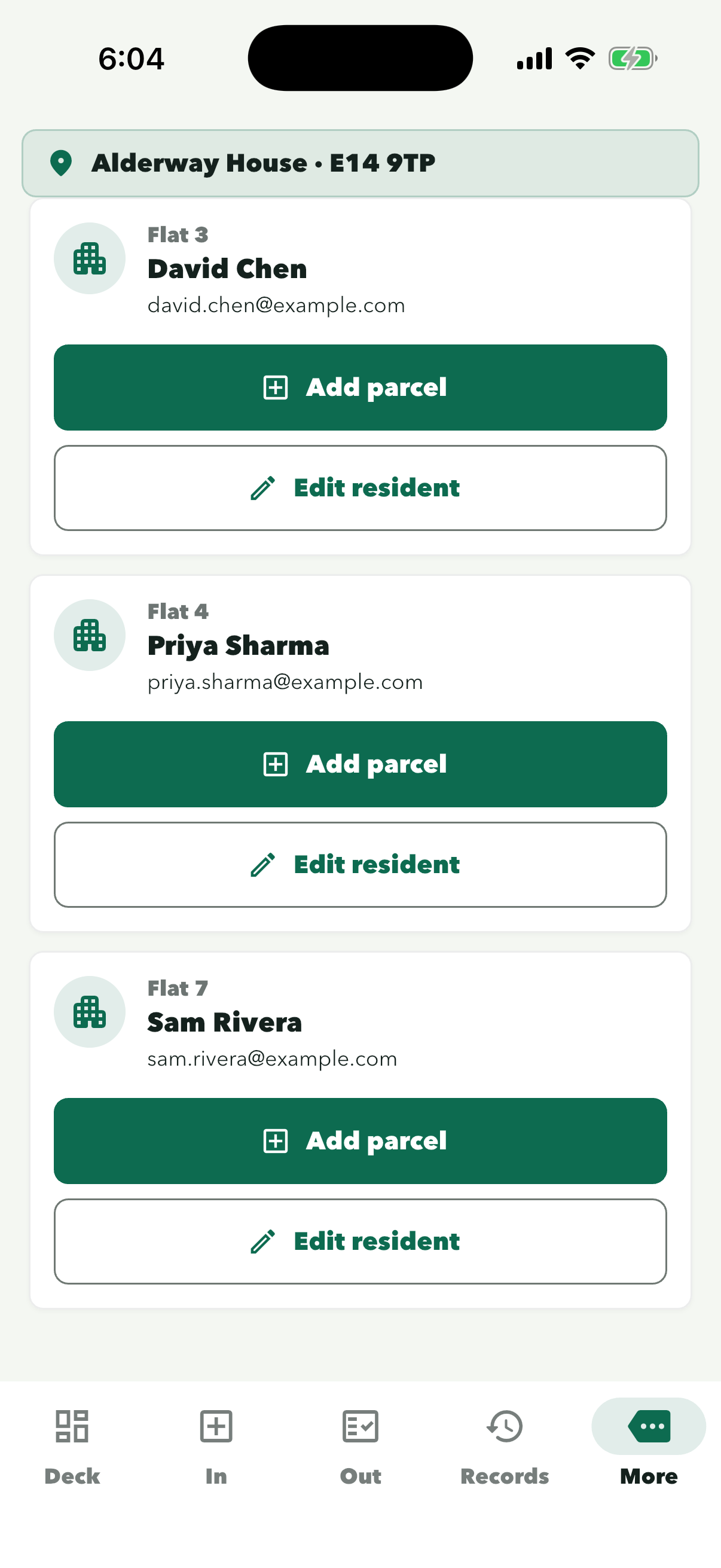
In the site app, tap More, then Residents, then the file icon, and choose your CSV or Excel (.xlsx) file. Pick the sheet if the workbook has several. Check that each column is matched, then tap Import. Anyone already listed with the same flat and name is updated, not added twice.
Step 1 of 7
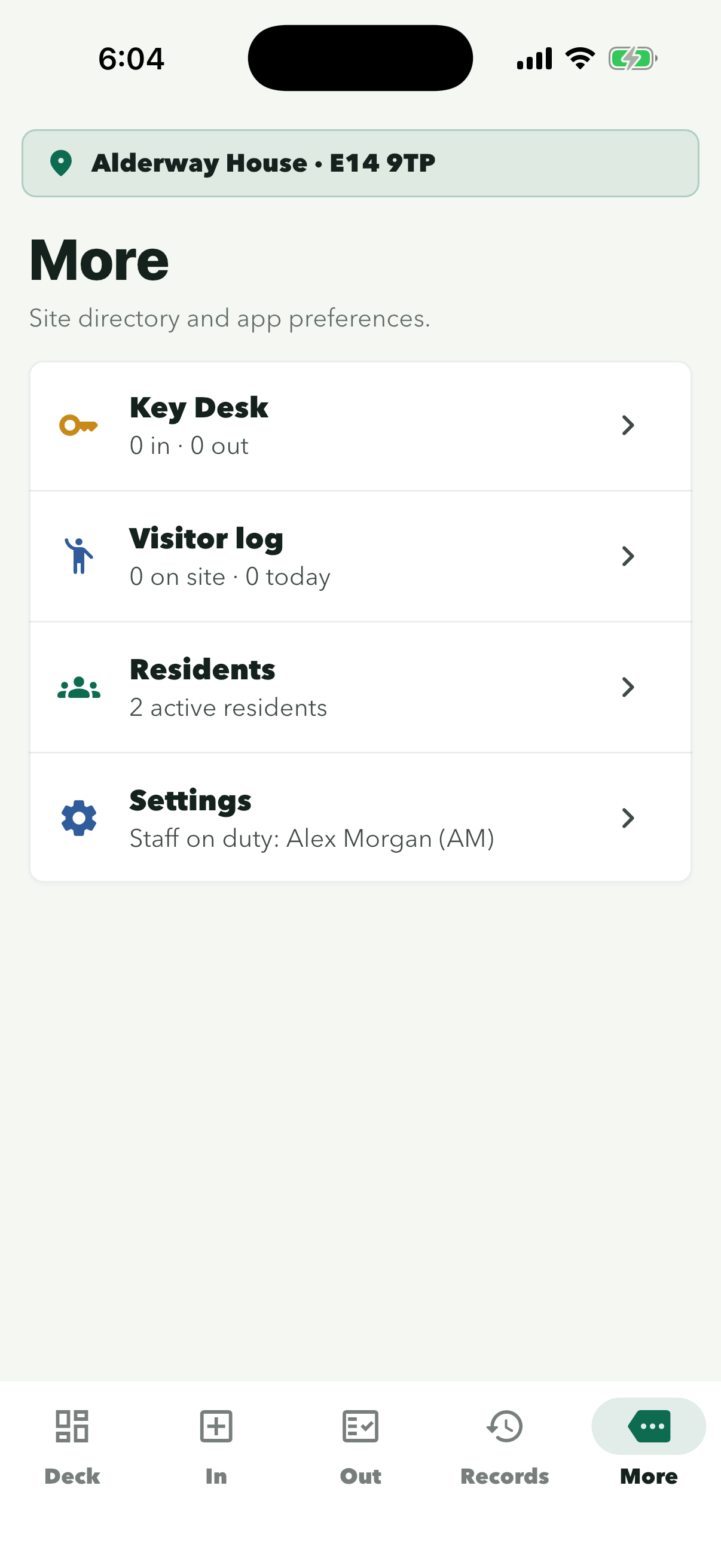
Residents is the third row on More.
The person icon on the right adds one resident by hand. It does not open a file.
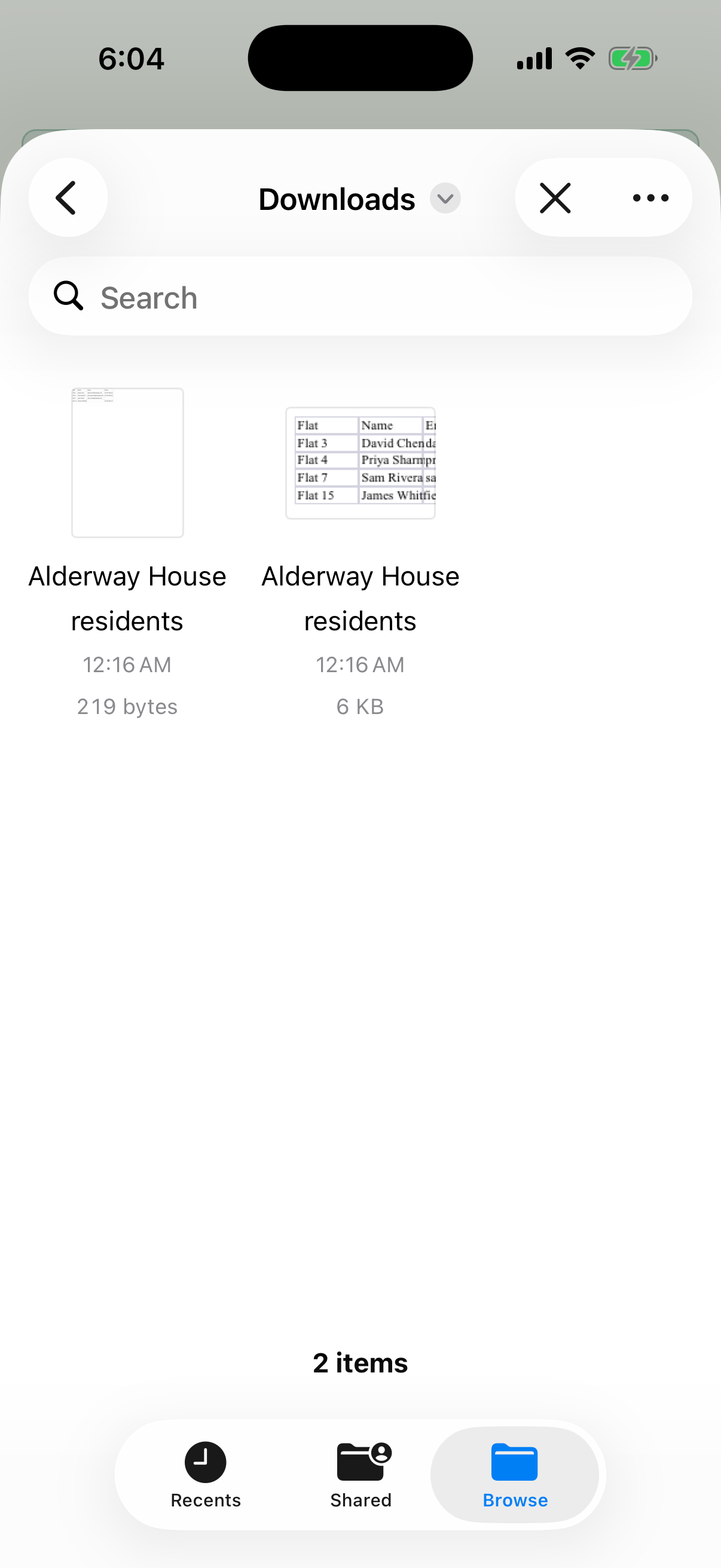
Recents is often empty. Open the folder where you saved the file, often Downloads.
The name ends in .csv or .xlsx. A workbook with several sheets asks which one to use. Save an older .xls workbook as .xlsx or CSV UTF-8 first. See ‘Which files work’ below.
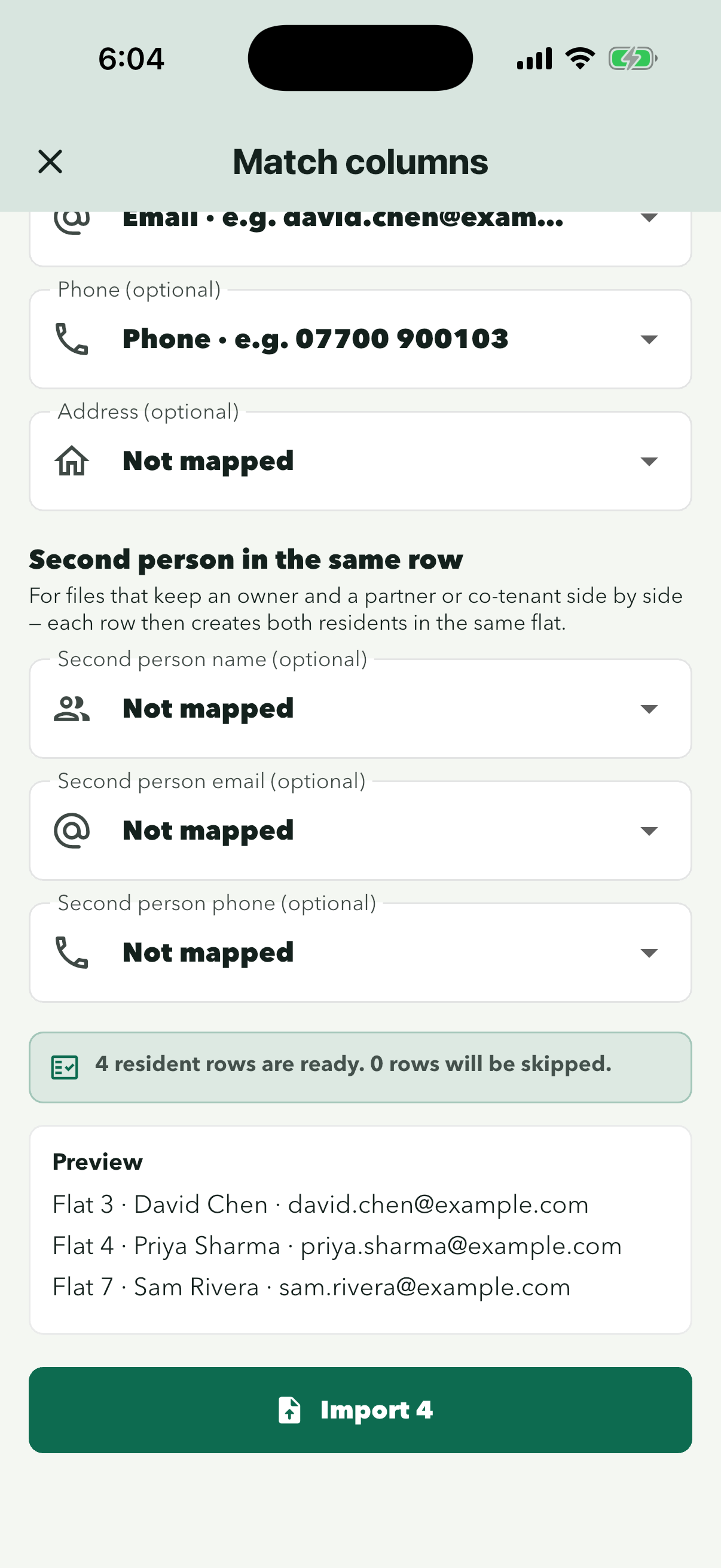
‘Apartment or unit’ and ‘Resident name’ must be matched. The green box shows how many rows are ready and how many will be skipped.
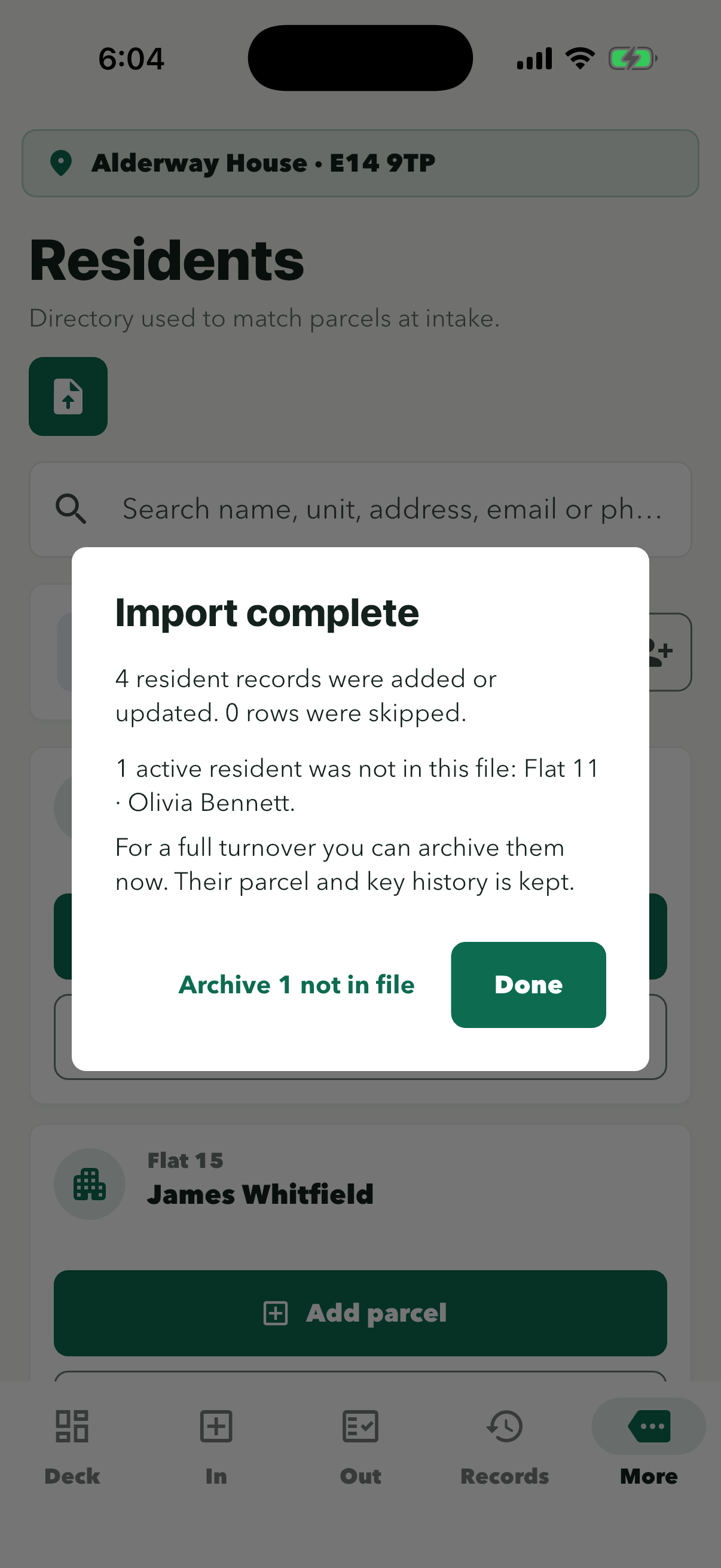
Done leaves everyone else in Residents as they are. ‘Archive … not in file’ is only for a full move-out: after you confirm, it archives everyone who is not in this file. Their parcel and key history is kept.
People who share a flat are listed as separate residents.
Which files work
The app imports a CSV file saved as UTF-8 or an Excel workbook (.xlsx), up to 5 MB. Put one resident on each row and the column headings in the first row. An older Excel file (.xls) is not read: in Excel choose File › Save As › Excel Workbook (.xlsx) or CSV UTF-8, then import the new file. If the workbook has more than one sheet with data, the app lists the sheets and you tap the one with residents.
Columns
- Flat Required
- Headings the app recognises: Flat, Flat No., Flat Number, Unit, Unit No., Unit Number, Apartment, Apartment No., Apt, Apt No., Room, Room No., Room Number, Door, Door No., Property or Plot.
- Name Required
- Name, Full name, Resident, Resident name, Tenant, Student, Occupant, Contact name, Leaseholder or Owner. A First name column and a Surname (or Last name) column are joined into one name.
- Email Optional
- Email, Email address or Mail. If a cell is filled it must be a valid address; blank is fine.
- Phone Optional
- Phone, Phone number, Mobile, Mobile number, Telephone, Tel or Cell. In Excel, format this column as Text so the leading 0 is kept.
- Address Optional
- Address, Street address or Forwarding address.
- Partner, Partner email, Partner phone Optional
- For two people on one row (also Spouse, Co-tenant, Joint owner, Name 2, Email 2, Phone 2). The partner is added as a second resident in the same flat. If the Partner cell is blank, only the first person is added.
Headings ignore capitals, spaces and punctuation. Columns can be in any order, and extra columns are ignored. On the Match columns screen you can change which column feeds each field, so you never need to edit the spreadsheet. If the first row is already a resident, turn off First row is column headings there.
| Flat | Name | Phone | |
|---|---|---|---|
| Flat 3 | David Chen | [email protected] | 07700 900103 |
| Flat 4 | Priya Sharma | [email protected] | 07700 900104 |
| Flat 7 | Sam Rivera | [email protected] | |
| Flat 15 | James Whitfield | 07700 900115 |
This file imports 4 residents. Sam Rivera has no phone and James Whitfield has no email; both are still imported.
What happens when you tap Import
- Before you import: Match columns shows how many rows are ready and how many will be skipped, with a preview of the first three residents. The button shows the ready count, for example Import 4.
- Skipped rows: a row is skipped if the flat or the name is blank, or if the email is filled in but not a valid address. Completely empty rows are ignored.
- Matching: a row with the same flat and name as someone already in Residents updates that resident (capitals and extra spaces are ignored). The email, phone and address from the file replace the saved ones. A blank cell clears the saved value. An archived resident who matches is made active again. Any other row adds a new resident.
- Write the flat the same way as in Residents: ‘7’ and ‘Flat 7’ count as different flats, so the same person would be added twice.
- Duplicates in the file: if the same flat and name appear on two rows, only the first row is used.
- Import complete: shows how many residents were added or updated and how many rows were skipped. If active residents were not in the file, it gives the number and names up to three of them. Done keeps them. Archive N not in file archives them after you confirm; their parcel and key history is kept, and any of their keys still out are listed.
- If the file can’t be used: an .xls file or a password-protected workbook shows ‘This looks like an older Excel file (.xls). Save it as .xlsx or CSV and try again.’ A file over 5 MB shows ‘Choose a CSV or Excel file smaller than 5 MB.’ A CSV that isn’t saved as UTF-8 shows ‘Choose a UTF-8 CSV file smaller than 5 MB.’ Nothing is imported in any of these cases.
Parcels
Log a parcel for a resident
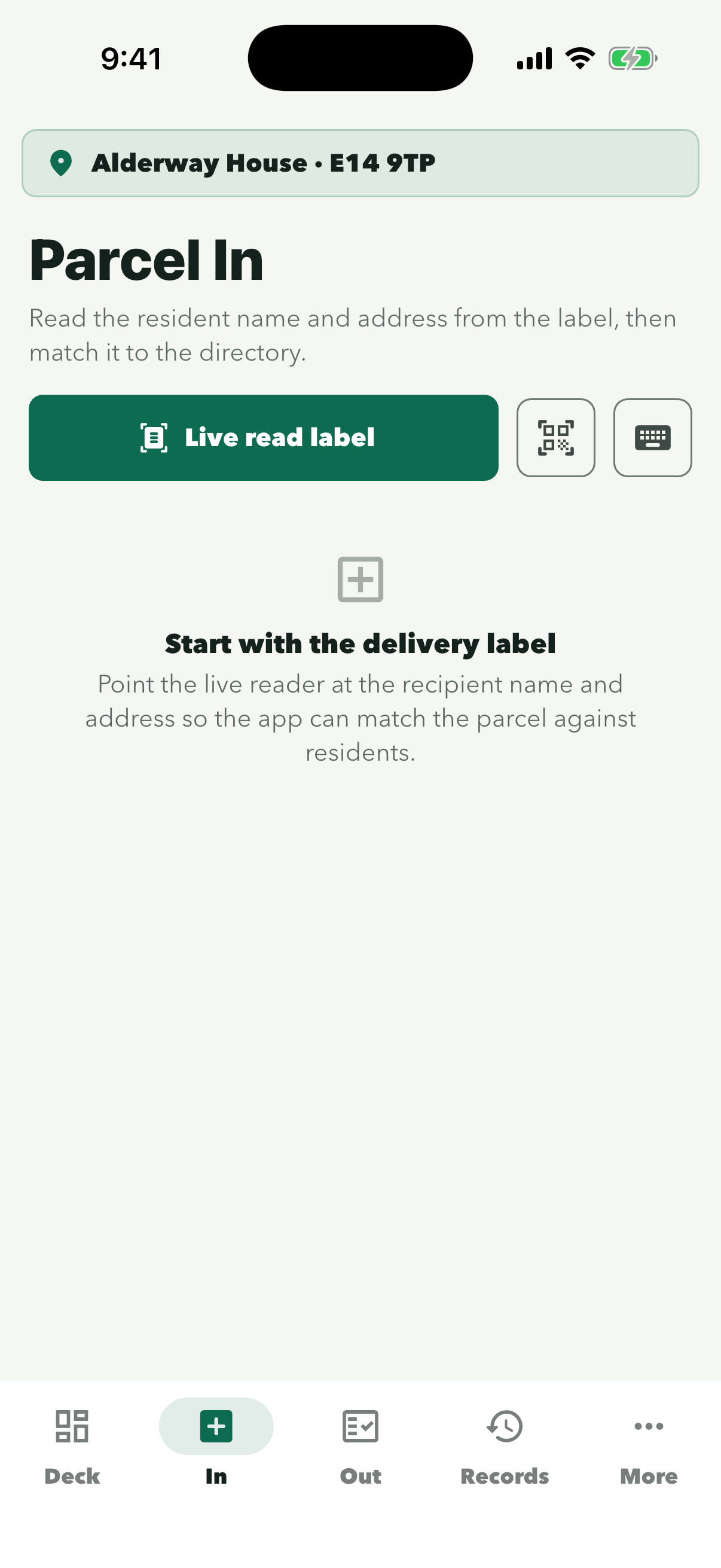
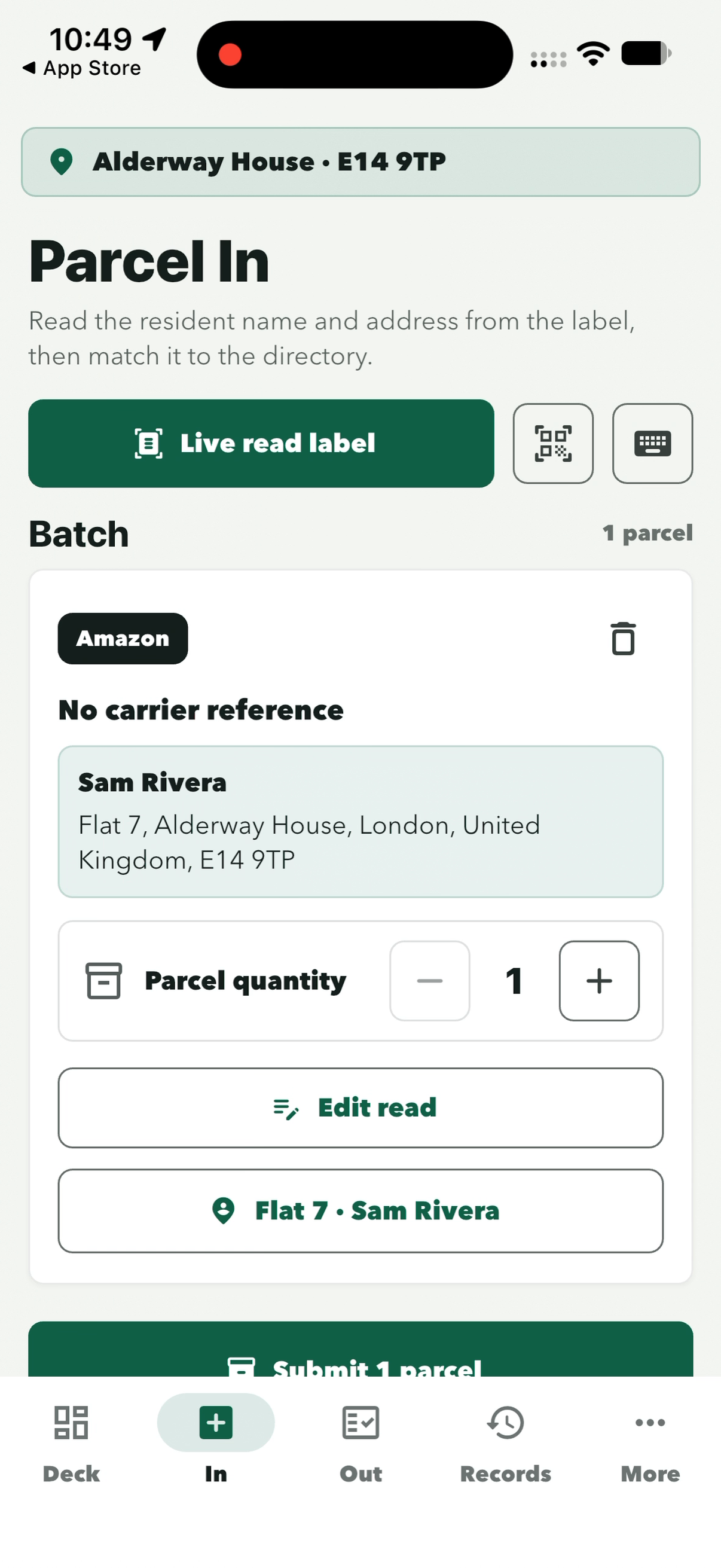
Open In, read the delivery label with the camera and check the resident before you tap Submit. Each parcel then waits under Ready parcels in Out until the resident collects it.
Step 1 of 5
The camera opens. Point it at the recipient name and address on the delivery label.
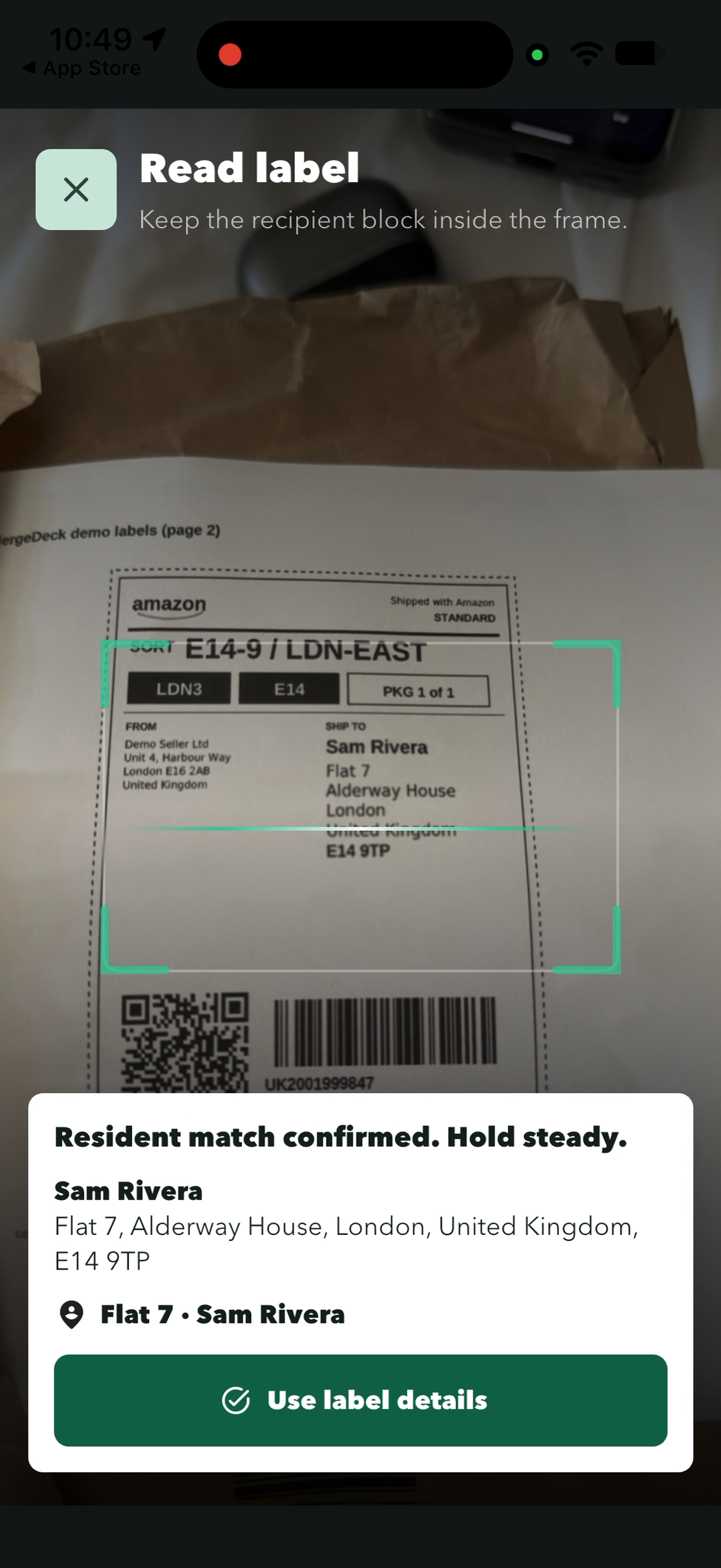
Wait for ‘Resident match confirmed’ and check the name and flat shown match the label.
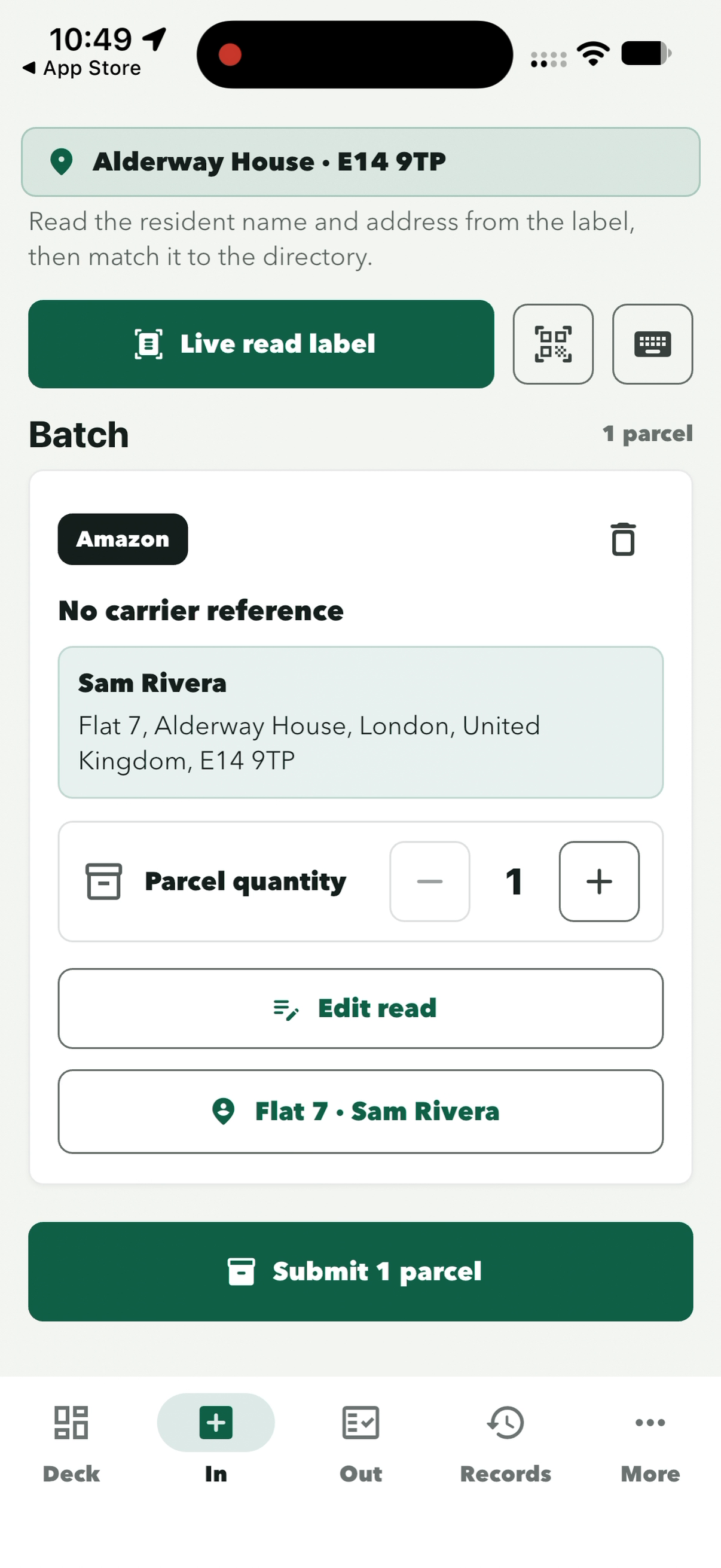
The button at the bottom shows who it is for, here ‘Flat 7 · Sam Rivera’. Tap ‘Edit read’ if the label was misread, or + for more than one parcel.
The number matches the parcels in Batch. If several arrived, tap ‘Live read label’ again for each one before you submit.
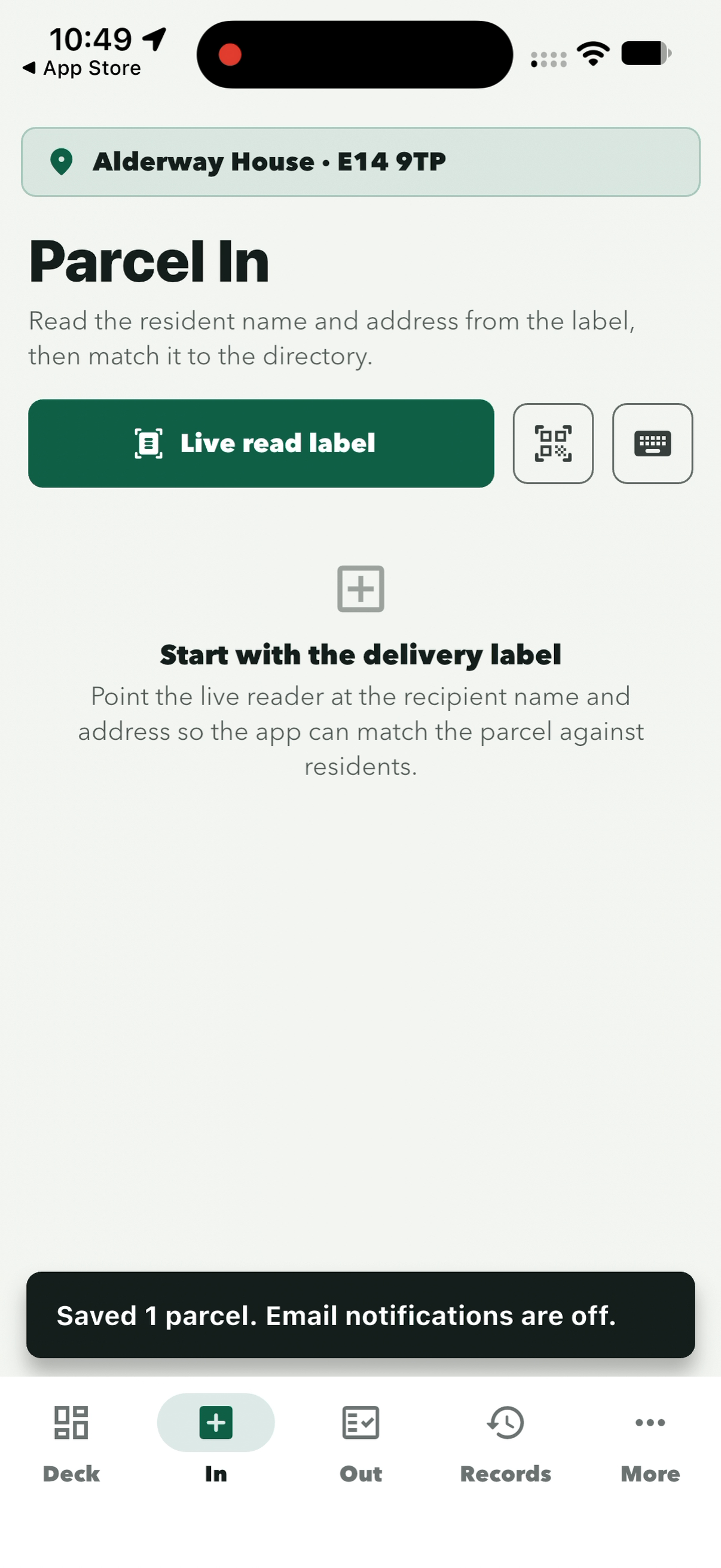
Parcel In is clear for the next delivery. ‘Email notifications are off’ means no email was sent to the resident.
Parcels
Hand a parcel to a resident
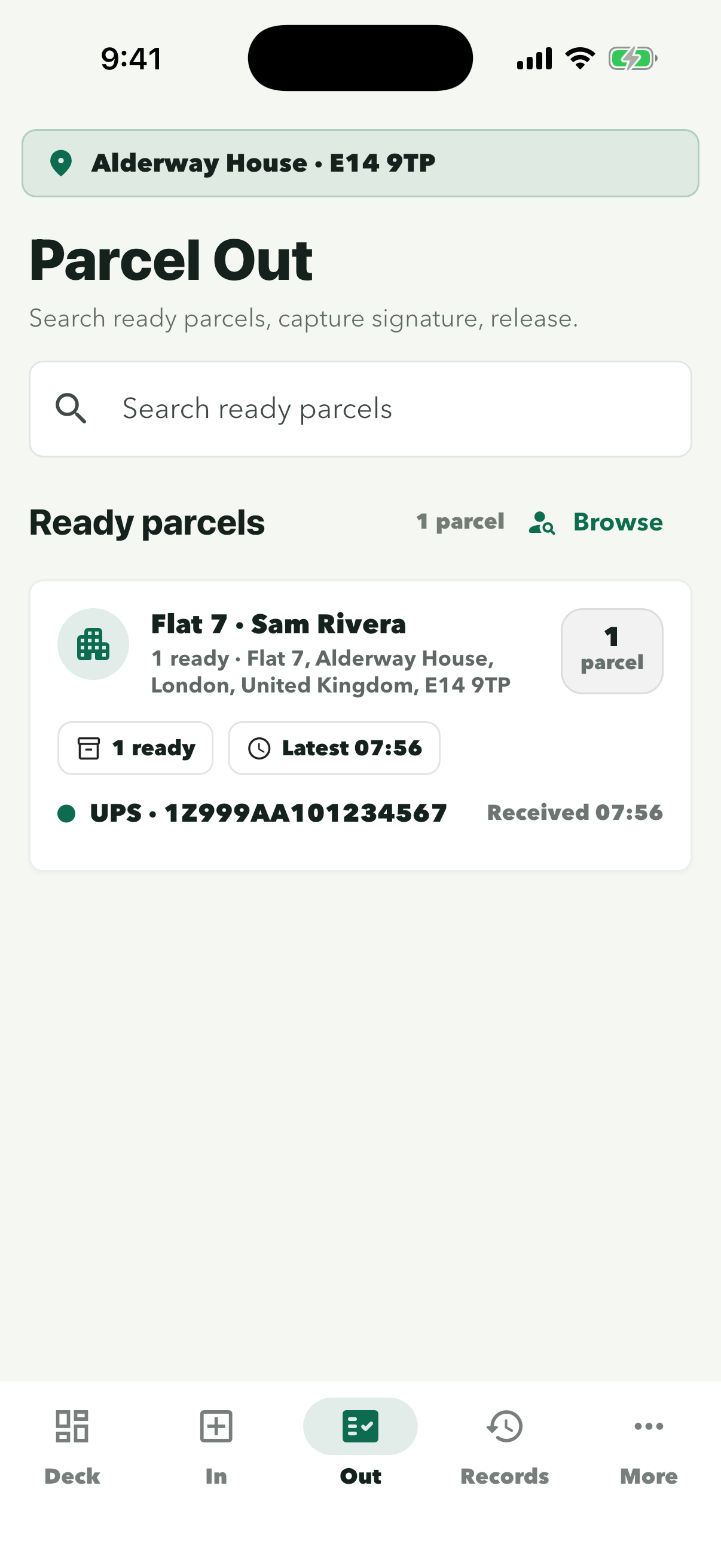
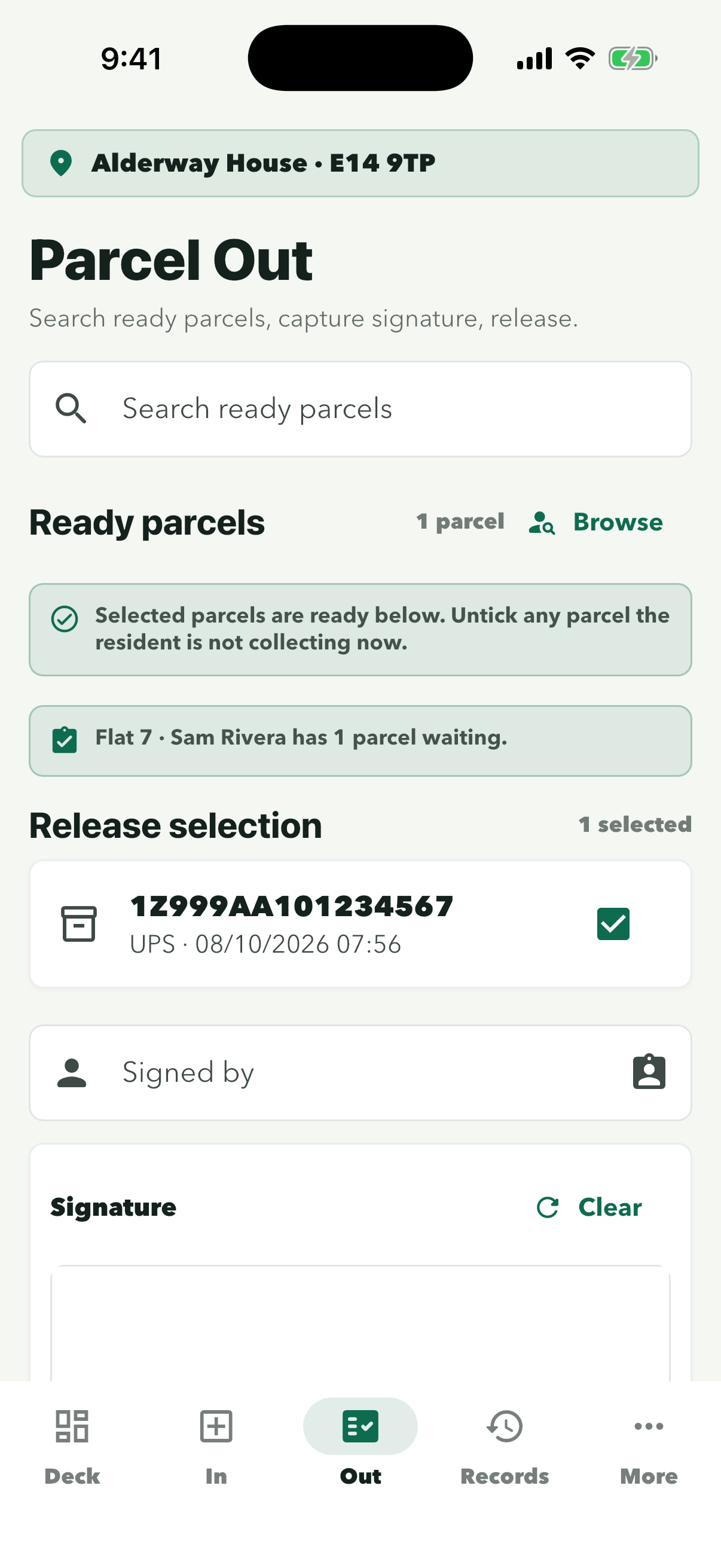
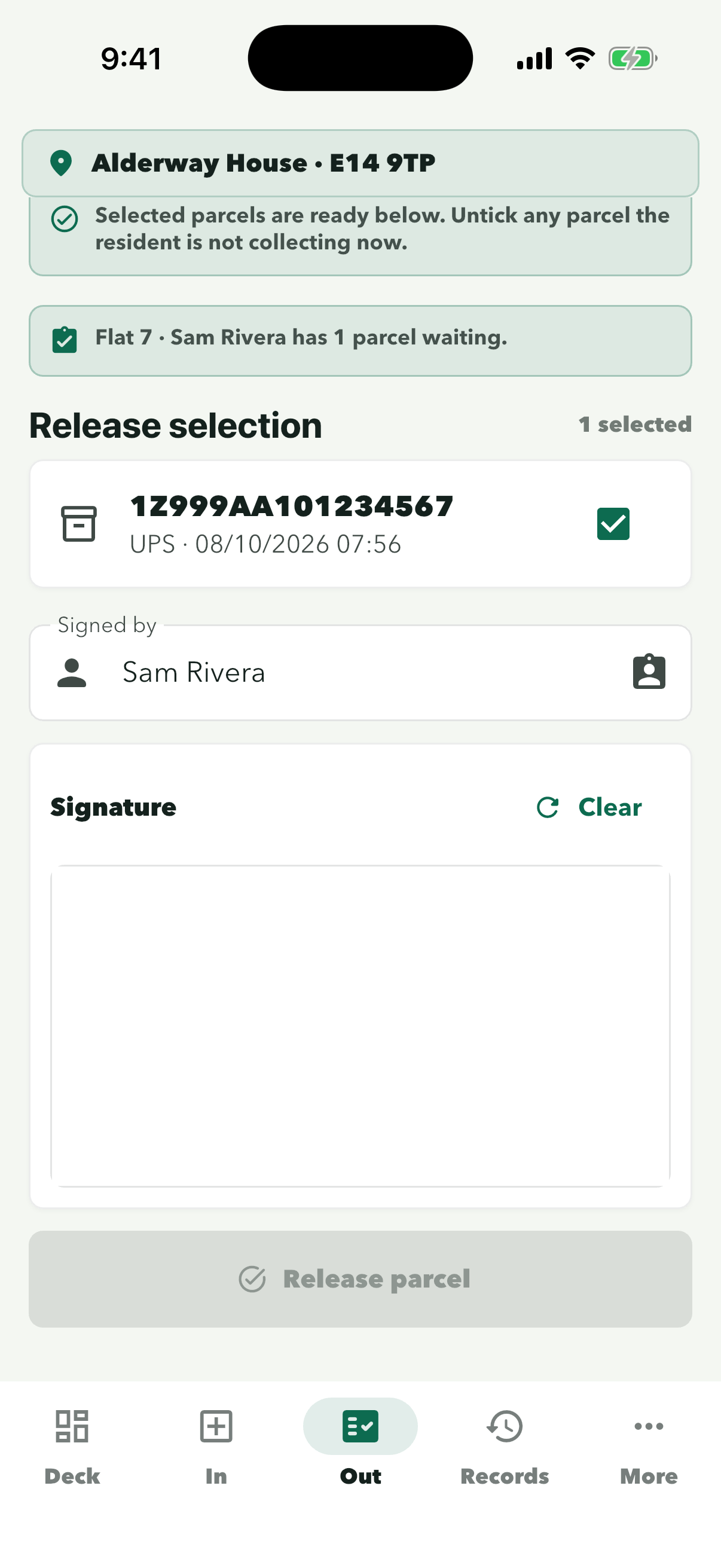
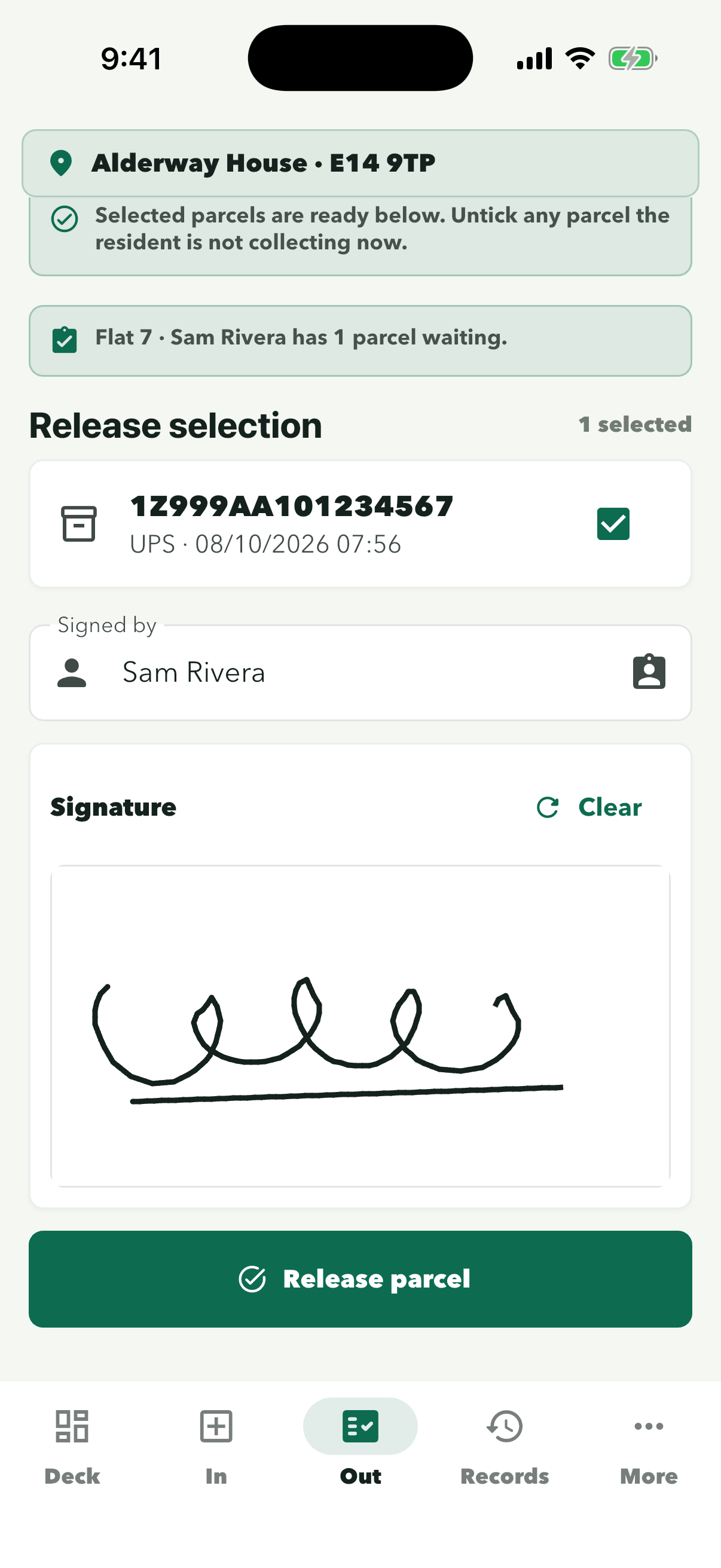
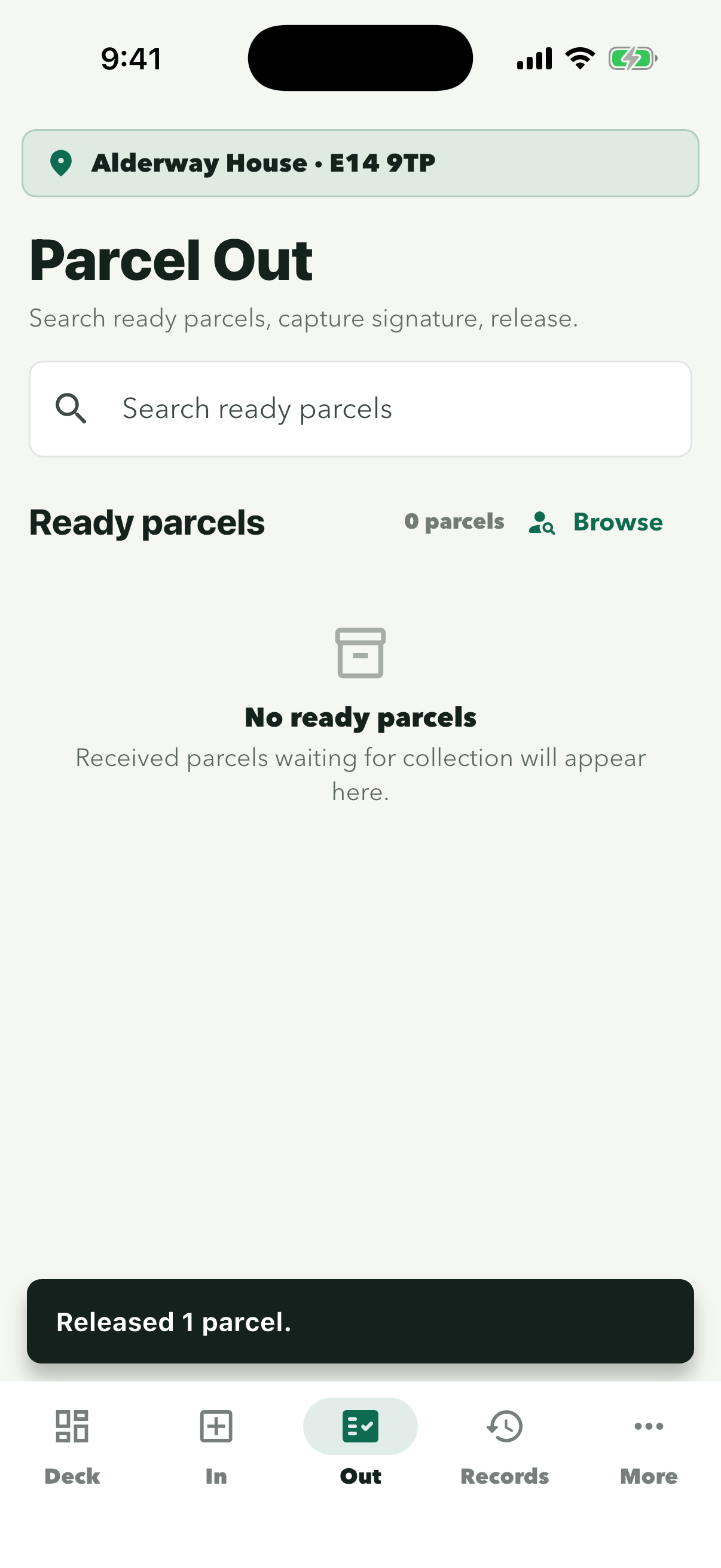
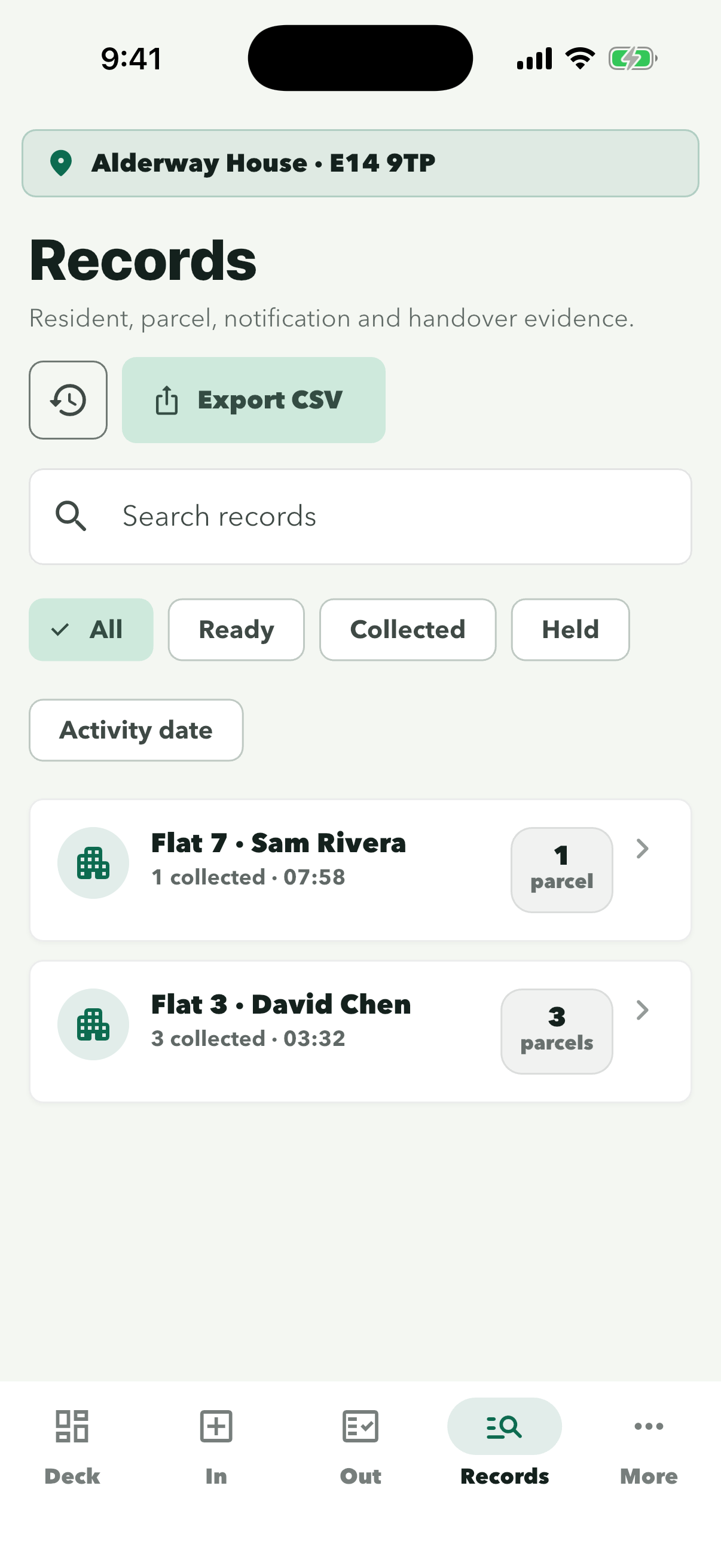
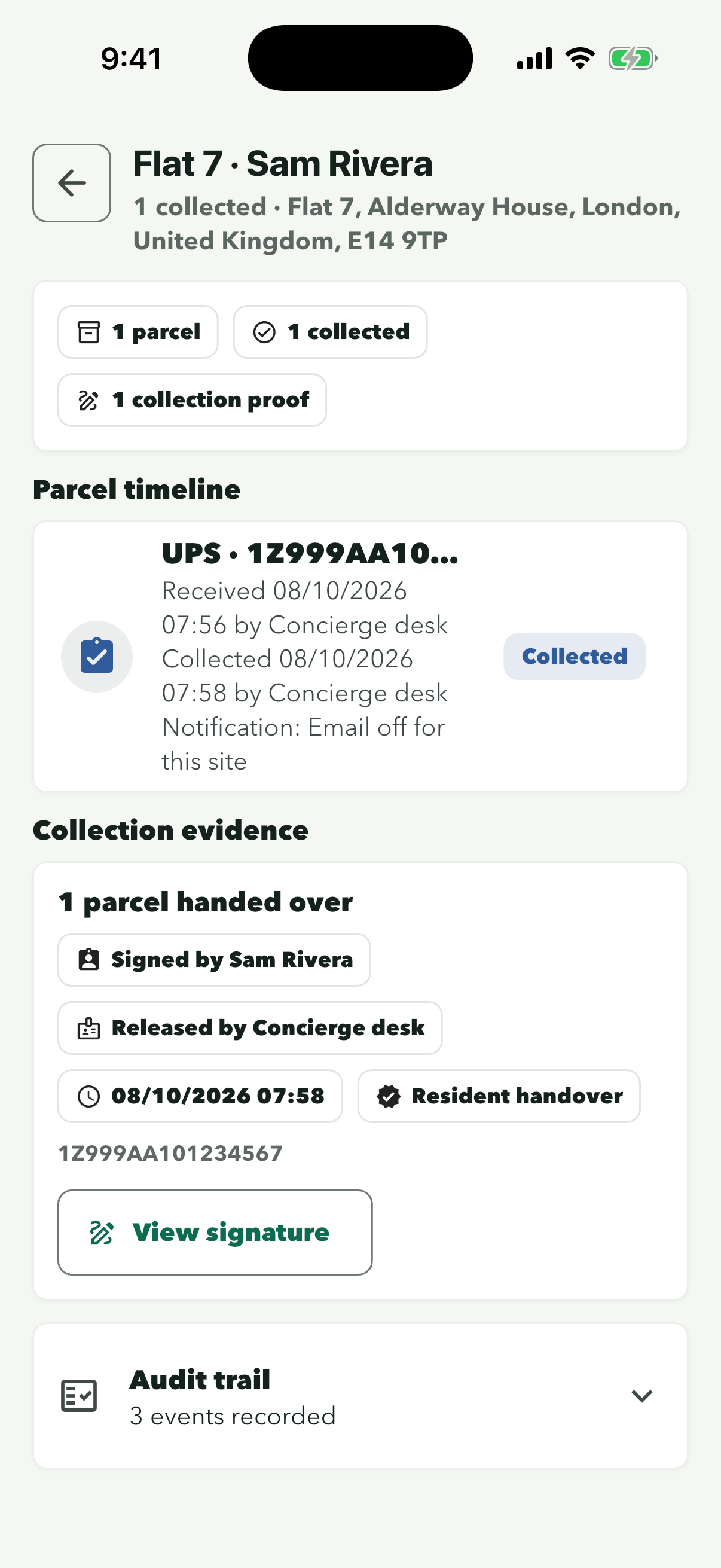
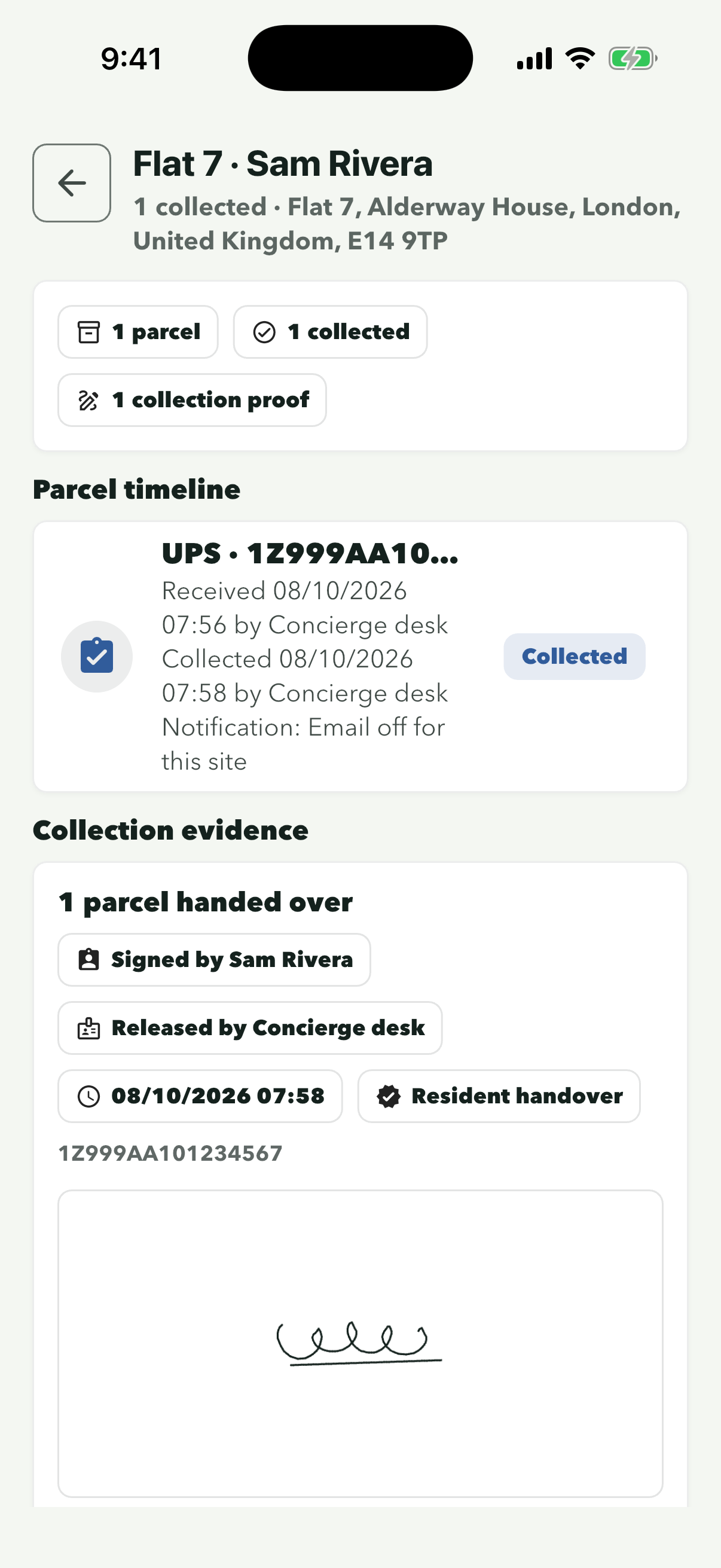
Open Out, pick the resident and get a signature before you tap Release parcel. Every handover is saved in Records with who signed, who released it and when.
Step 1 of 8
Ready parcels lists everyone with a parcel waiting. Search by name or flat if the list is long.
It fills in the resident’s name. If someone else is collecting, type their name instead, and untick any parcel they are not taking.
Check the name under Signed by first. Tap ‘Clear’ if they need to sign again.
The button stays grey until there is a signature. It turns green once they have signed.
The message shows at the bottom and the resident is no longer listed under Ready parcels.
Tap ‘Collected’ to see only parcels that have been handed over.
Collection evidence shows who signed, who released it and when. Use it if a resident says they never got a parcel.
Scroll down to ‘Audit trail’ to see every event for this parcel.
Keys
Register a key or fob with the desk
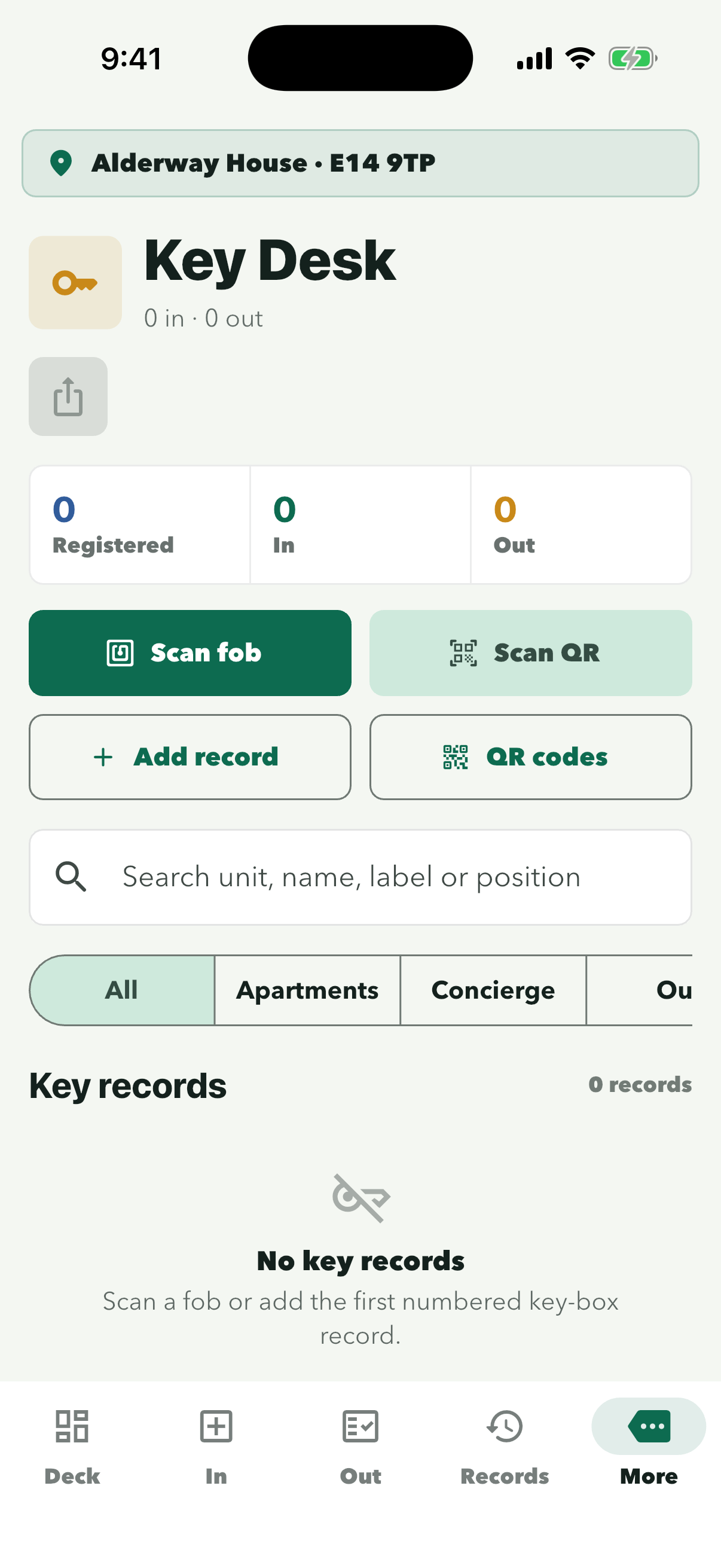
Add each key or fob once, with the flat it belongs to and the key-box position where it hangs. After that you can hand it out and take it back from Key Desk.
Step 1 of 8
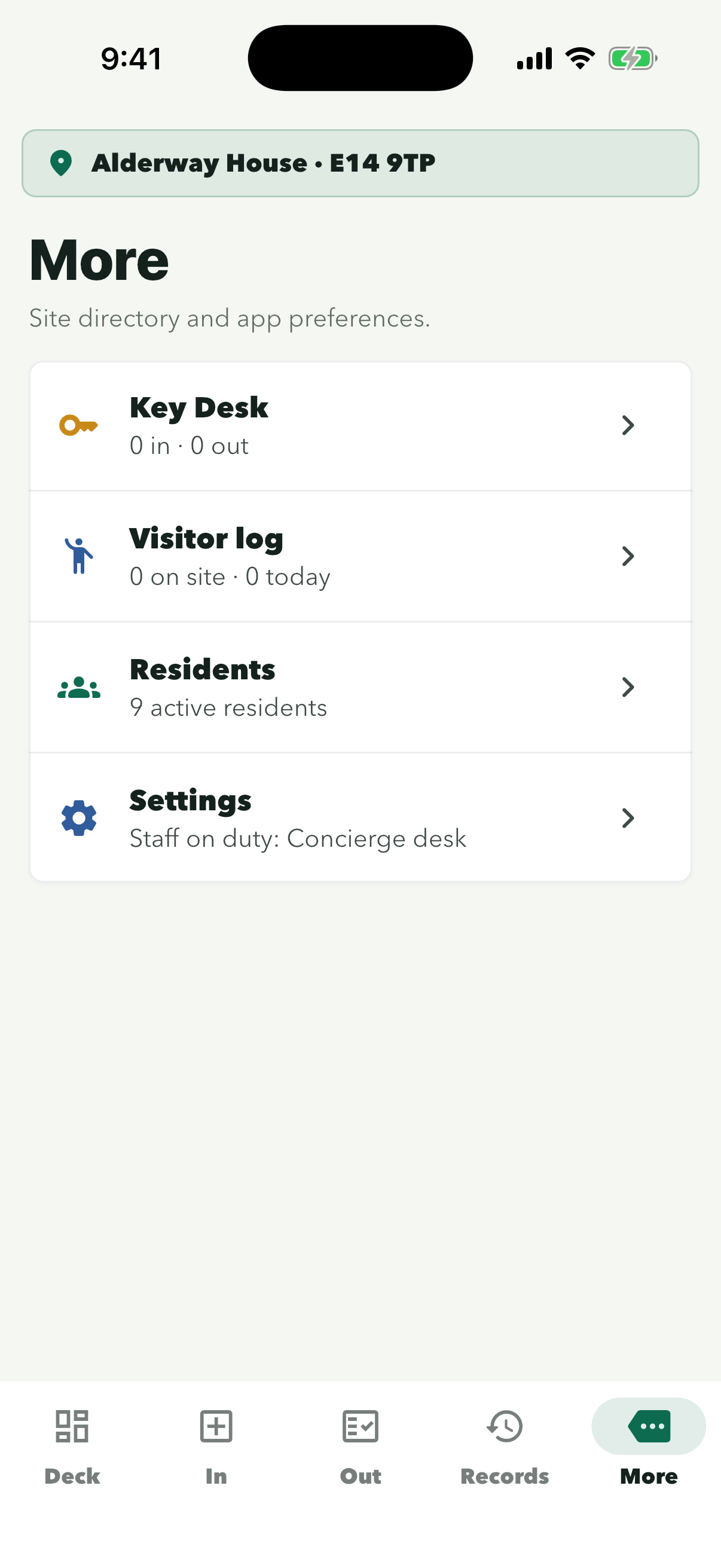
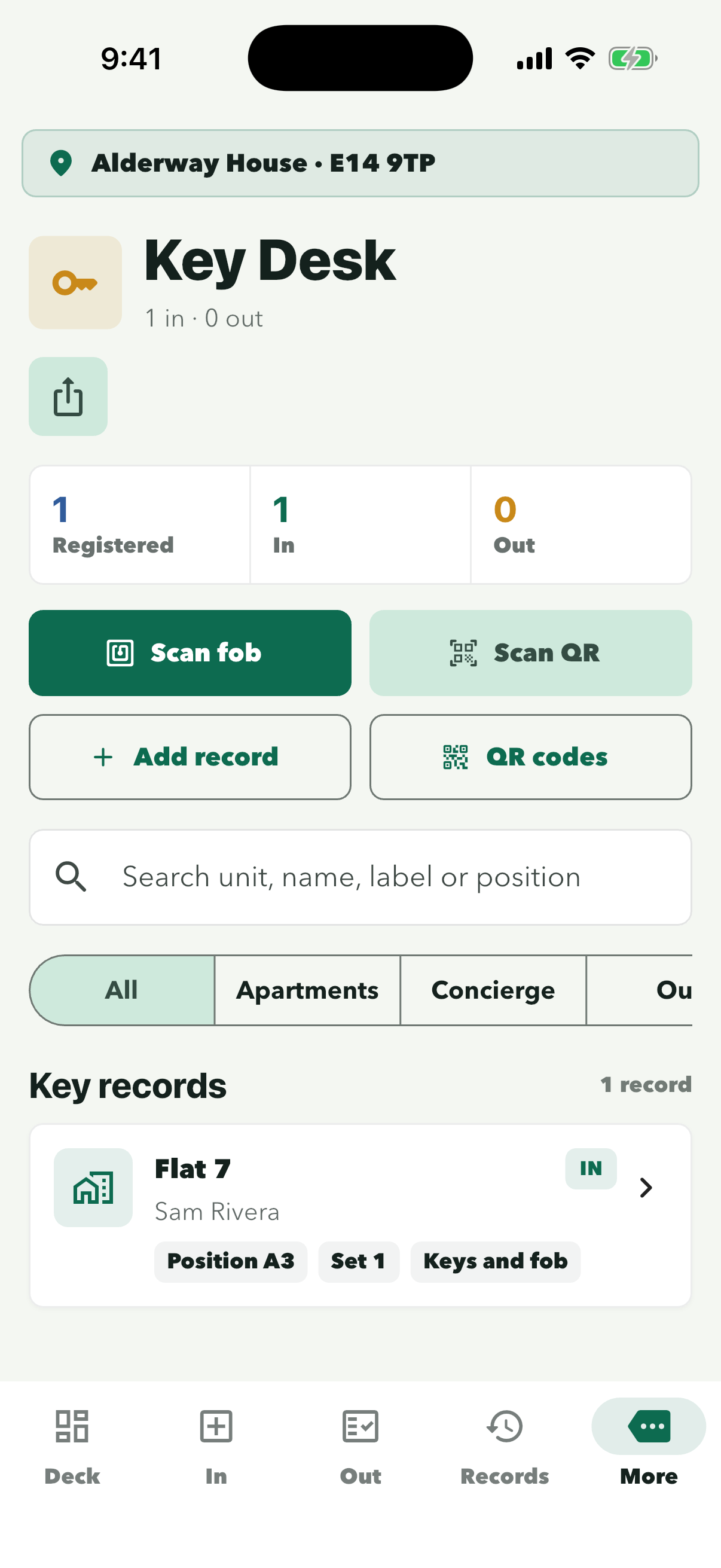
The row shows how many keys are in and out right now.
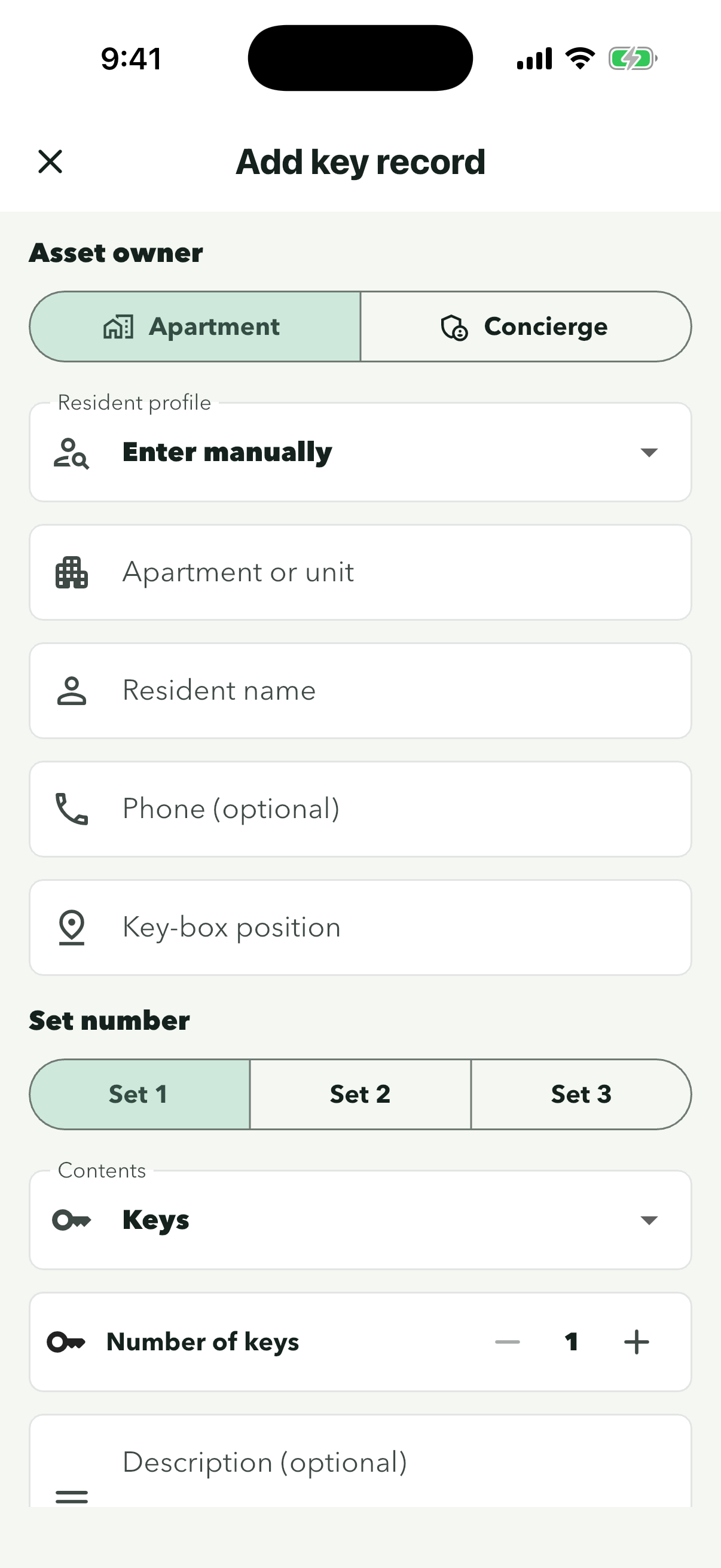
Add record works for any key, with or without a fob. Do this once for each set of keys.
Choose ‘Concierge’ instead for building keys that do not belong to a flat.
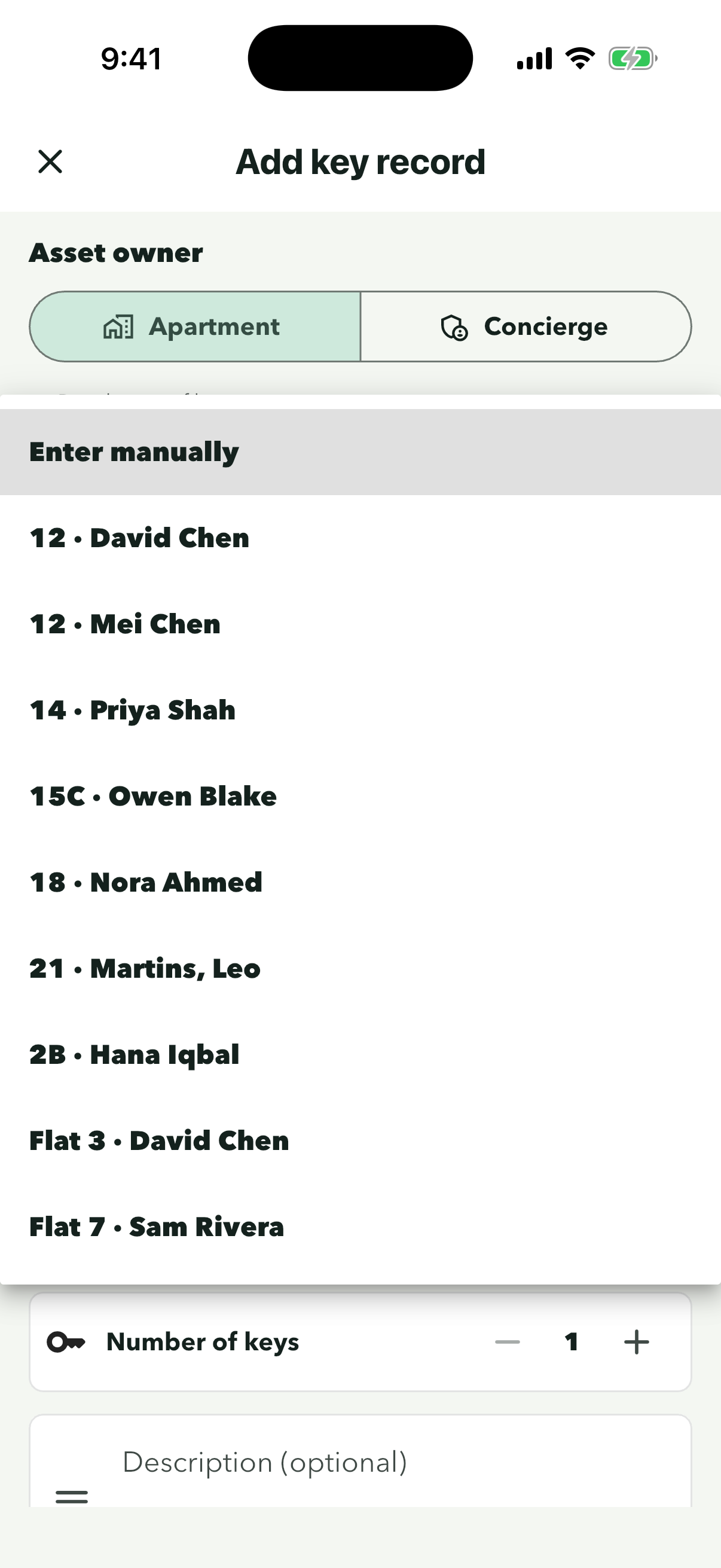
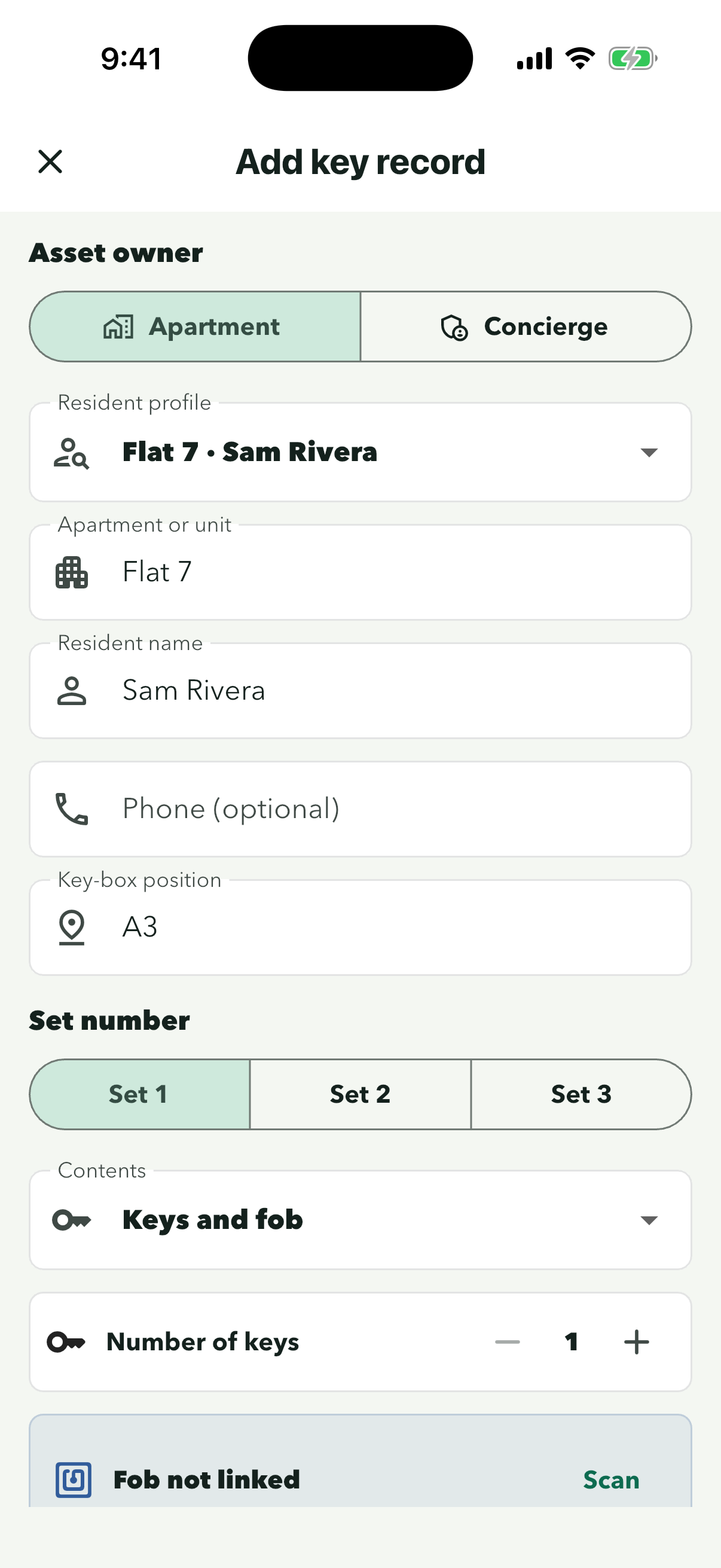
Their flat and name fill in for you. Choose ‘Enter manually’ if they are not in Residents yet.
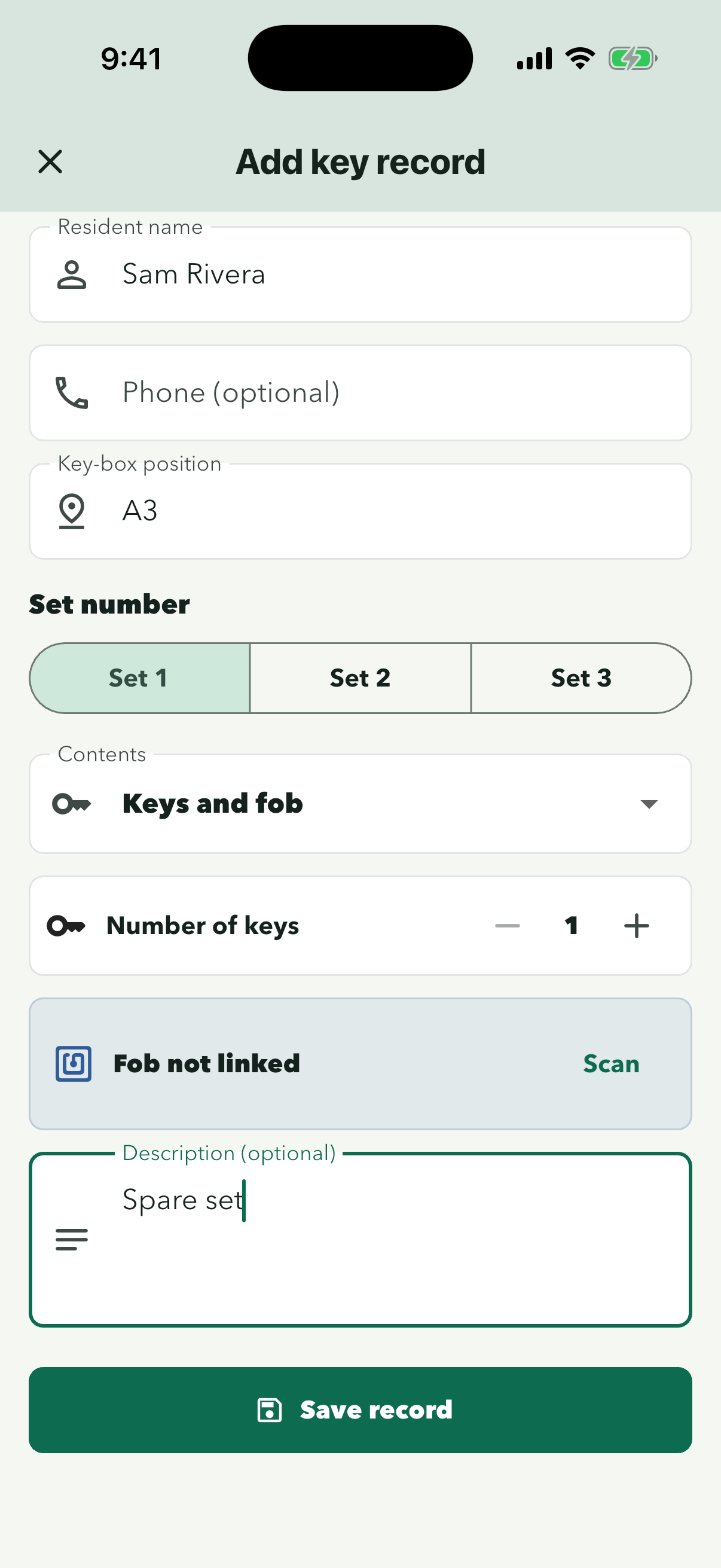
Use the hook or slot label, for example A3. Staff are shown this position when the key comes back.
Pick the set number, what is on the ring and how many keys. A short description, like ‘Spare set’, helps the next shift.
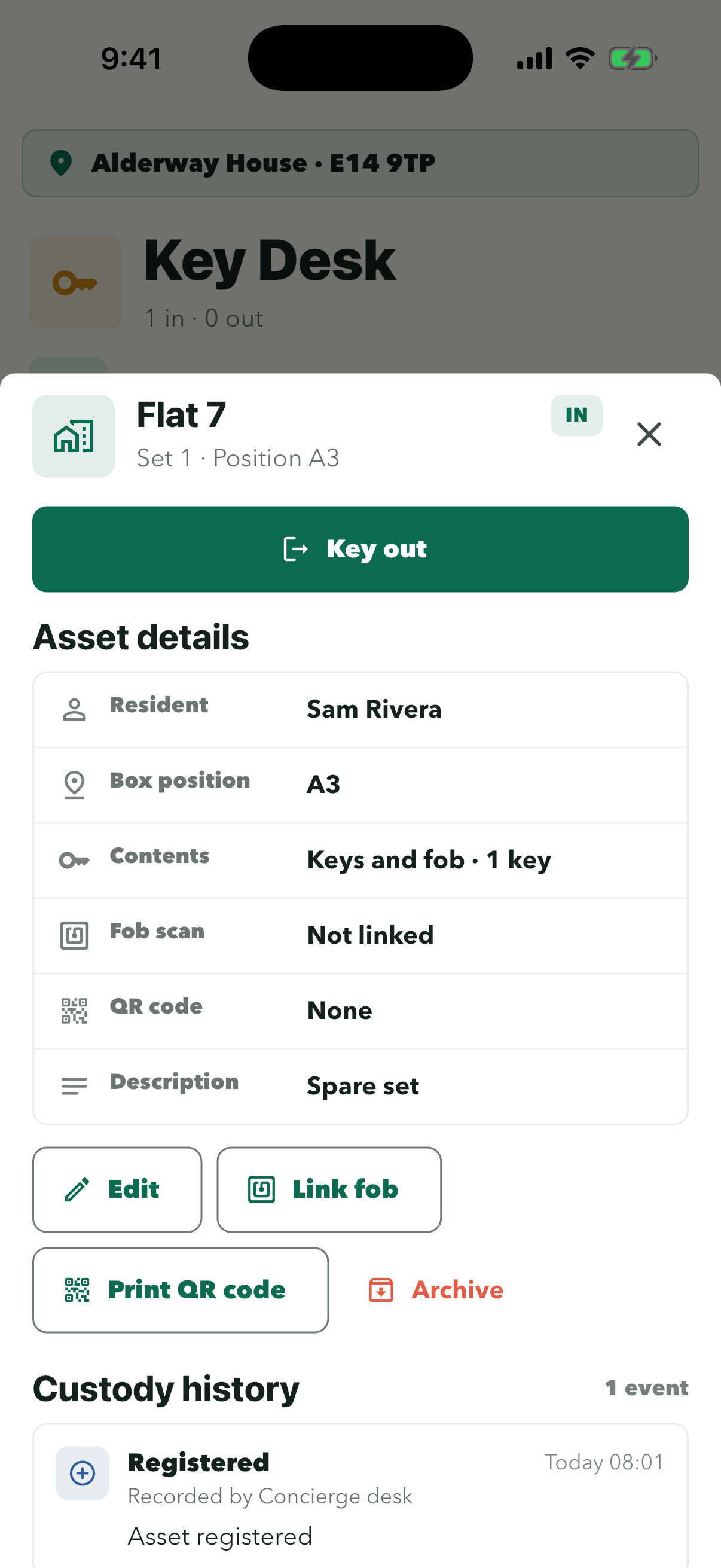
It appears under Key records with its position and set. Tap it to open the details.
Use ‘Link fob’ or ‘Print QR code’ if you want to scan this key later. Custody history starts with Registered.
Keys
Hand out a key and log its return
Open the key on Key Desk, record who is taking it and get their signature. When it comes back, tap Key in so the desk always knows where every key is.
Step 1 of 9
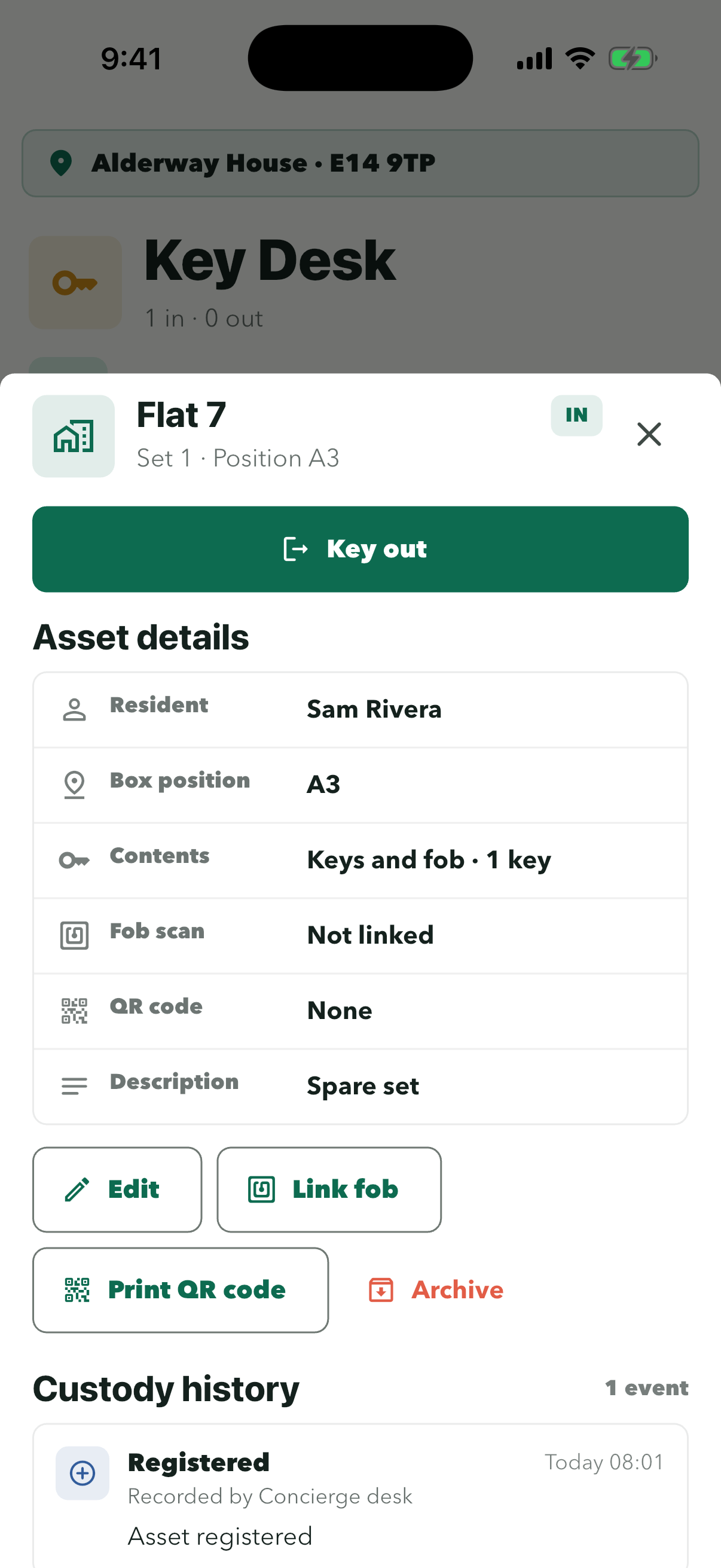
Check the flat, set and box position at the top so you hand over the right key.
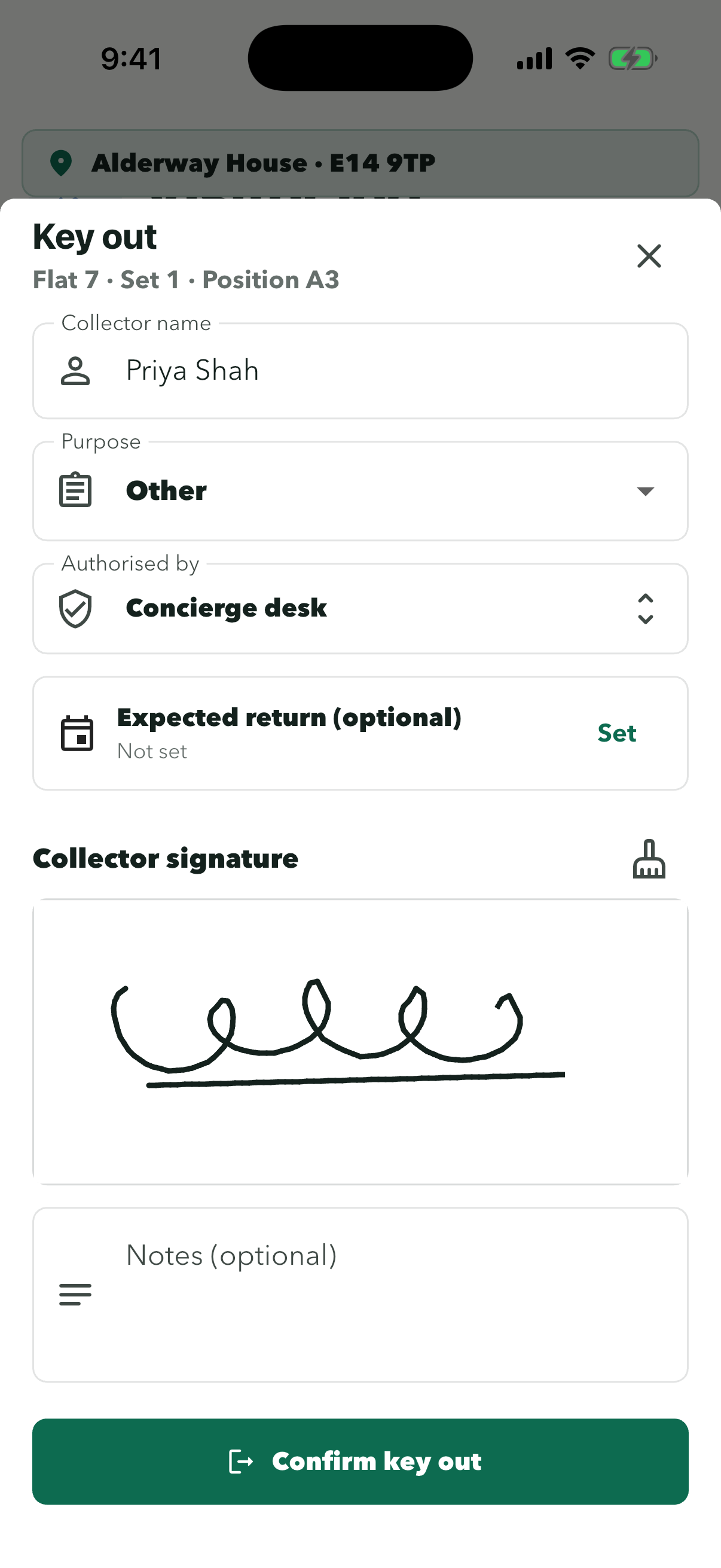
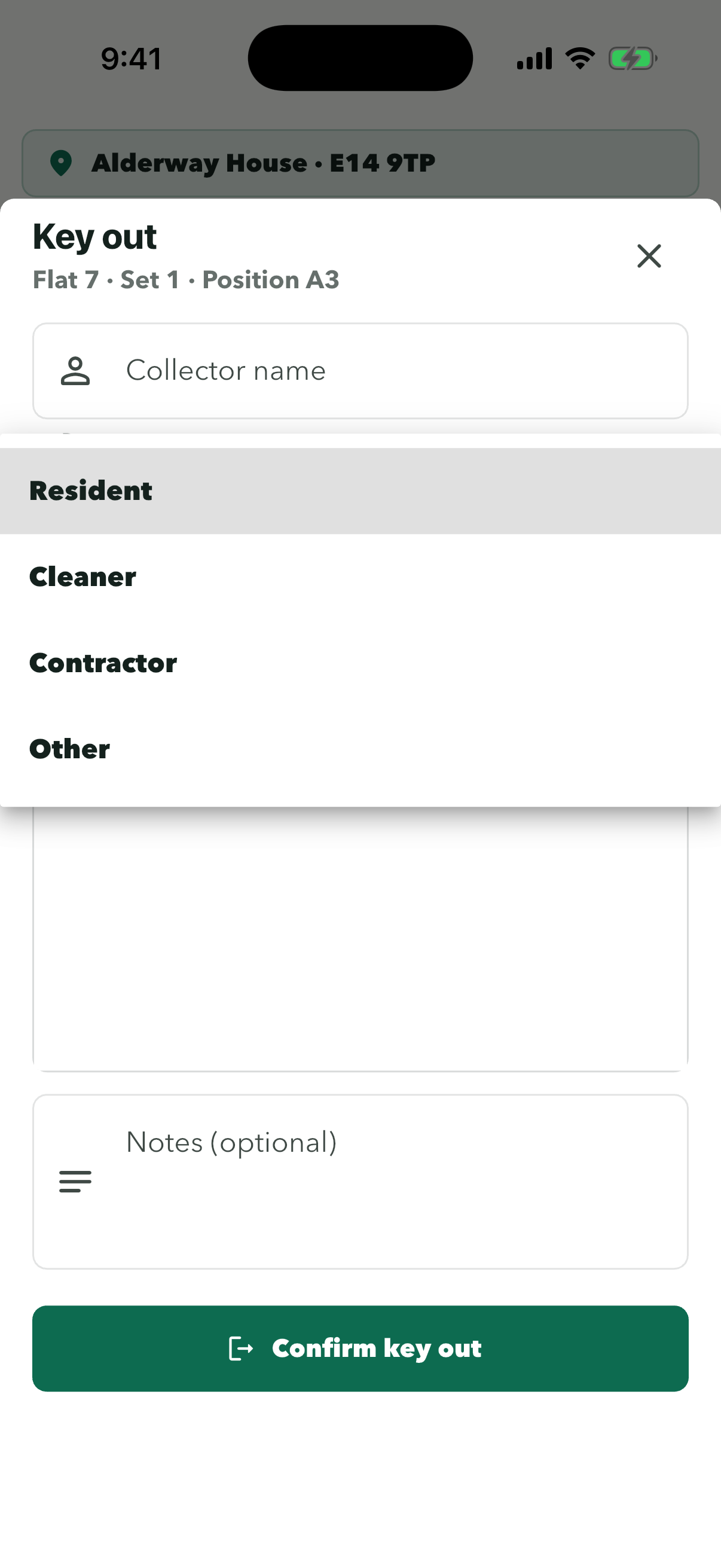
Collector name is the person taking the key, who may not be the resident. Purpose is Resident, Cleaner, Contractor or Other.
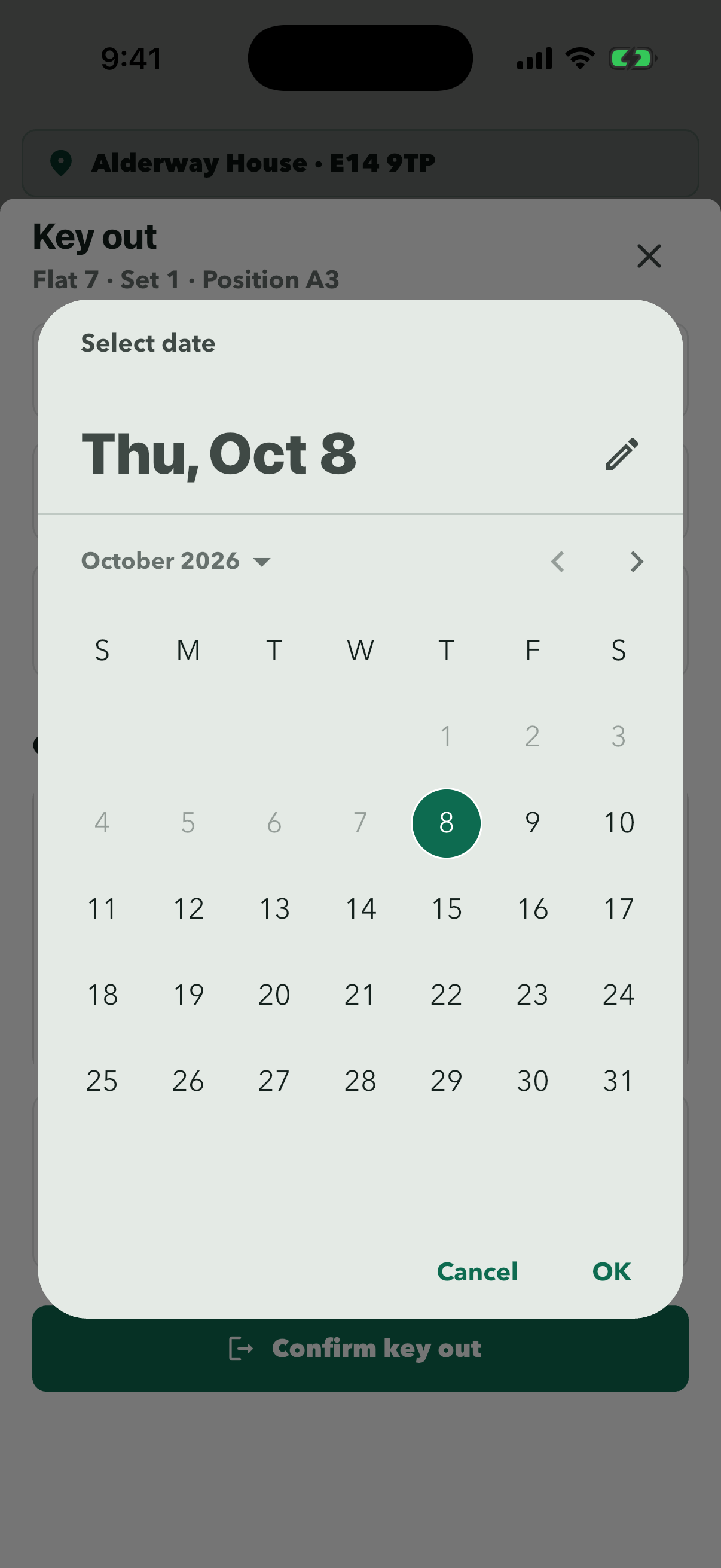
Pick the day, tap ‘OK’, then pick the time. Key Desk then shows when the key is due back.
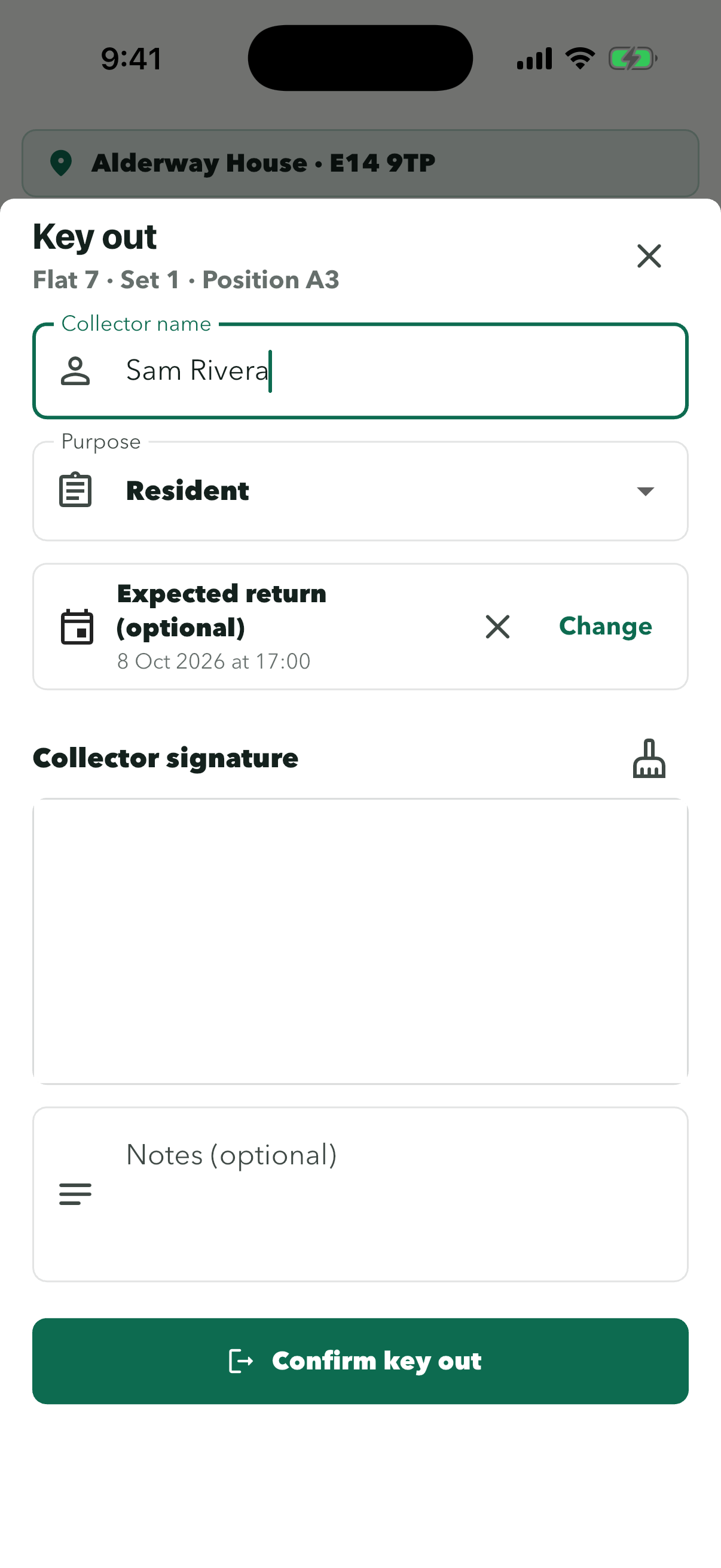
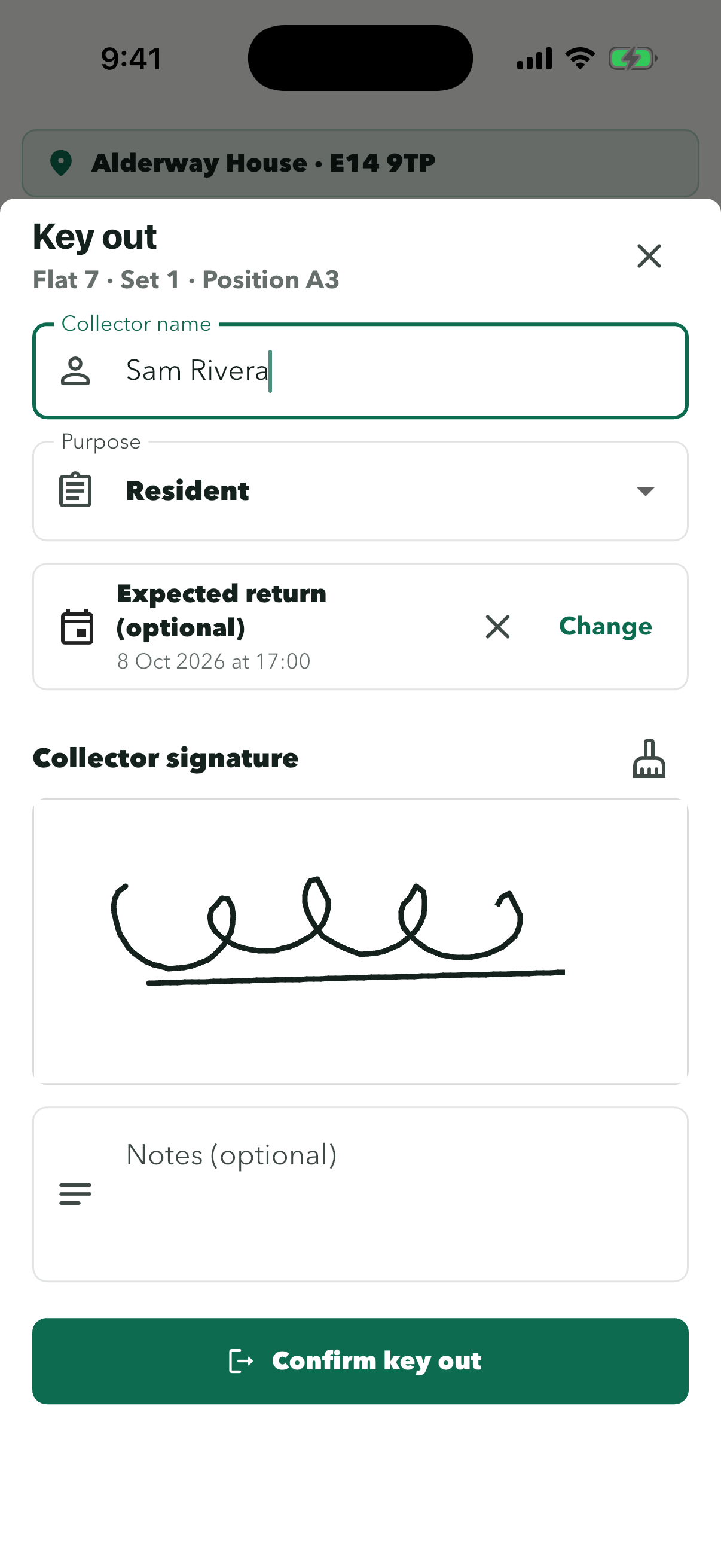
Check the name and return time first. The brush icon clears the box if they need to sign again.
The signature is saved with the key record, so you can show who took it.
The card says who has it and when it is due. The Out count at the top goes up by one.
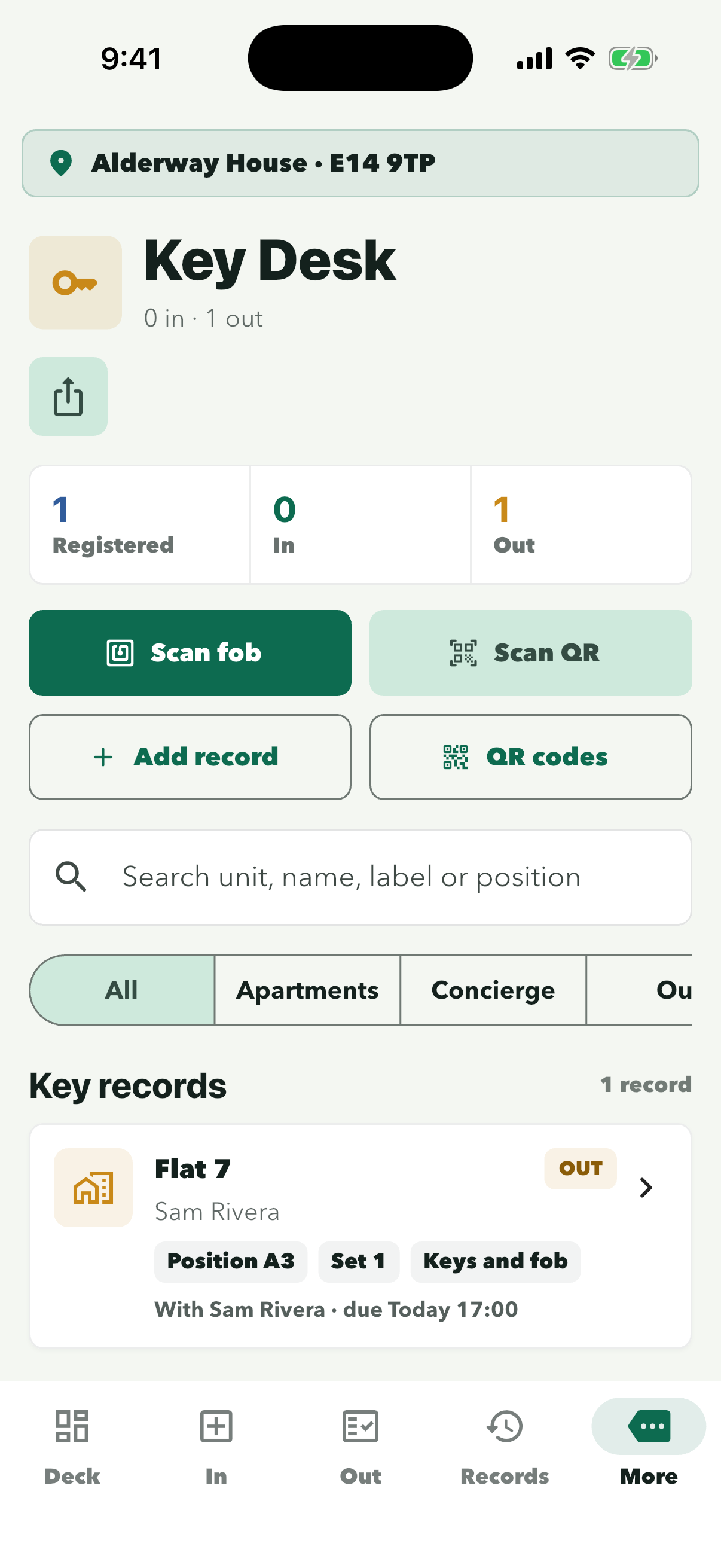
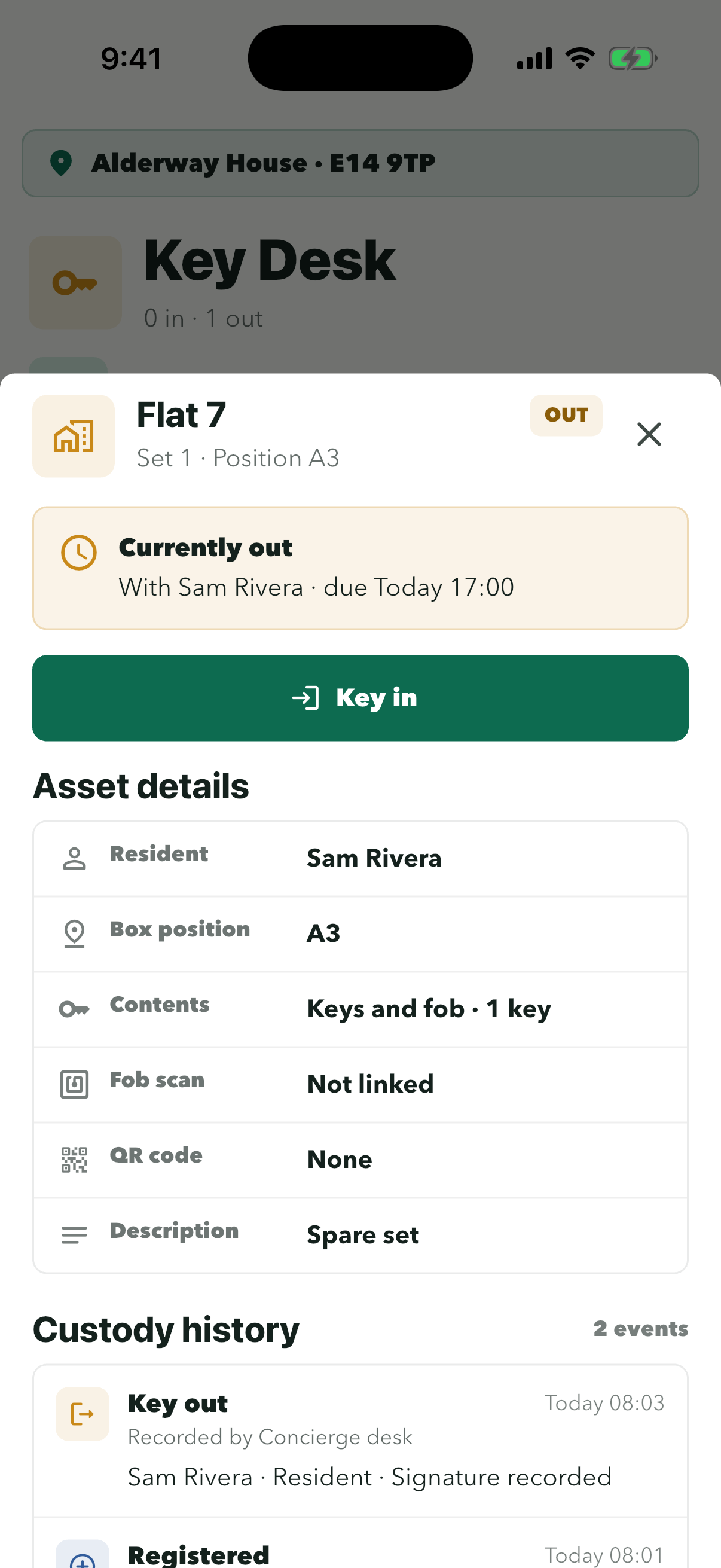
‘Currently out’ shows who has it and when it was due.
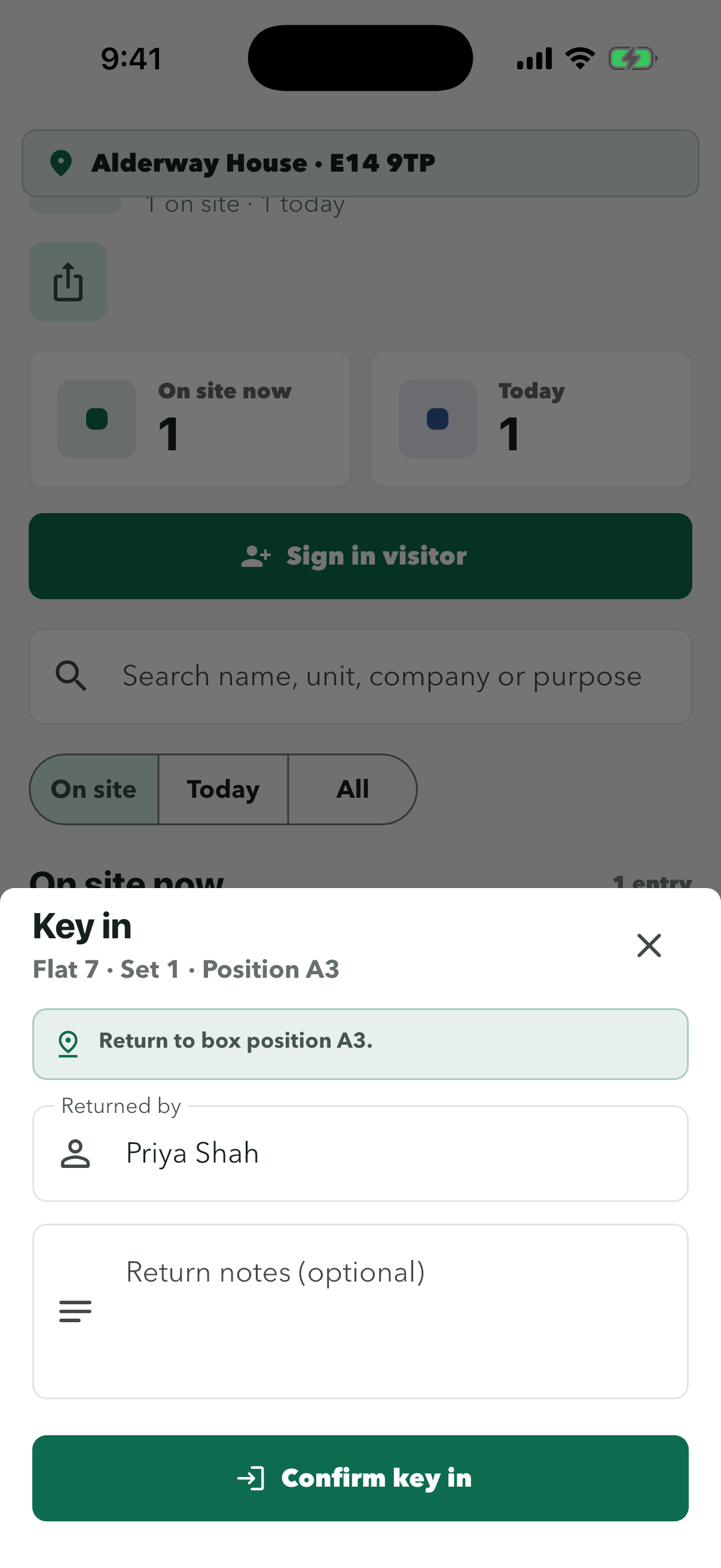
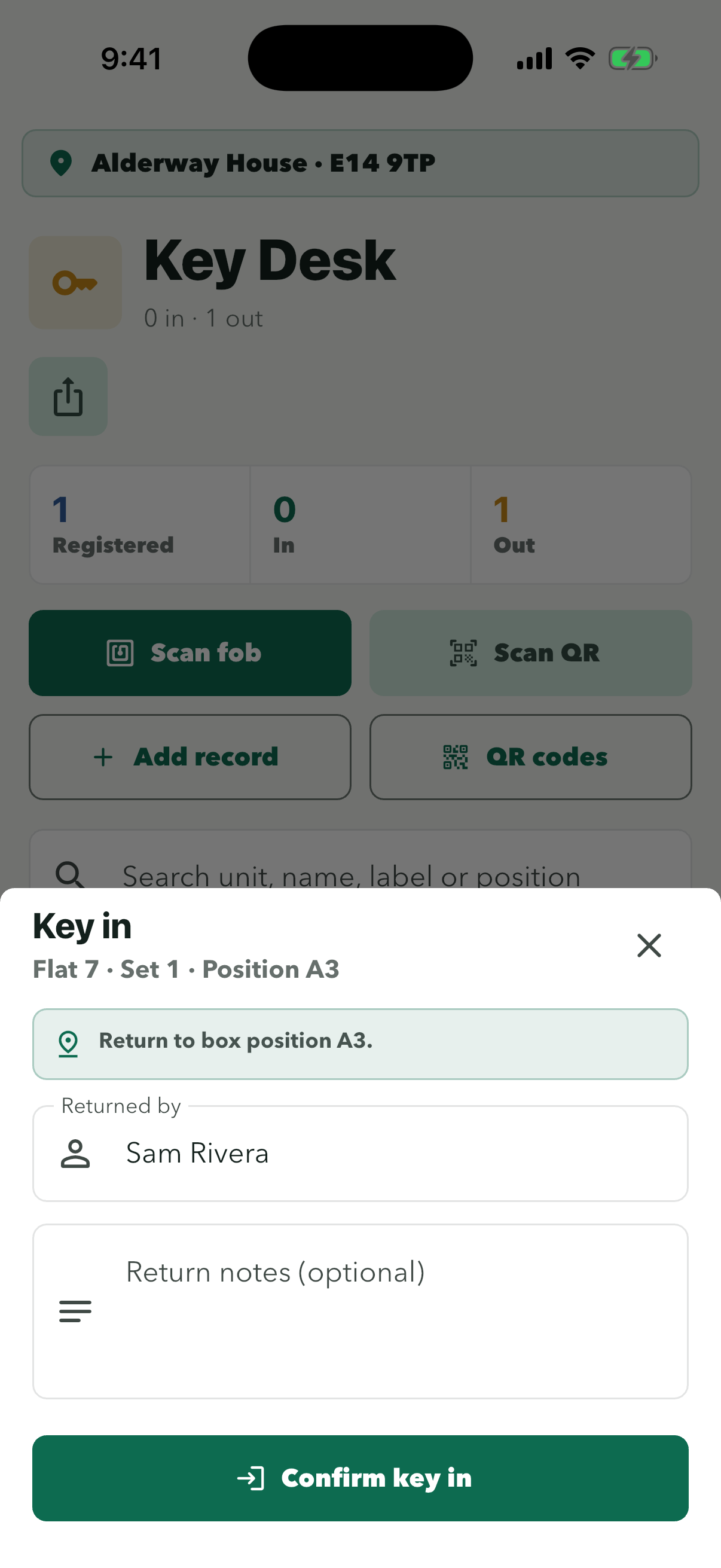
Check ‘Returned by’ and add a note if anything is missing. No signature is needed on return.
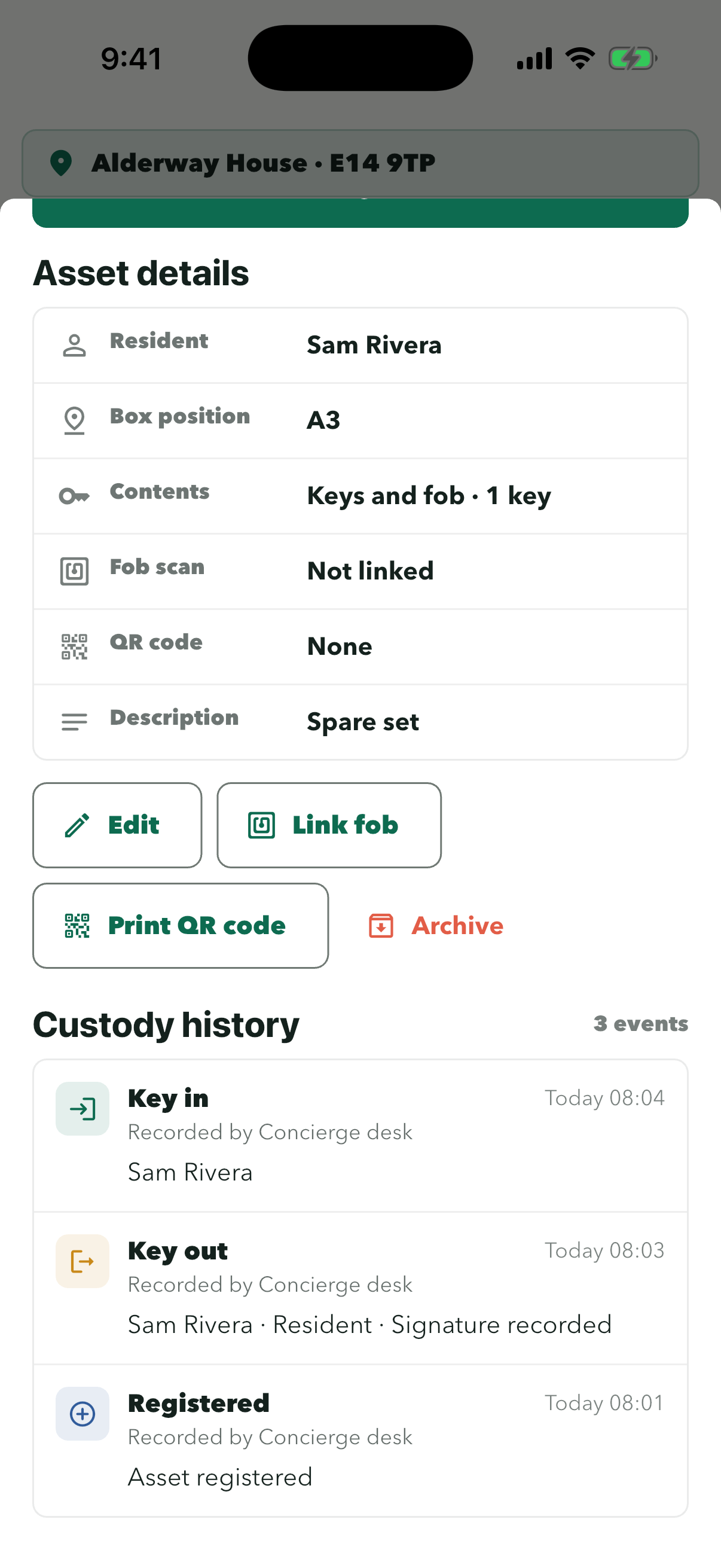
Every key out and key in is listed with the time and who recorded it. Key Desk shows the key as IN again.
Visitors
Sign visitors in and out
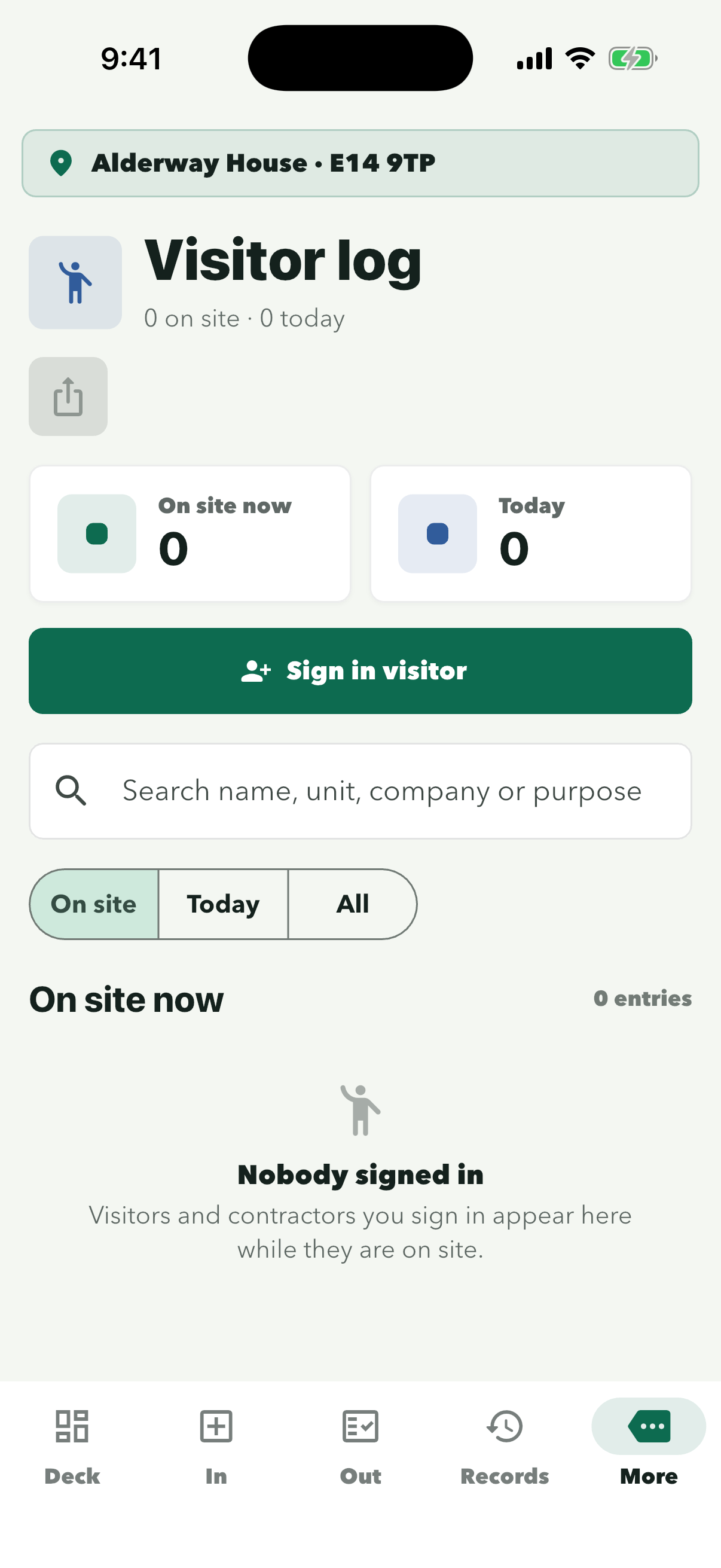
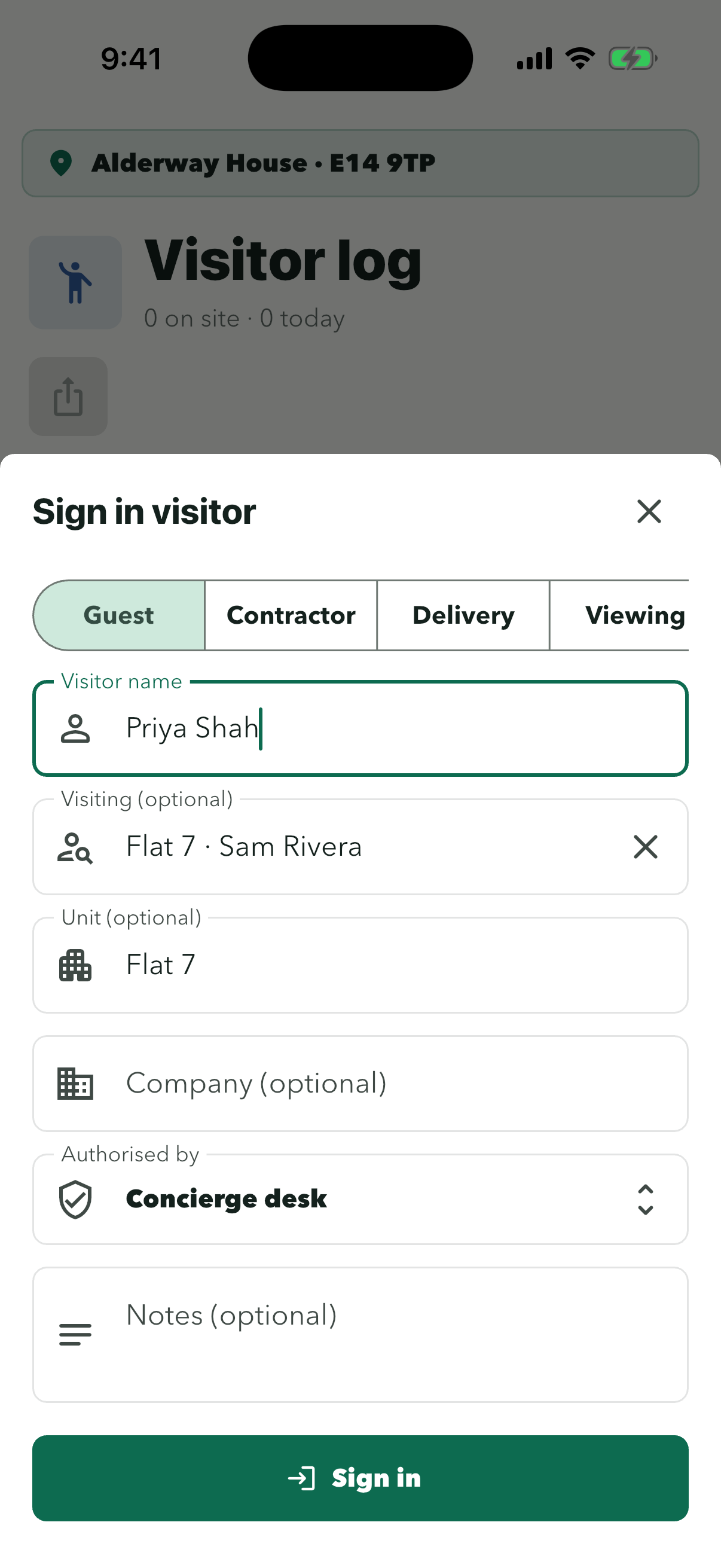
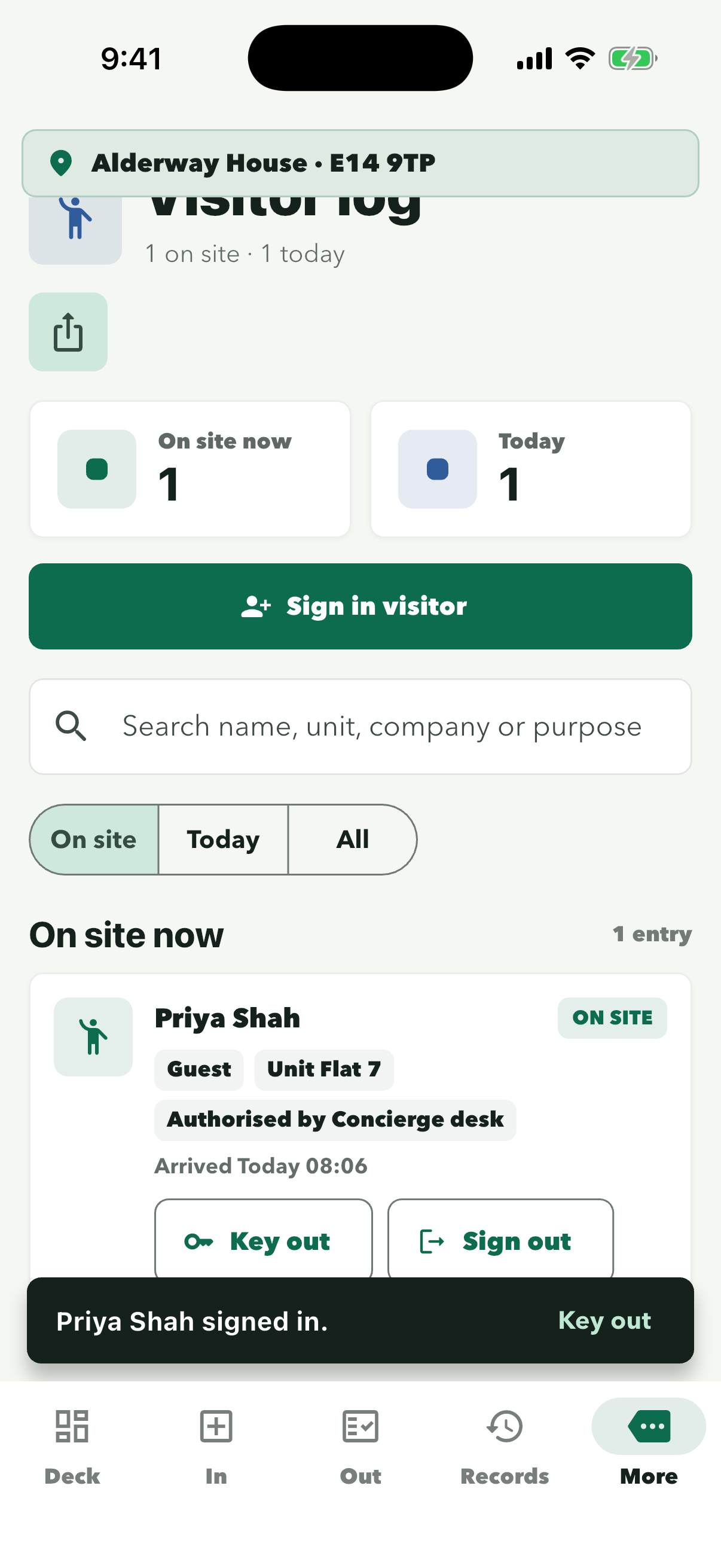
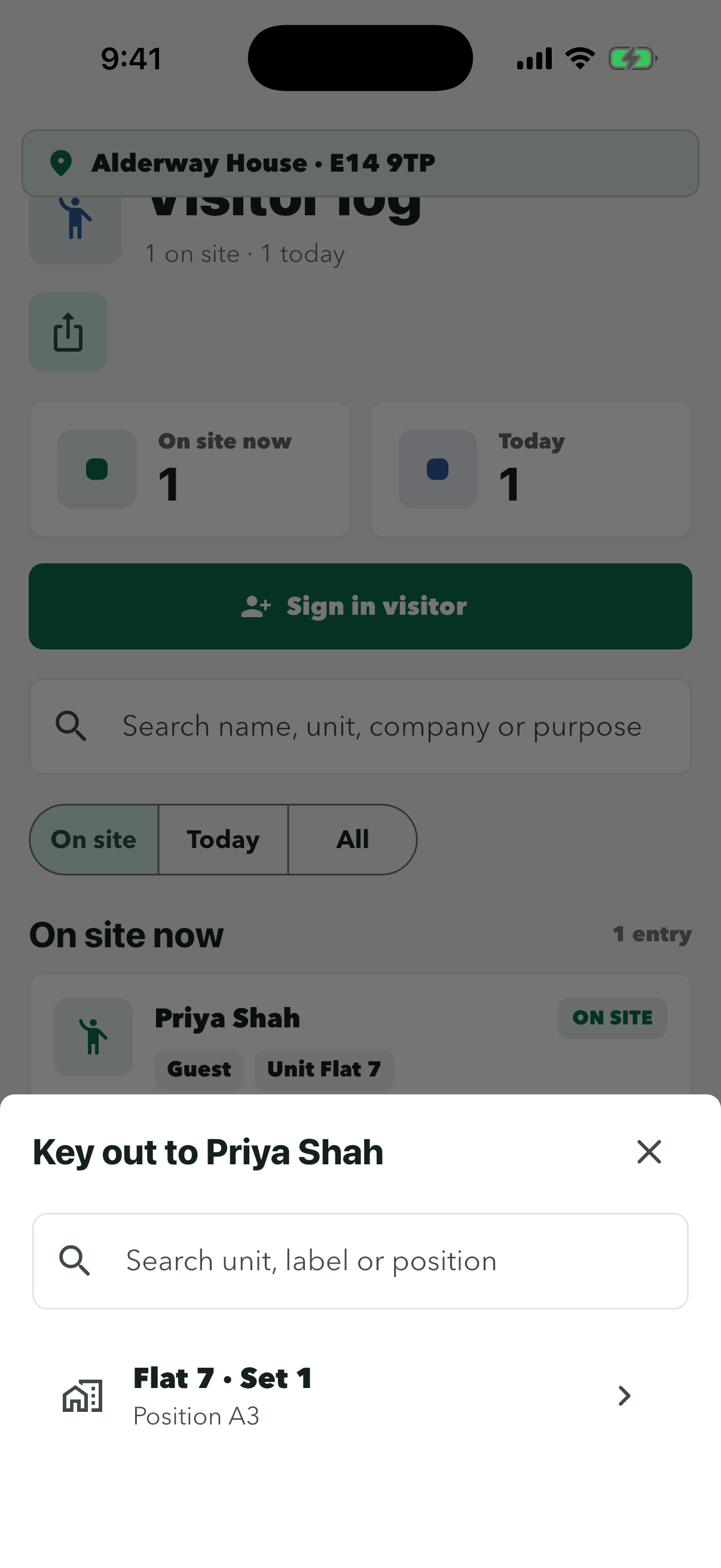
Sign each visitor in at the desk so you always know who is in the building. If they borrow a key, ConciergeDeck reminds you to take it back before they sign out.
Step 1 of 9
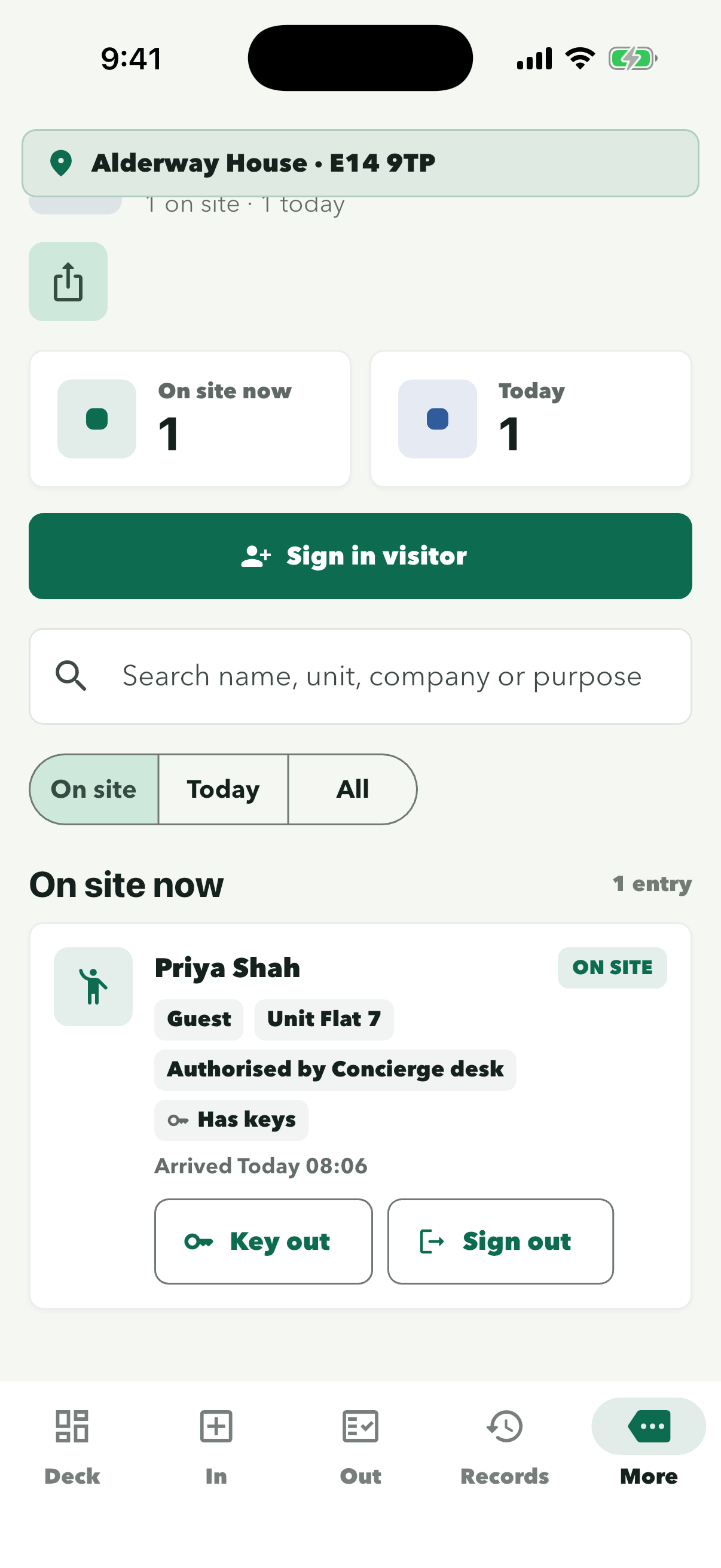
Visitor log is under More. The counts show who is on site now and how many came today.
Choose Guest, Contractor, Delivery or Viewing, type their name and pick who they are visiting. The unit fills in for you.
They now show under On site now with their arrival time. If they do not need a key, skip to step 06.
Search by unit, label or box position if the list is long.
Their name is filled in and Purpose is set to Other. Add an expected return time if you need one.
‘Has keys’ on the card means they still have a key from the desk.
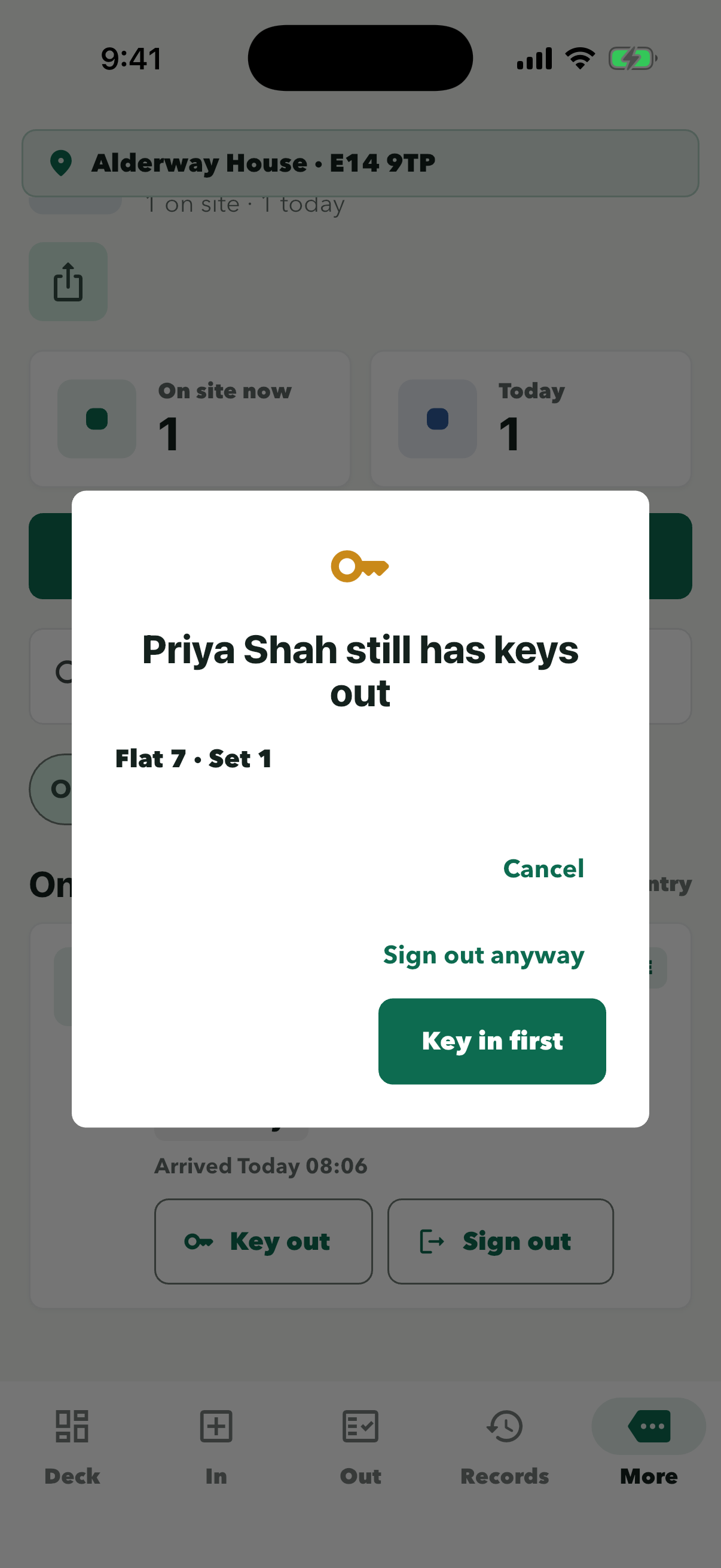
Take the key back before they go. ‘Sign out anyway’ signs them out but leaves the key logged as out.
Hang the key at the position shown. ConciergeDeck then asks you to confirm the sign-out.
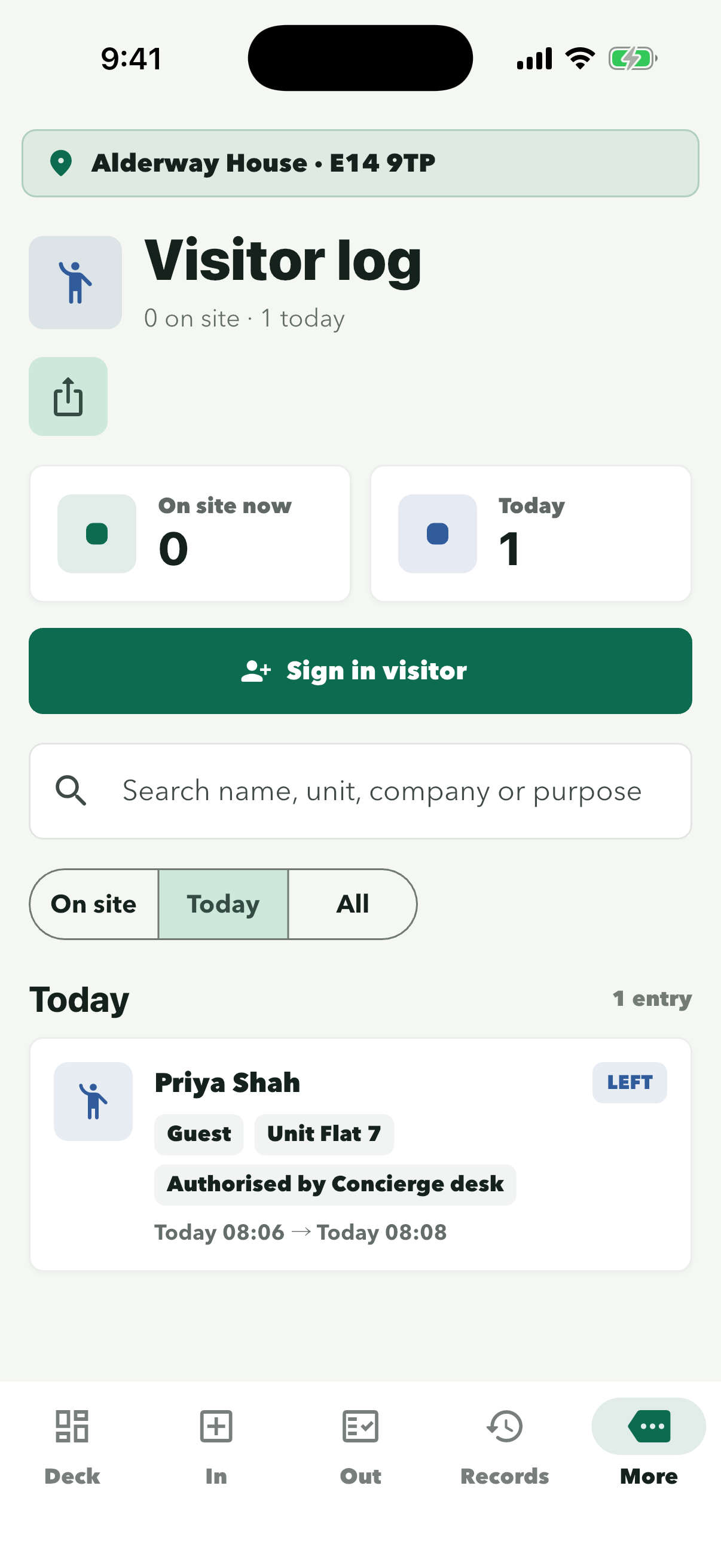
Each visit is marked ‘LEFT’ with arrival and departure times. ‘All’ shows older visits.