Intake
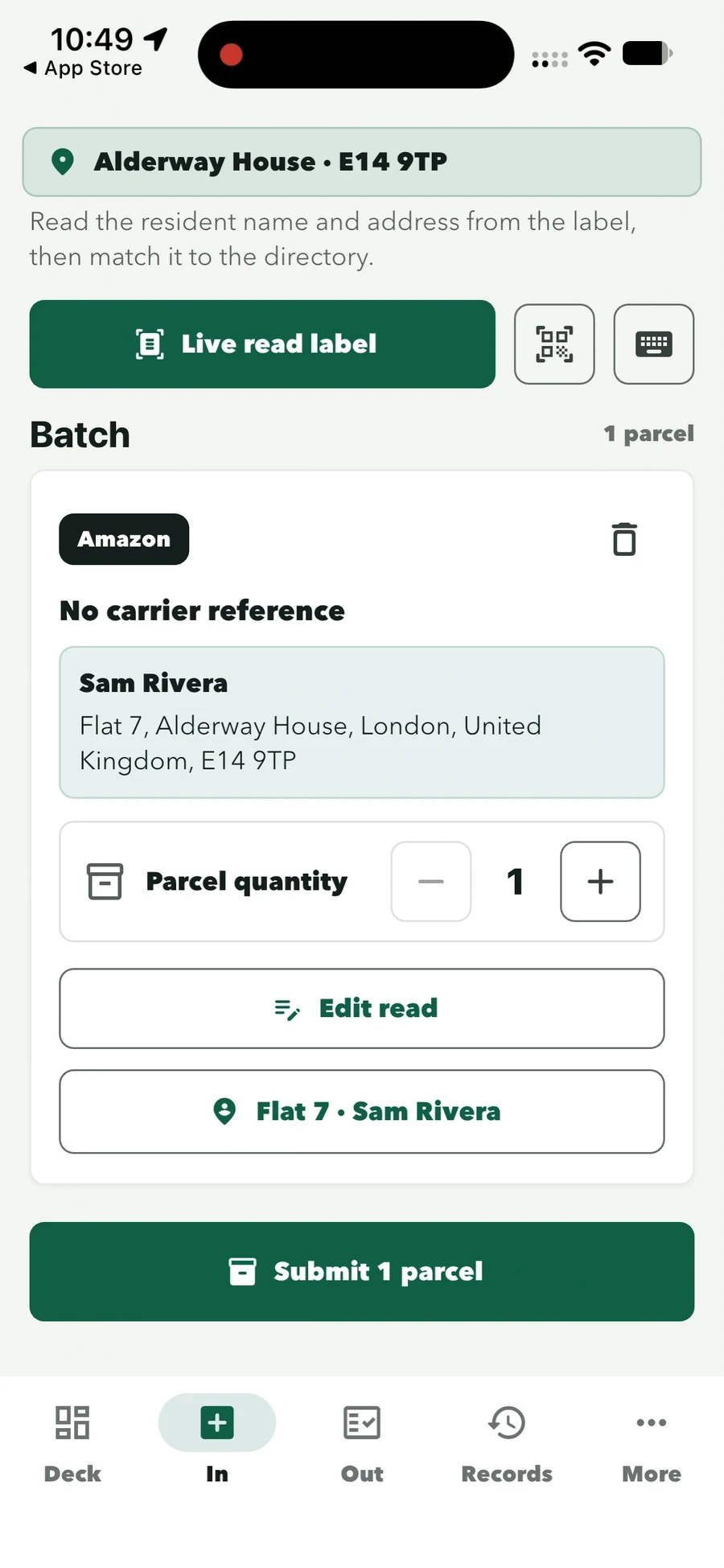
Each parcel is logged against the resident as it comes in, attached to the staff member on duty and visible in the ready queue straight away.
Parcel Desk · for staffed front desks
ConciergeDeck logs each parcel from the label, keeps a searchable waiting list for every resident and records each collection with the collector’s signature. It runs on a supported iPhone or Android device, with no lockers or scanners to install.
What a parcel management system has to answer
Each parcel is logged against the resident as it comes in, attached to the staff member on duty and visible in the ready queue straight away.
Staff search the waiting list by resident name, flat or parcel details, including households with several items waiting.
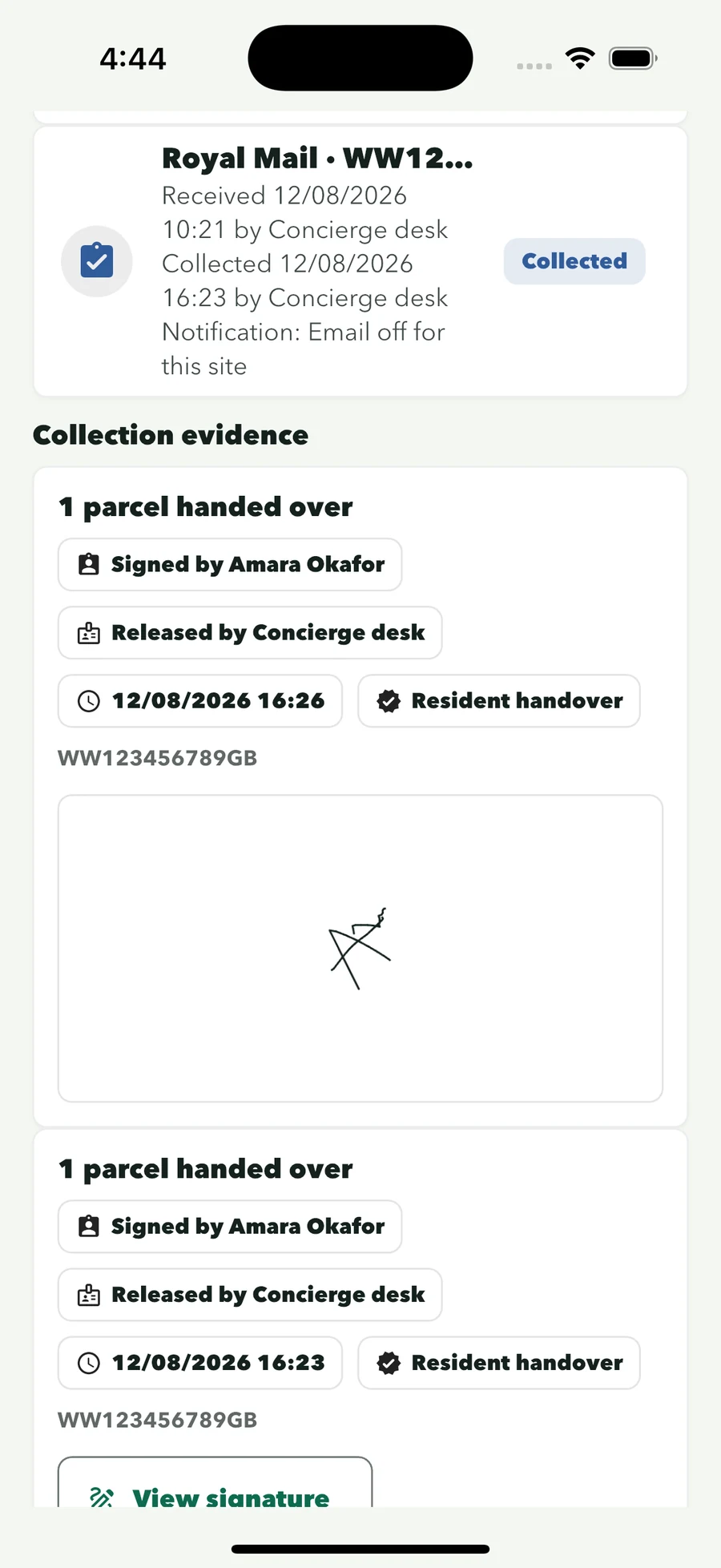
Every release keeps the collector, the time, the staff member and a captured signature, connected to the original intake.
How Parcel Desk works
Four steps on the reception device, each attached to the staff profile on duty.
Parcel In
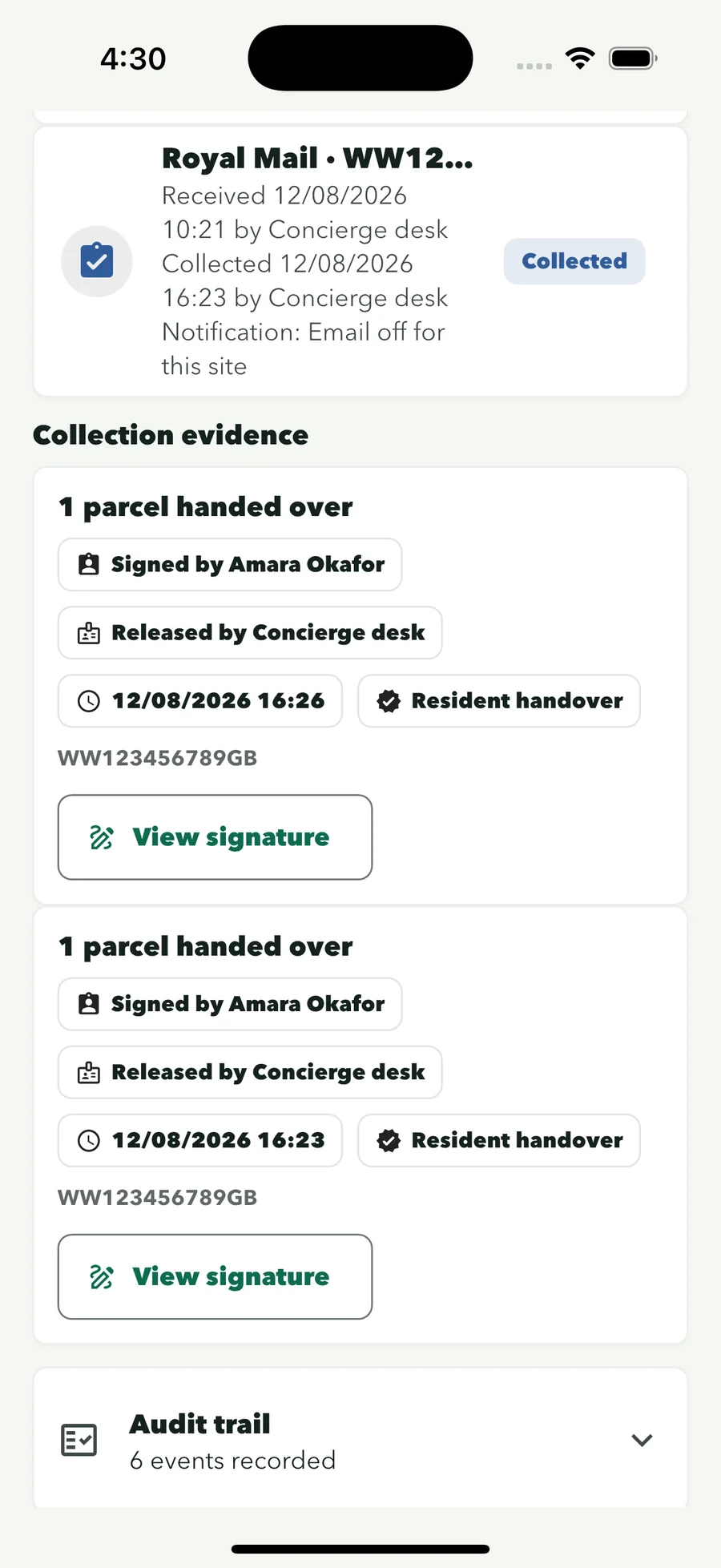
Point the camera at the recipient block. ConciergeDeck reads the name and address and suggests the matching resident.
Review the resident and parcel details, then save once. Several parcels can be logged in one batch.
Enter details by hand when a damaged or handwritten label cannot be read cleanly.
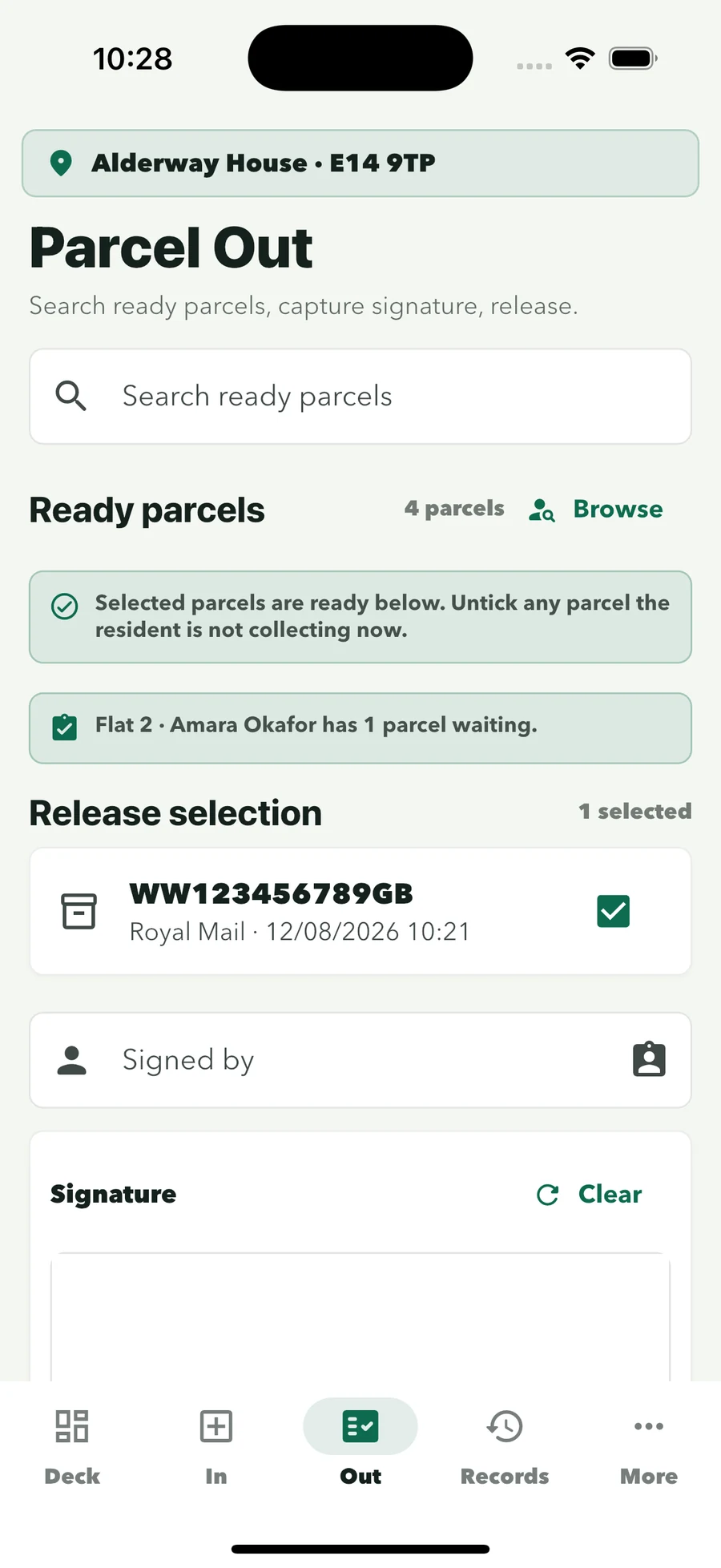
Parcel Out
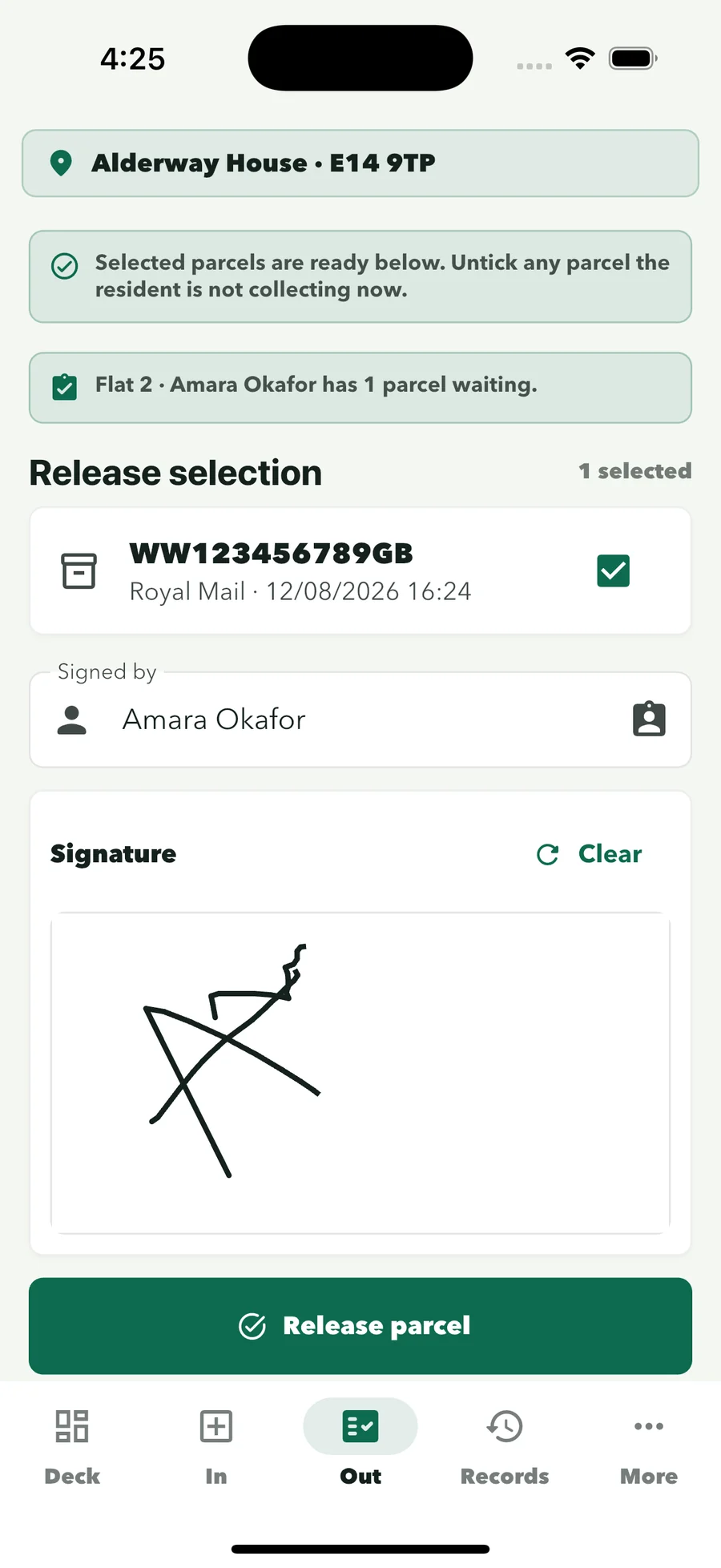
Search by resident or browse the ready list.
Tick the parcels leaving, record who is collecting and capture their signature on screen.
The parcel leaves the ready queue. Multi-item households are released together.
Records
Use resident, parcel, status or activity date.
Received and collected actions stay connected for each parcel.
Open the captured signature in one tap, or export records as CSV from the Records screen.
Software, not hardware
ConciergeDeck is software for buildings where authorised staff receive and release parcels. It works with your existing shelves and storage procedure rather than requiring a locker installation or courier kiosk.
One parcel record
Paper sheets and separate message threads make simple questions difficult. ConciergeDeck keeps the answer attached to one parcel history.
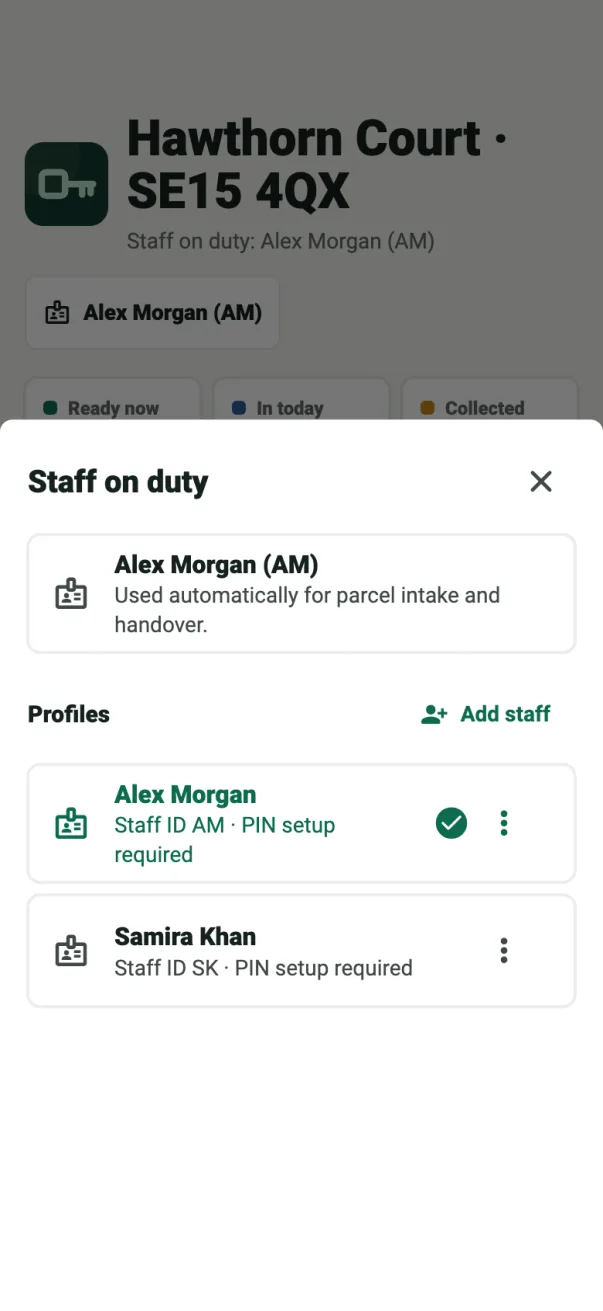
Read about security and privacyEvery intake and release is attached to the staff profile selected on the device.
The collector’s signature stays with the handover record.
Find any parcel by resident, flat, status or date.
Optional notices from the site’s own mailbox, off until you switch them on.
Where it fits
Residential buildings
Parcel Desk, Key Desk and the visitor log for apartment blocks with a staffed front desk.
For residential buildingsBuild to Rent
The same parcel process on every BTR desk, with a one-import resident turnover for moving-in season.
For Build to RentProperty managers
Separate site logins for each building, managed from one owner account on the web.
For property managersSecurity companies
Every parcel signed under the officer’s own profile, on every site you staff.
For security companiesBefore you choose
Buyer’s guide
What to look for in a residential parcel system, from intake to collection records.
Read the buyer’s guideComparison
Five products compared for staffed UK residential desks.
Read the comparisonLockers
Staffed desk, unstaffed hours, or both: which suits your building.
Compare the optionsParcel rooms
Intake at the door, a searchable shelf and signed collection, without lockers or scanners.
Read the parcel room management guidePricing
Choose a plan by the number of sites and reception devices. Every plan includes Parcel Desk, Key Desk, the visitor log, staff profiles and searchable records.
Starter
£59/month
2 sites · 2 authorised devices
Professional
£129/month
5 sites · 5 authorised devices
Portfolio
£229/month
10 sites · 10 authorised devices
Cloud
£349/month
15 sites · 15 authorised devices
Site and device limits are totals across the owner account. The 30-day free trial applies to the first subscription on an owner account; monthly billing starts automatically after the trial unless cancelled, and you can cancel from the owner account.
Common questions
Practical answers about hardware, residents, records and notifications.
It is the system a front desk uses to log each parcel as it arrives, see what is waiting for which resident, and record who collected it. ConciergeDeck does this on a supported iPhone or Android device at reception: the camera reads the label, staff confirm the resident, and the collection is signed for on screen.
No. ConciergeDeck is software, not a courier, parcel room operator or outsourced service. Your own concierge, reception or security team receives and releases the parcels; ConciergeDeck keeps the record.
No. ConciergeDeck supports a staffed parcel workflow on an authorised iOS or Android device and works with the building’s existing storage procedure. Staff use the device camera for label reading and can enter parcel details manually.
No. Residents collect at the desk and sign on the reception device. Only the account owner and authorised building staff use ConciergeDeck.
The parcel selection, collector, collection time, staff profile, release method and captured signature stay with the handover record, connected to the original intake.
Yes. Several parcels can be logged in one batch, and multiple parcels waiting for one household are released together in a single signed handover.
Manual entry is always available, so damaged or handwritten labels can still be logged and matched to the right resident.
It can. Resident parcel email is optional, configured per site and off by default. When it is switched on, notices are sent from the site’s own connected mailbox. Individual and batch notices are included from the Professional plan.
Yes. Records can be searched by resident, parcel details, status or activity date, and the captured signature is one tap away. Records can be exported as CSV from the Records screen.
The core desk workflow remains available on the site device during an internet interruption.
Yes. Each plan includes a set number of sites and authorised devices, from 2 on Starter to 15 on Cloud, and every building gets its own site login. Records stay separate per site.
A first ConciergeDeck subscription starts with a 30-day free trial. Monthly billing begins automatically afterwards unless the subscription is cancelled, and you can cancel from the owner account. Checkout shows the exact terms before confirmation.
Replace the parcel log
Create the owner account, connect the first site and run real intakes and signed collections with your reception team.