Parcels
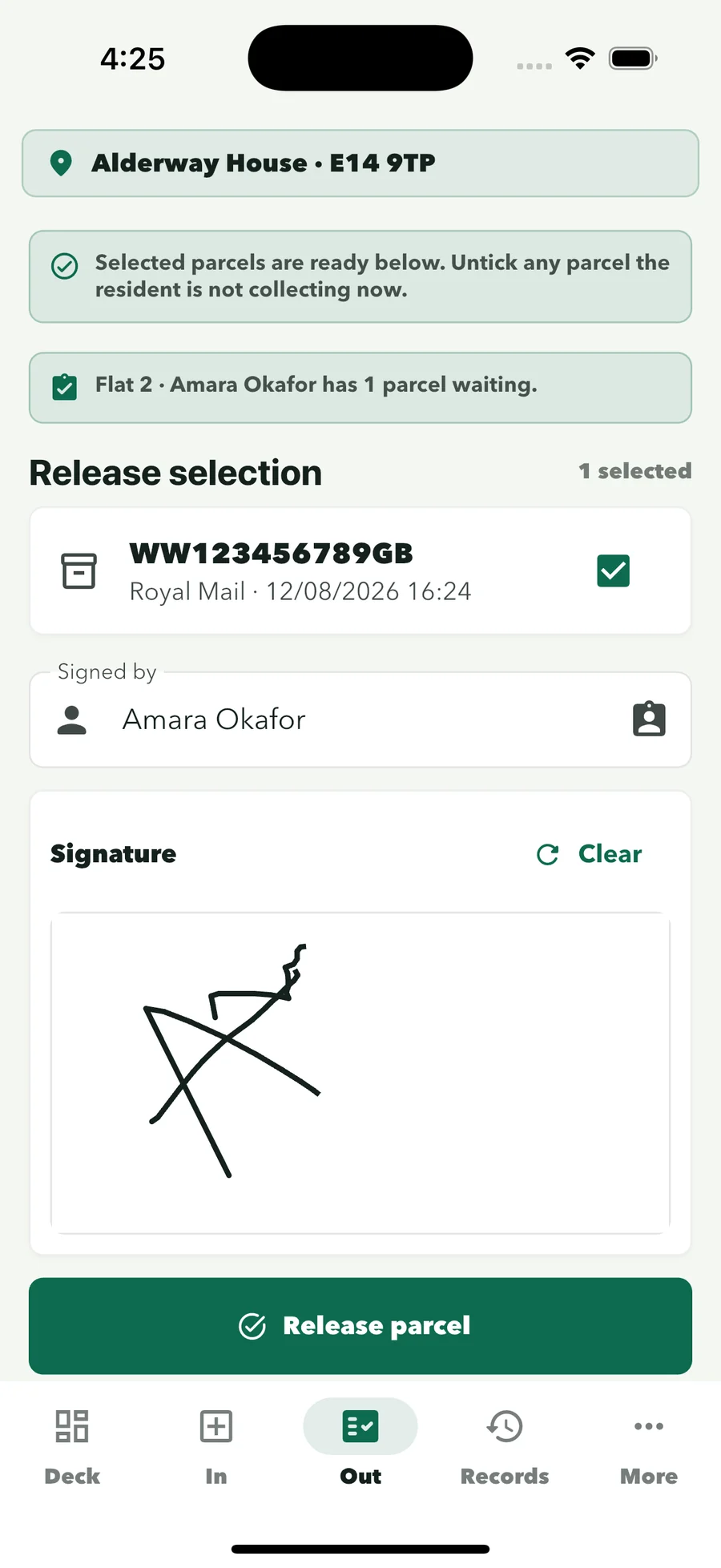
Every collection keeps the collector’s signature, the time, the release method and the officer who handed it over.
For security companies supplying concierge officers
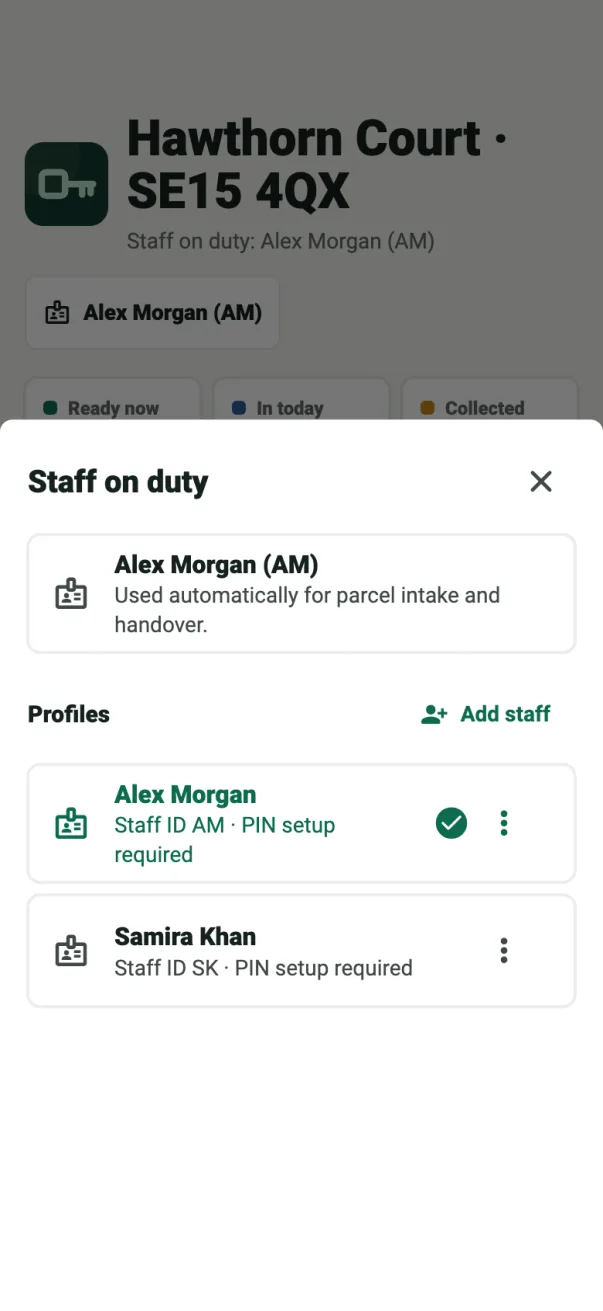
Your officers move between residential sites and shifts. ConciergeDeck puts the same parcel, key and visitor record on every desk you staff, with each entry signed under the officer’s own profile and kept with the building it belongs to.
What clients ask your officers
Every collection keeps the collector’s signature, the time, the release method and the officer who handed it over.
Key Desk records each hand-out and return against the key, the person taking it and the officer on duty.
The visitor log signs guests and contractors in and out and shows everyone currently on site.
How it works on shift
Parcel Desk, Key Desk and the visitor log, each entry signed under the officer’s staff profile.
Parcel Desk
Point the phone camera at the recipient block. ConciergeDeck reads the name and address, suggests the resident and logs the parcel against the officer on duty.
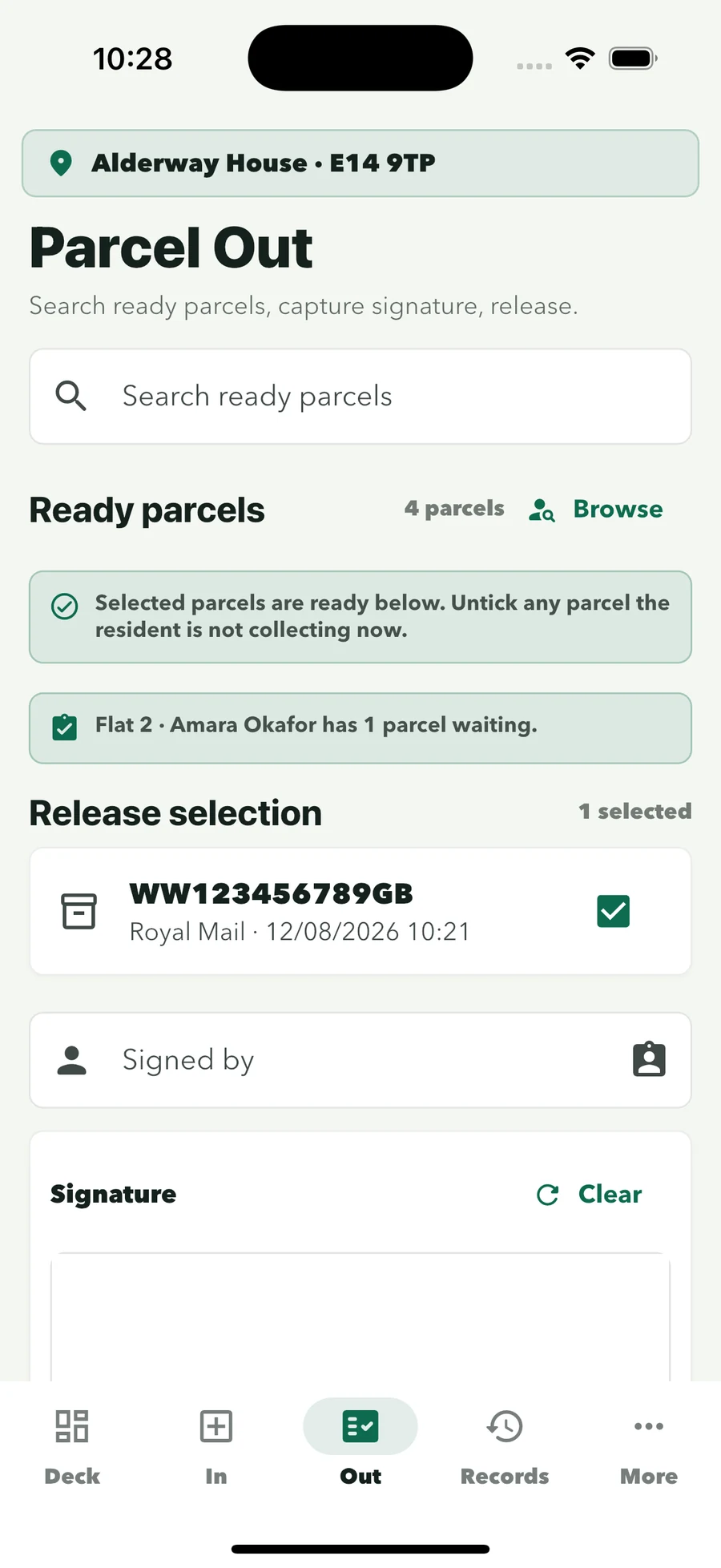
Tick the parcels, then the collector signs on screen. The record keeps the collector, time, officer and release method.
Search by resident, flat or date when a resident or client asks, with CSV export from the Records screen.
Key Desk
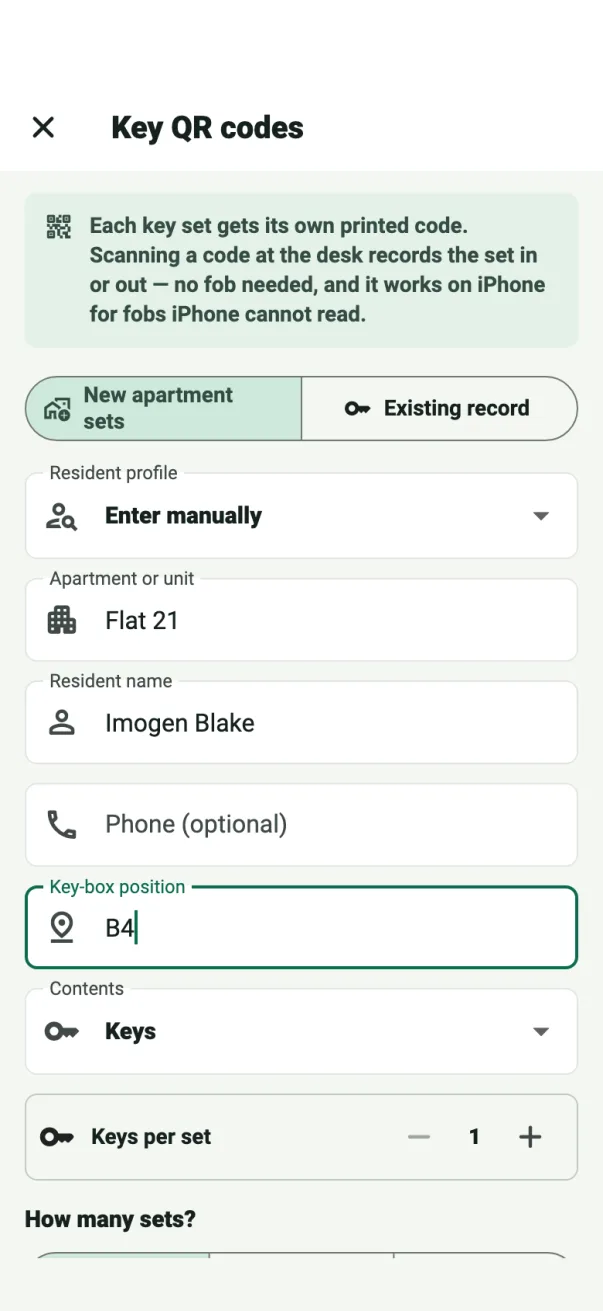
Capture the box position, set and contents. Scan a fob, print a QR key tag or add it manually.
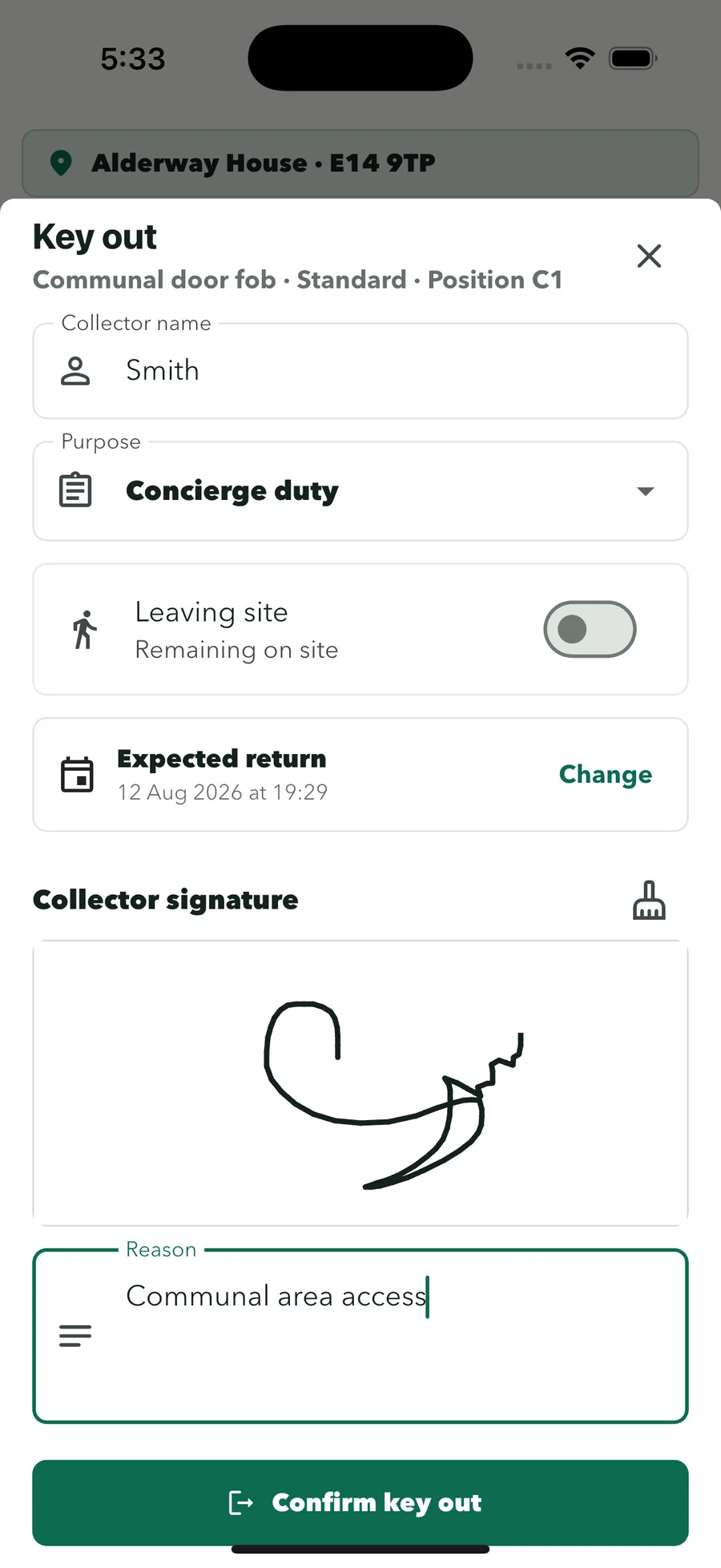
Record who is taking the set and why, with a signature. One tap logs the return.
Restricted and master keys only leave the desk after the officer on duty confirms with their personal PIN.
Visitor log
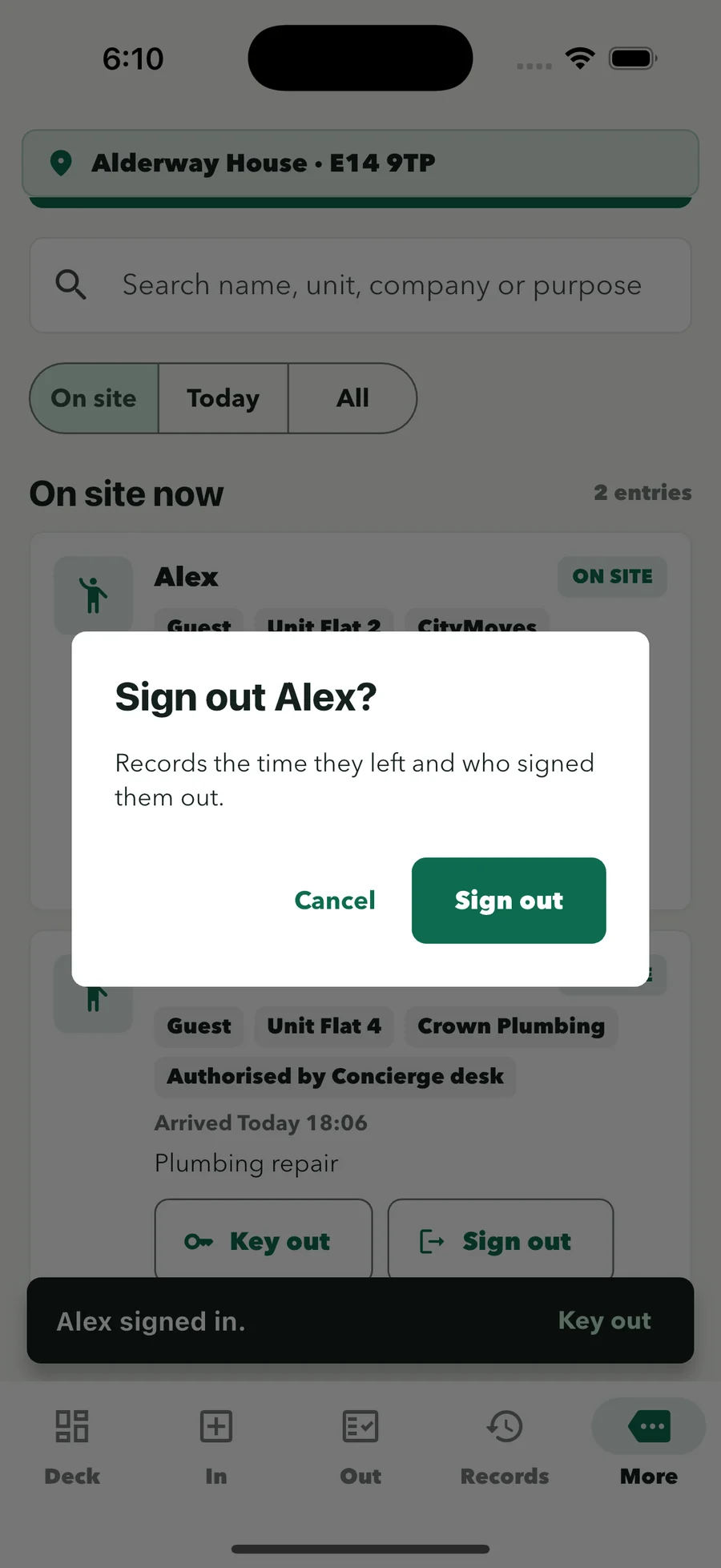
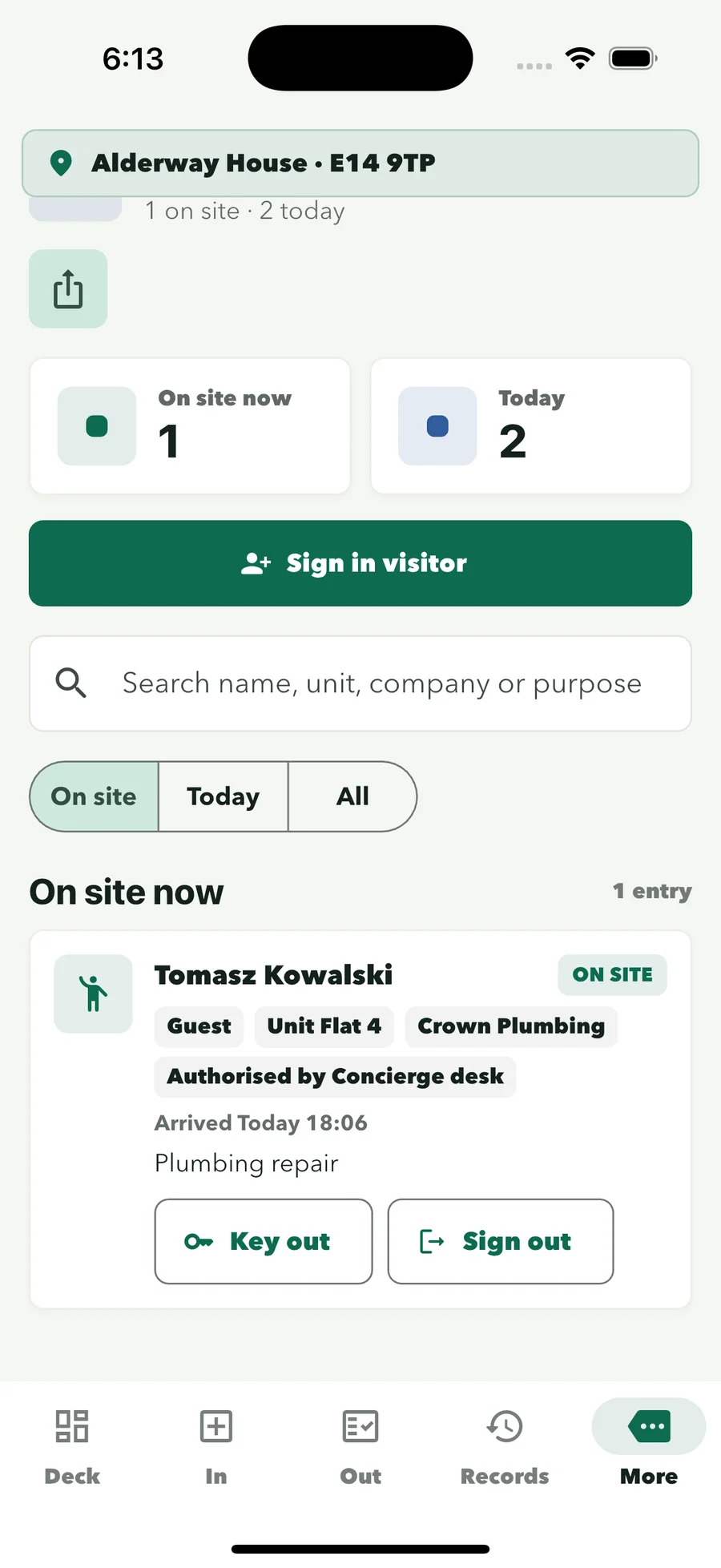
Guests, contractors, deliveries and viewings. Only the name is required; the officer fills in who approved the visit.
See everyone currently in the building at a glance.
Keys handed out during a visit are linked to it, and the officer is warned if a visitor leaves with a set still out.
Run it from the office
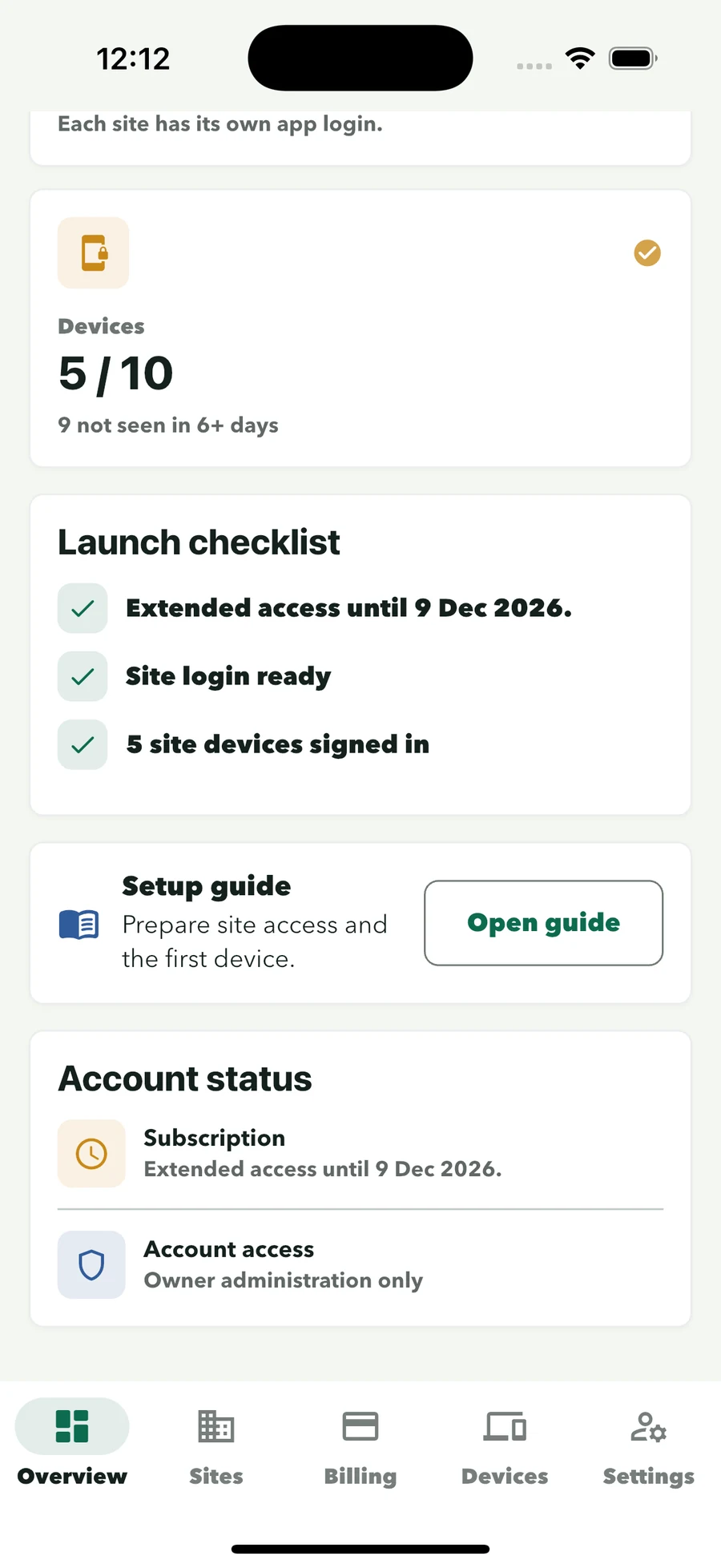
Your office manages every building from one owner account on the web. Officers only ever use the site login for the building they are covering and their own profile.
A record you can stand behind
When a client, resident or colleague asks a question, search the record instead of the paper. Each hand-in and hand-out stays connected to the officer and time.
Read about security and privacyParcel, key and visitor actions are attached to the selected staff profile.
Parcel collectors and key recipients stay connected to the record, with their signature.
Owner administration, site sign-in and staff profiles have distinct roles. Officers never see billing.
Off by default. Turn parcel notices on per building when the client is ready.
Where it fits
Desk record, not rostering
ConciergeDeck covers parcels, keys and fobs, and visitors at the desk. Scheduling, patrols and incident reporting stay in your current systems.
How it worksResidential buildings
Parcels, the visitor book and key custody without specialist hardware or a resident app.
For residential receptionBuild to Rent & student housing
Clear parcel, key and visitor workflows, and a one-import resident turnover for moving-in season.
For Build-to-Rent teamsManaging agents & block management
The same desk record works for managing agents and block management companies running staffed buildings.
For property managersPricing
Choose a plan by the number of client sites and reception devices. Every plan includes Parcel Desk, Key Desk, the visitor log, staff profiles and searchable records.
Starter
£59/month
2 sites · 2 authorised devices
Professional
£129/month
5 sites · 5 authorised devices
Portfolio
£229/month
10 sites · 10 authorised devices
Cloud
£349/month
15 sites · 15 authorised devices
Site and device limits are totals across the owner account. The 30-day free trial applies to the first subscription on an owner account; monthly billing starts automatically after the trial unless cancelled, and you can cancel from the owner account.
Common questions
ConciergeDeck fits the desk routine your officers already follow, without lockers, key cabinets or a reception computer.
It gives the officers on your residential contracts one app for the desk record: parcels in and out, key and fob custody, and the visitor log. Each entry is recorded under the officer’s own profile and kept with the building it belongs to.
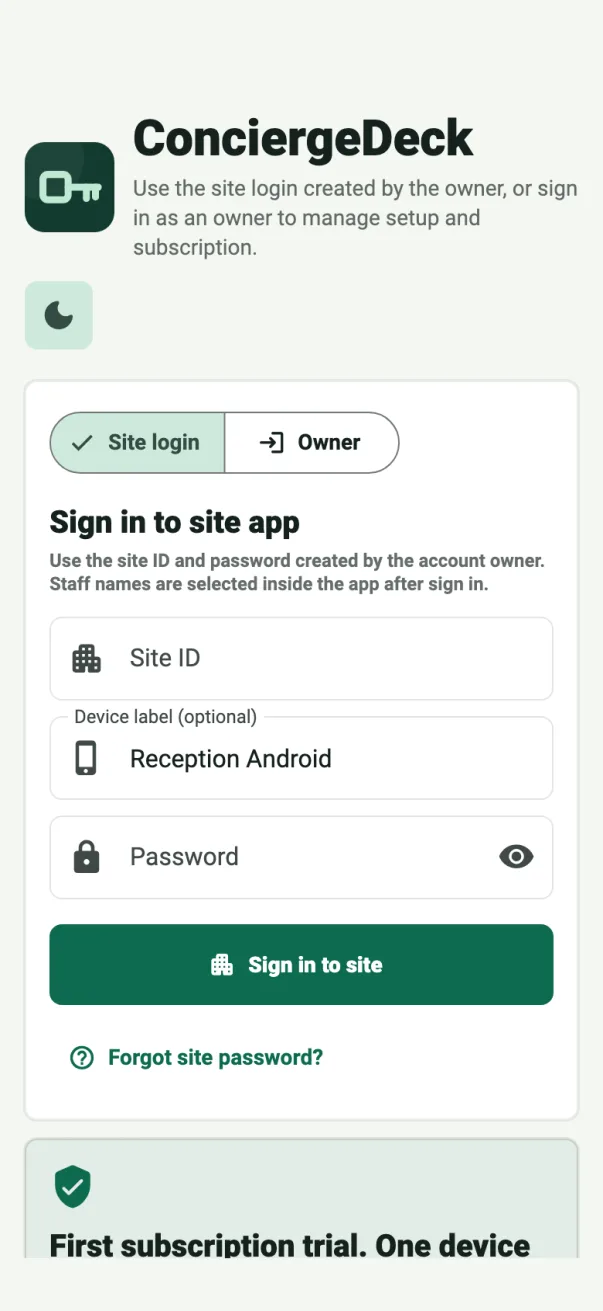
Yes. The reception device signs in with the building’s site ID and password, then each officer picks their own staff profile. Parcel, key and visitor actions are attached to that profile, not to a shared login.
Yes. Every building has its own site login and its own records. Sync only exchanges records between authorised devices for the same site.
No. ConciergeDeck covers the front desk record: Parcel Desk, Key Desk, the visitor log and shift handover. Keep your existing tools for rostering, patrols and incident reporting.
A supported iOS or Android phone or tablet at the desk. There are no lockers, key cabinets or reception PC to install, and the client’s residents never need an app.
Key Desk prints QR key tags. Some older fobs cannot be read by a phone, so the officer scans the small code on the keyring instead to record the set in or out. The tags carry no flat, resident or box details.
The device stays signed in to the building. The incoming officer selects their own profile, and the parcel queue and custody records carry over unchanged.
Yes. Search parcel and key activity by resident, flat or date. Each collection shows who signed, who handed it over and when, with CSV export from the Records screen.
A first ConciergeDeck subscription starts with a 30-day free trial. Monthly billing begins automatically afterwards unless the subscription is cancelled, and you can cancel from the owner account. Checkout shows the exact terms before confirmation.
Put ConciergeDeck on every desk you staff
Create the owner account, connect your first client site and run Parcel Desk, Key Desk and the visitor log through a 30-day free trial.