Guide · Parcel Desk
Reception parcel management for residential buildings.
How a staffed residential reception logs parcels while the courier waits, keeps a waiting list anyone on duty can search, and releases every parcel with a signature on the record.
Runs on a supported iPhone or Android device. No parcel locker or specialist scanner required.
The job at reception
What reception parcel handling involves.
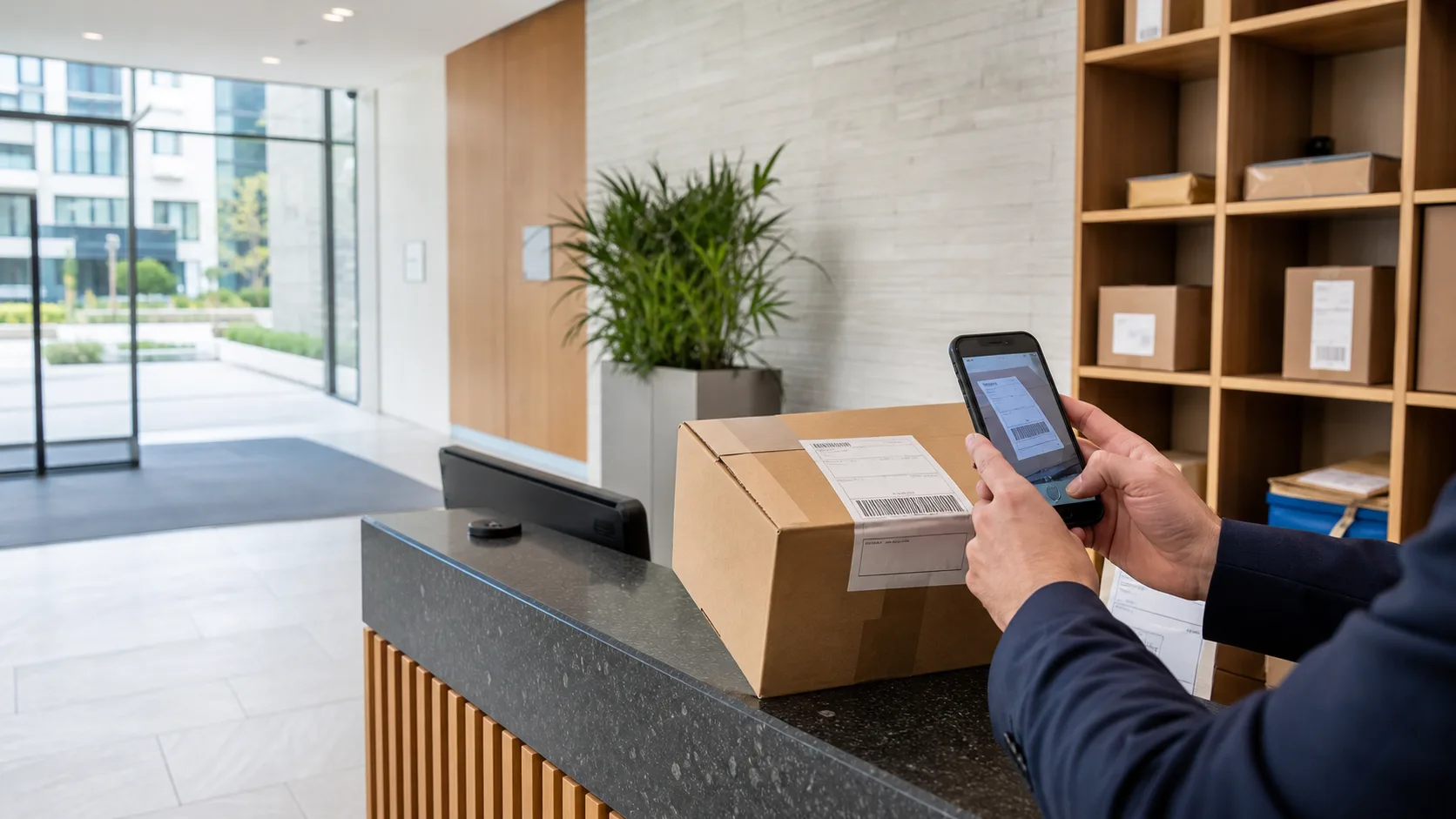
At a residential reception, parcels are one job among many: the phone, the door, visitors and contractors. Reception parcel management comes down to four moments — arrival, waiting, collection and the record that connects them. ConciergeDeck keeps all four on the reception device, attached to the building rather than to whoever happens to be on shift.
- Arrival
Frame the recipient block with the camera, review the household, confirm.
- Waiting
Ready parcels stay searchable by resident and parcel details.
- Collection
Select the parcel, record the collector and capture the signature.
- Records
Received and collected actions stay connected in one history.
Arrival
Logging parcels at reception while the courier waits.
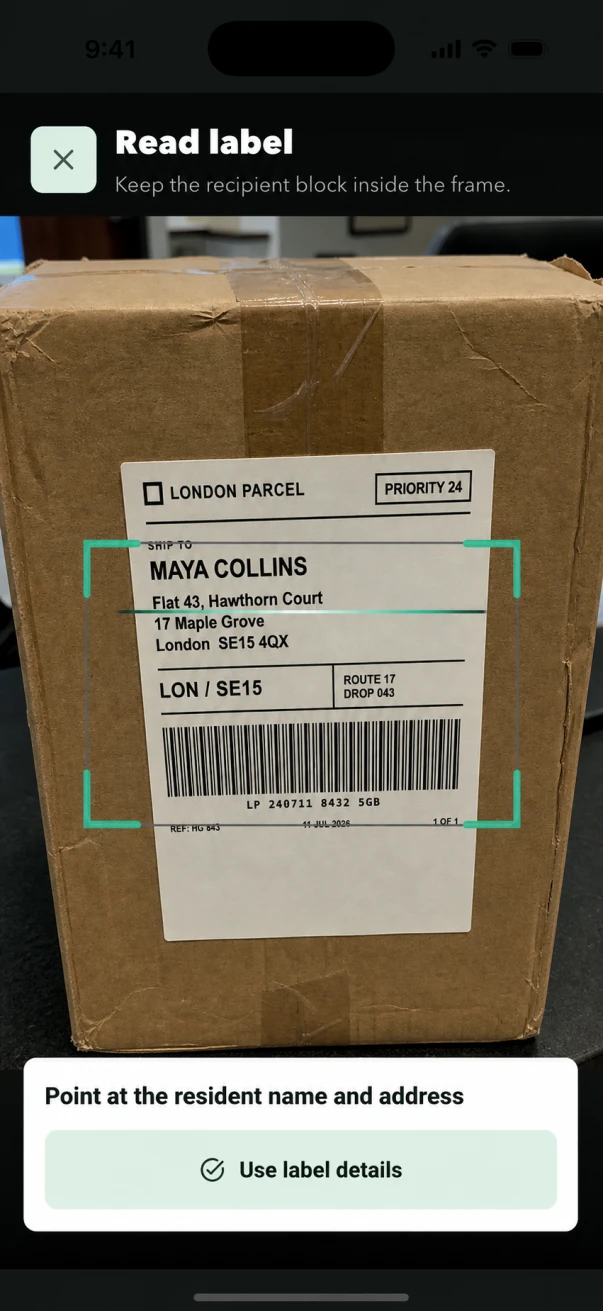
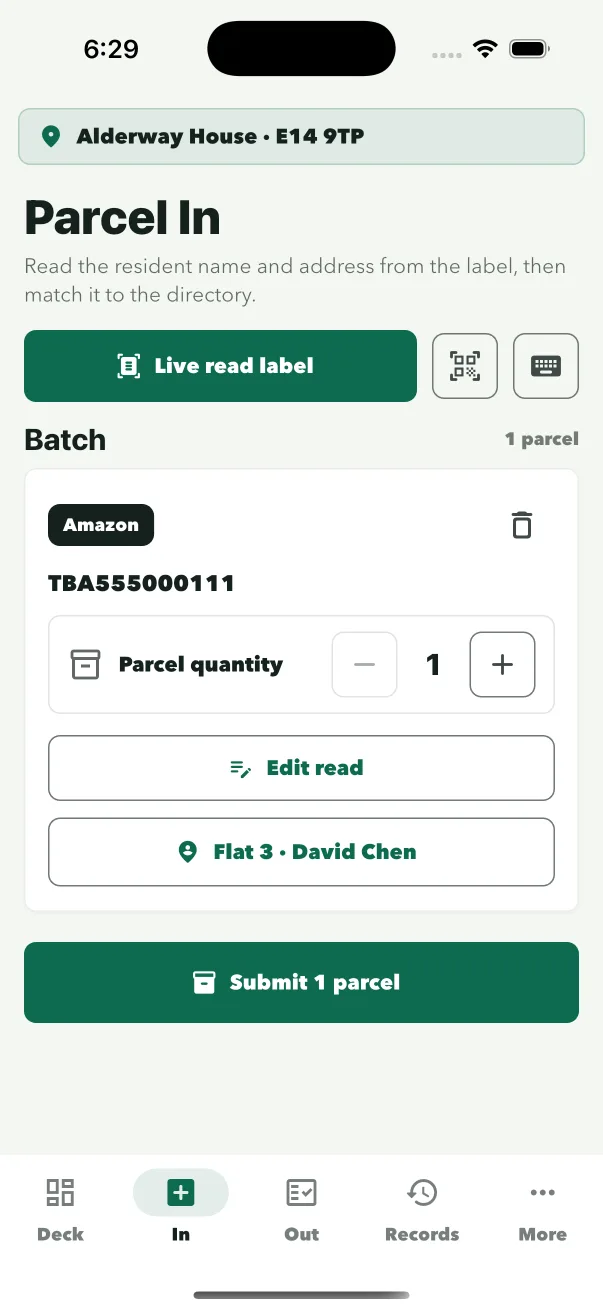
The camera reads the recipient name and address block from the label, ConciergeDeck suggests the matching resident, and the parcel is logged against the staff member on duty. Busy deliveries can be logged in one batch while the courier is still at the desk, and manual entry stays available for unclear labels.
- Frame the label
The camera reads the recipient name and address block.
- Review the resident
Confirm the suggested household, or choose another from the directory.
- Save the intake
Several parcels can be saved in one batch, attached to the staff profile on duty.
Waiting
A waiting list the front desk can search.
When a resident arrives at reception, the question is always the same: is there anything for me? The ready queue answers it without a trip to the back office. Search by resident name, flat or parcel details, and release every parcel waiting for a household together.
- Searchable
Find a waiting parcel by resident name, flat or parcel details.
- Ready at a glance
Reception sees the full waiting list without leaving the desk.
- Multi-item households
Several parcels for one household are released together.
Collection
Signed collection at the reception desk.
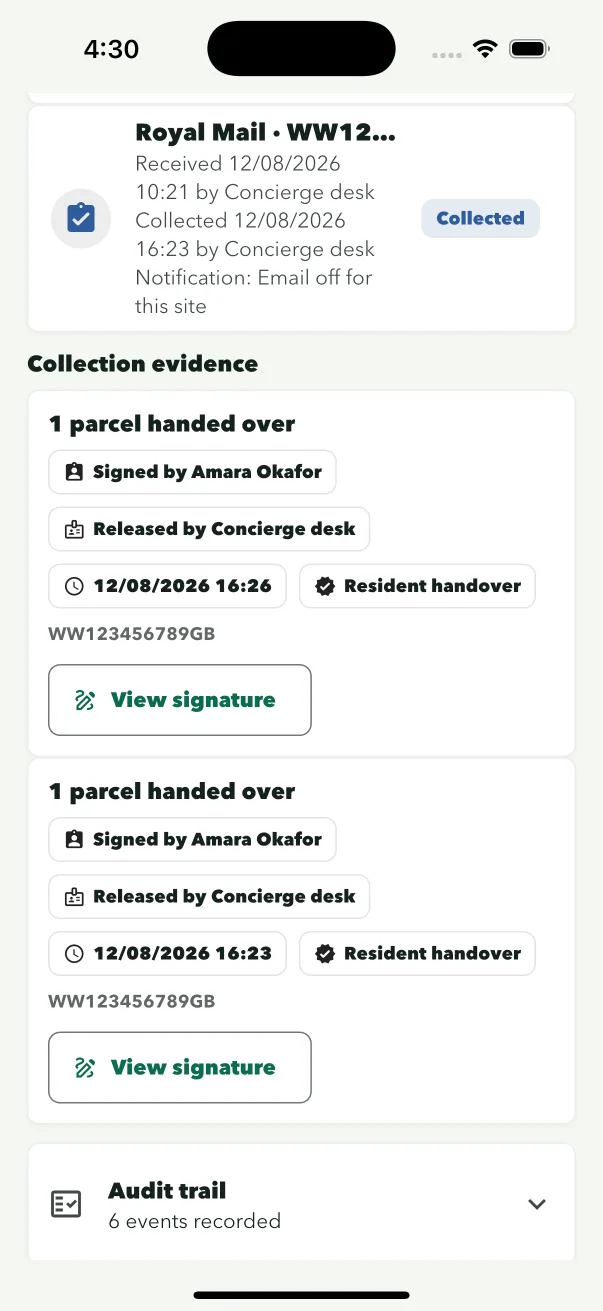
Every release records the collector, the collection time, the staff profile, the release method and a signature captured on screen. If a resident later asks where a parcel went, reception answers from the record instead of from memory.
Watch collection and signature in the product tour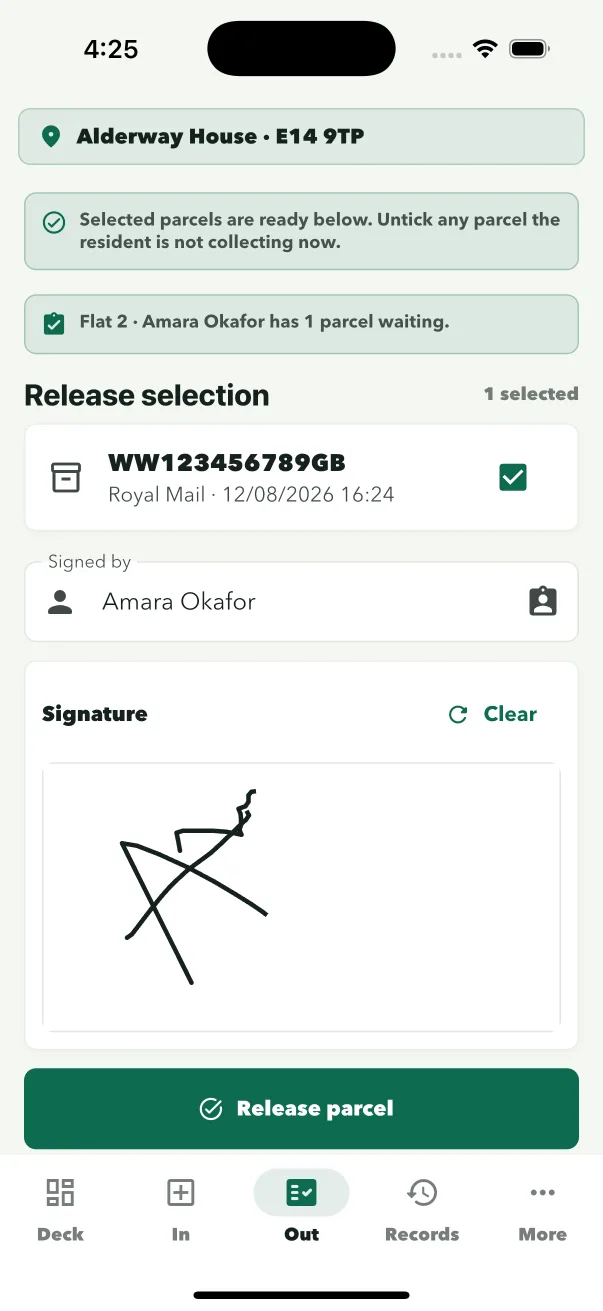
Shifts
Shift changes and shared reception phones.
Reception devices are shared, so ConciergeDeck signs the device in to the building once and each member of staff picks their own profile. The incoming shift selects their profile and carries on: the parcel queue and records stay exactly where they were.
- Site sign-in
The device connects to one building with its site credentials.
- Staff profiles
The person on duty selects their profile inside the app.
- Queue carries over
Waiting parcels and records are unchanged at handover.
Residents
Telling residents a parcel has arrived.
Resident email is optional, set per site and off by default. When a site switches it on, notices go from the site’s own mailbox, individually or in a batch, on the Professional plan and above. Residents never need an app or a ConciergeDeck account: staff find the parcel and complete the handover at reception.
See the resident email workflow- Off by default
Turn notices on per site when contact data and policy are ready.
- Individual and batch
Resident email notices are included from the Professional plan.
- No resident app
Residents collect at reception without an account.
Choosing the setup
Reception, parcel room or lockers?
A staffed reception can run parcel software on a device it already has, with no locker installation. Buildings with more volume often move parcels to a dedicated room behind the desk, and buildings that are unstaffed for long stretches may add lockers for out-of-hours collection. The same intake and signed collection apply at a desk or in a parcel room.
- Staffed reception
- Parcel room
- Lockers
Plans
What it costs.
Plans start at £59/month, with a 30-day trial for new subscriptions. Every plan includes Parcel Desk, Key Desk and the visitor log, and every paid plan includes scheduled daily and manual sync between authorised devices for the same site. Staff use the iPhone app from the App Store or the Android app downloaded from this site.
Compare plans- Starter · £59/month
2 sites and 2 authorised devices.
- Professional · £129/month
5 sites and 5 authorised devices, plus resident email notices.
- Portfolio · £229/month
10 sites and 10 authorised devices.
- Cloud · £349/month
15 sites and 15 authorised devices.
Common questions
Questions reception teams ask.
Do we need a parcel locker or barcode scanner?
No. ConciergeDeck runs on a supported iOS or Android device at the desk. Staff use its camera to read the recipient block, and manual entry stays available for unclear labels.
What happens when two residents share a surname?
The scanner reads the full recipient block, and staff review the suggested household before saving. The resident directory keeps flat numbers and addresses together so the right household is selected.
Can residents collect without email notifications?
Yes. Resident email is optional and off by default. The desk still sees the waiting parcel, and collection is recorded with the collector and signature.
Who is recorded as handling each parcel?
Every intake and release is attached to the staff profile selected on the device, so the record shows which member of the team handled it.
What happens during a shift handover?
The device stays signed in to the building. The incoming member of staff selects their own profile, and the parcel queue and custody records carry over unchanged.
Can several parcels for one household be handled at once?
Yes. Several parcels can be logged in one batch, and multiple parcels waiting for one household are released together in a single signed handover.
Put ConciergeDeck on reception
Try reception parcel management on your own desk.
Create the owner account, connect a site and run real intakes and collections for 30 days.