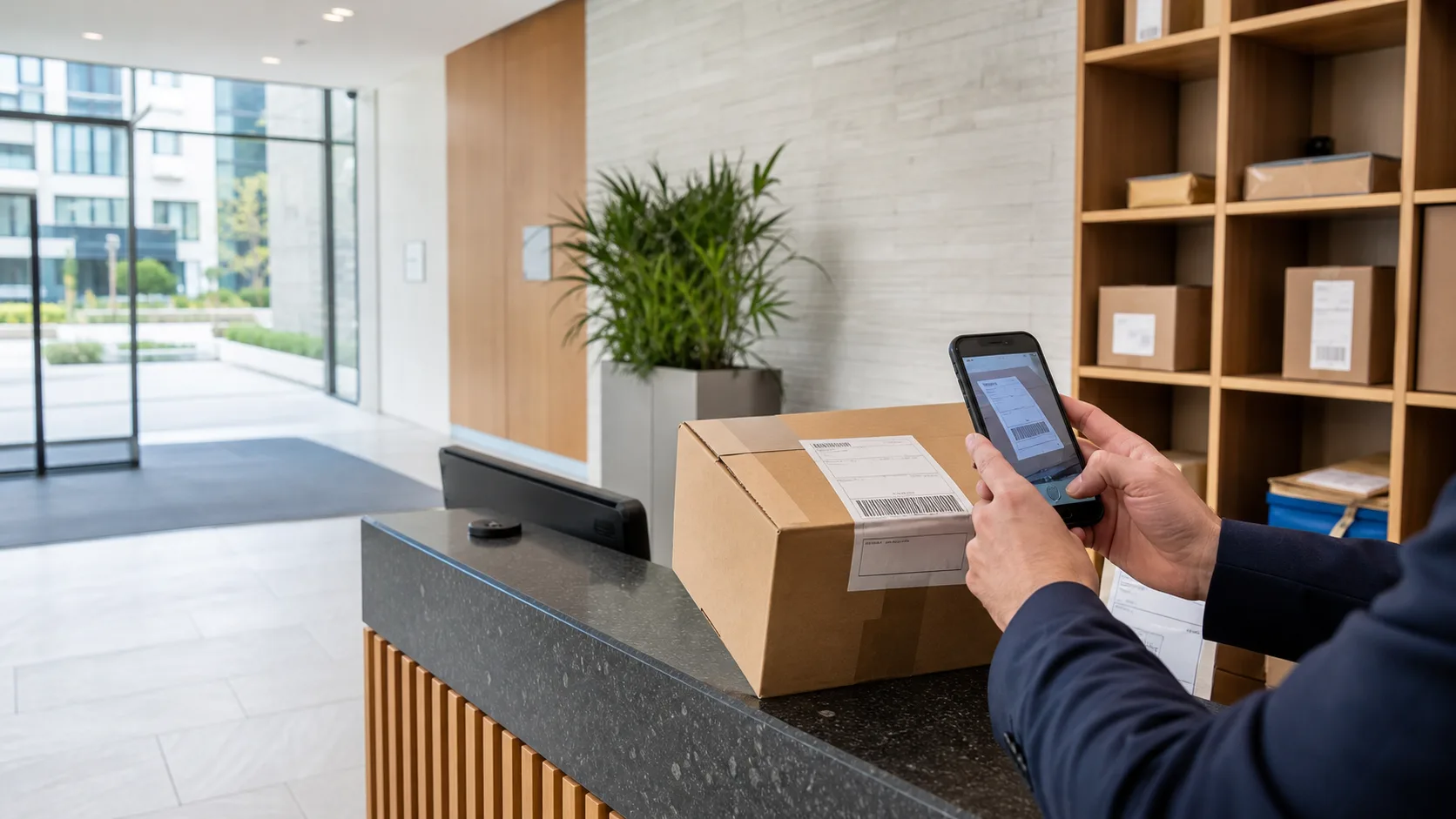
Guide · Parcel Desk
Parcel management for concierge and reception teams.
The routines that keep a staffed parcel desk moving: fast intake, waiting storage the team can actually see, collection with proof, and records that answer resident questions without a search through paper.
Runs on a supported iOS or Android device. No parcel locker or specialist scanner required.
The daily routine
A parcel desk runs on four moments, not a logbook.
In a residential building the parcel operation is rarely one person’s full-time job. It is the concierge between the phone and the door, the receptionist covering two buildings, the porter on a shift rotation. The record has to survive all of that. ConciergeDeck keeps the parcel history attached to the building, so the person on duty at any moment can see what arrived, what is waiting and what is still owed a collection.
- Arrival
Frame the recipient block with the camera, review the household, confirm. Manual entry remains available for unclear labels.
- Waiting
Ready parcels stay searchable by resident and parcel details — including households with several items waiting.
- Collection
Select the parcel, record the collector and capture the signature in one sequence.
- Records
Received and collected actions stay connected, so “did we have it?” has a one-tap answer.
Hand-in
Intake should take as long as the courier waits, not as long as the queue is.
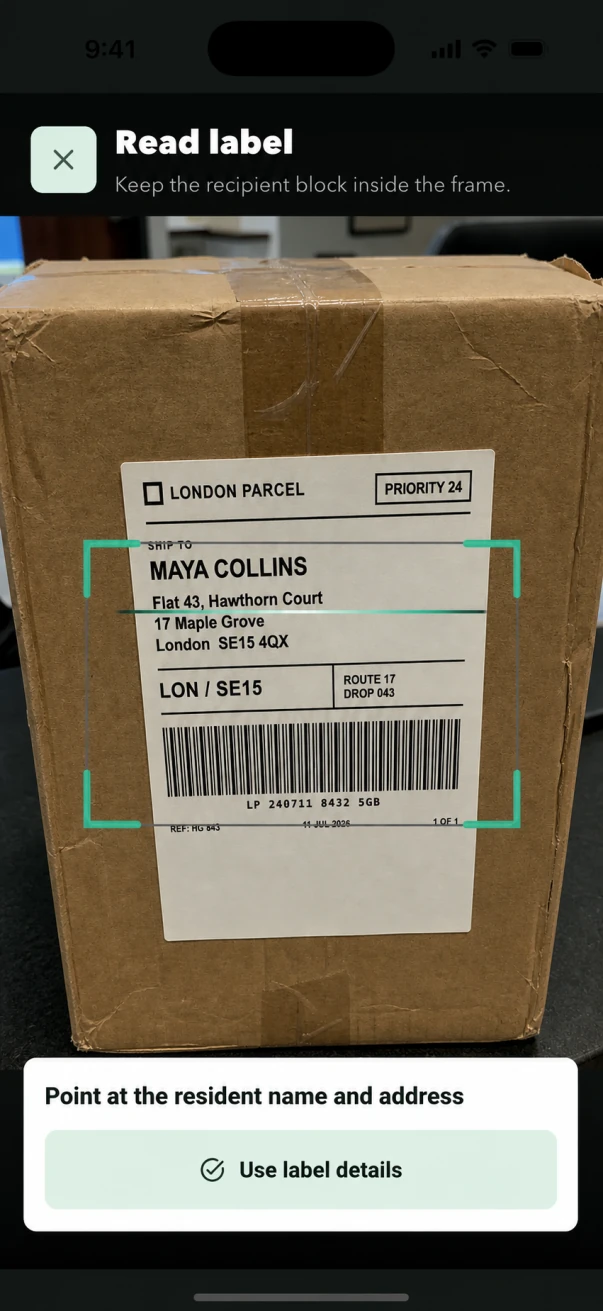
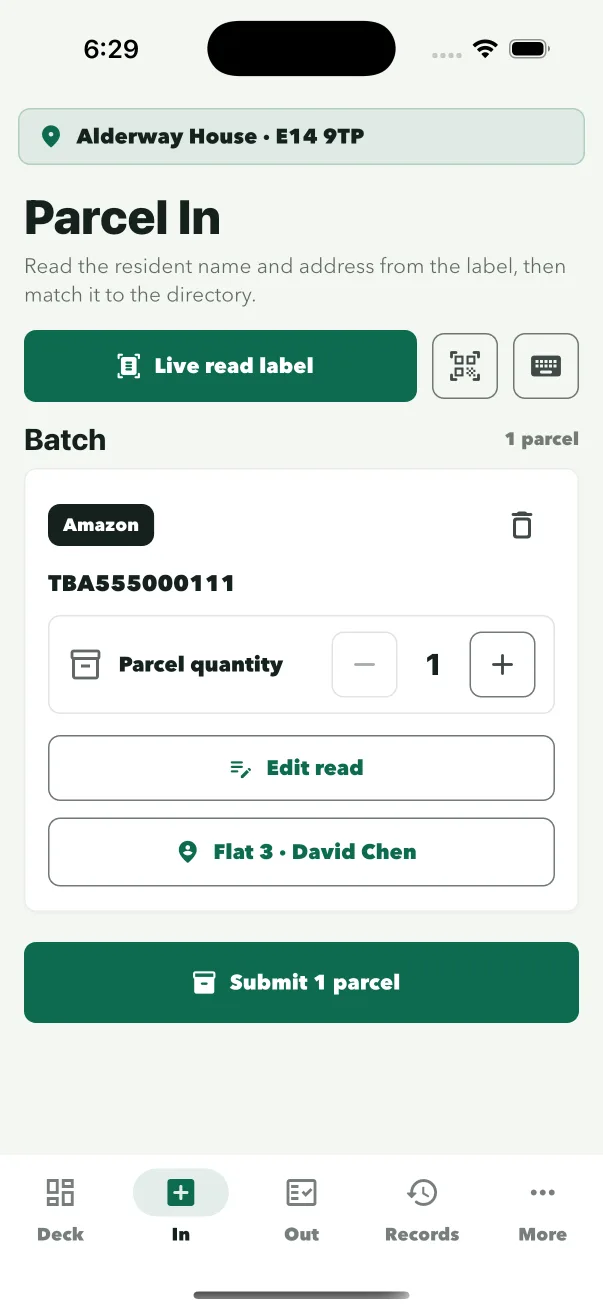
Reading a label into a spreadsheet is slow and typo-prone, which is why handwritten intake sheets drift within a week. ConciergeDeck reads the recipient block from the label in front of staff, suggests the matching household and confirms the intake in a few taps. The parcel appears in the ready queue immediately, with the staff profile attached.
- Frame the label
The camera reads the recipient name and address block.
- Review the household
Confirm the suggested resident, or choose another from the directory.
- Save the intake
The parcel joins the ready queue, attached to the staff profile on duty.
While it waits
The waiting shelf is only useful if the team can see into it.
A cupboard of unlabelled boxes is a daily argument waiting to happen. With a digital ready queue the desk can see every waiting parcel, who it is for and how long it has been there — without opening the cupboard. Households collecting several items at once are handled in one release.
- Searchable
Find a waiting parcel by resident name, flat or parcel details.
- Ready at a glance
The desk sees the full waiting list without leaving the front of house.
- Multi-item households
Multiple parcels for one household stay grouped and release together.
Handover
Collection with proof beats “it was definitely handed over.”
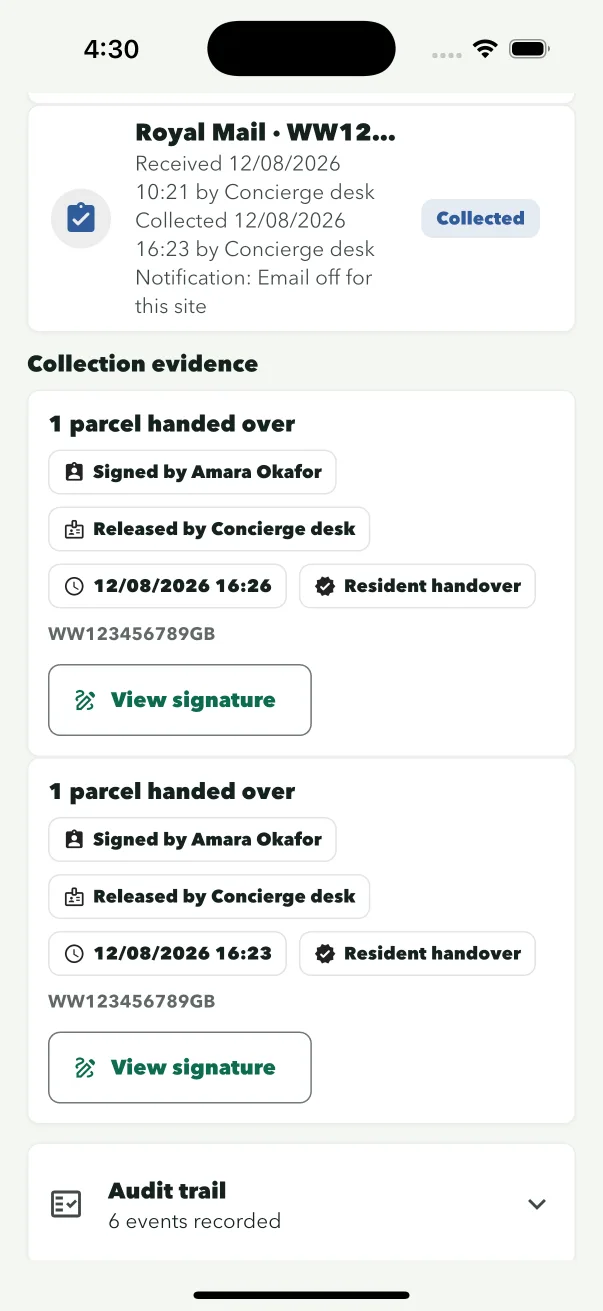
The most common resident complaint in a staffed building is not a missing parcel — it is a parcel handed to the wrong person, or handed over with no record of who took it. ConciergeDeck records the collector, the collection time, the staff member and a captured signature with every release. If a resident or an insurer asks, the answer is on the record, not in someone’s memory.
Watch collection and signature in the product tour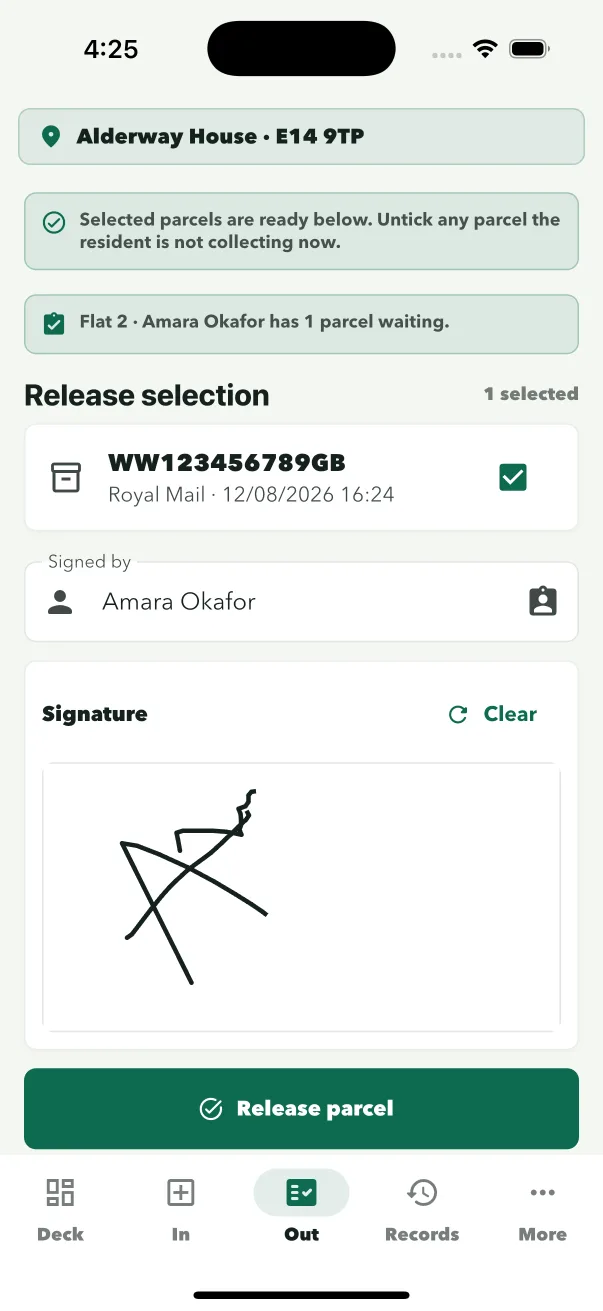
The people on both sides
Attribution without making staff sign out every hour.
Shared devices fail when every action has to be tied to a person. ConciergeDeck signs the device in to the building once, then each member of staff selects their own profile — so the record shows who handled the parcel without forcing a log-in per transaction. Shift changes take seconds.
- Site sign-in
The device connects to one building with its site credentials.
- Staff profiles
The person on duty selects their profile inside the app.
- Attributed actions
Intake and release keep the staff member, time and collector attached.
Common questions
Questions reception teams ask.
Do we need a parcel locker or barcode scanner?
No. ConciergeDeck runs on a supported iOS or Android device at the desk. Staff use its camera to read the recipient block, and manual entry stays available for unclear labels.
How long does a parcel intake take?
Frame the label, review the suggested resident and confirm. Most intakes are a few taps; the record is immediately searchable in the ready queue.
What happens when two residents share a surname?
The scanner reads the full recipient block, and staff review the suggested household before saving. The resident directory keeps flat numbers and addresses together so the right household is selected.
Can residents collect without email notifications?
Yes. Resident email is optional and off by default. The desk still sees the waiting parcel, and collection is recorded with the collector and signature.
Who is recorded as handling each parcel?
Every intake and release is attached to the staff profile selected on the device, so the record shows which member of the team handled it.
What happens during a shift handover?
The device stays signed in to the building. The incoming member of staff selects their own profile, and the parcel queue and custody records carry over unchanged.
Put ConciergeDeck on the desk
Try the parcel workflow on your own reception device.
Create the owner account, connect a site and run real intakes and collections for 30 days.