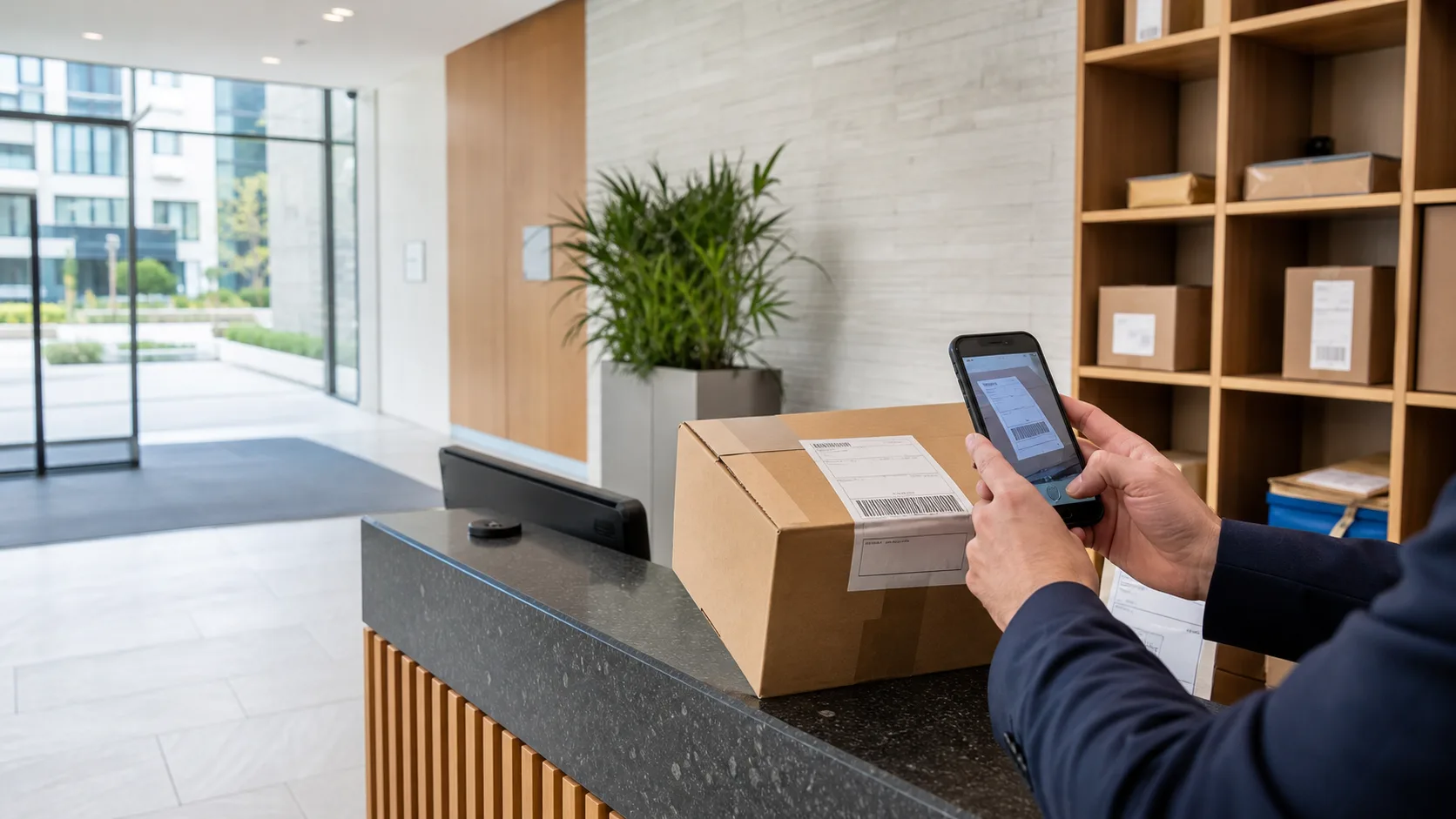
Guide · Build to Rent
Build to Rent front desk operations, without the paper pile.
Parcels, keys, visitor sign-in and a move-in season that arrives every September. Build to Rent teams get the same reception workload as a hotel — with leases, contractors and a resident turnover that never stops.
Runs on a supported iOS or Android device. No parcel locker or specialist scanner required.
The challenge
Build to Rent front desks are judged on consistency, not heroics.
Residents in a Build to Rent building expect the same quality of service on a Tuesday afternoon as on a Saturday night. That means the parcel queue, the key cupboard and the visitor log have to be readable by whoever is on shift — not locked in the habits of whoever set them up. ConciergeDeck keeps the operational record in the building’s app, so every shift starts from the same clear state.
- Parcel Desk
Camera-assisted intake, a ready queue the whole team can see, and signed collection.
- Key Desk
Key and fob custody with hand-in and hand-out recorded separately from parcels.
- Visitor log
Guests and contractors signed in and out with a live on-site list.
- Resident turnover
Move-in cohorts imported in one pass, leavers archived with keys flagged.
Move-in season
September should not be the month the desk stops being a desk.
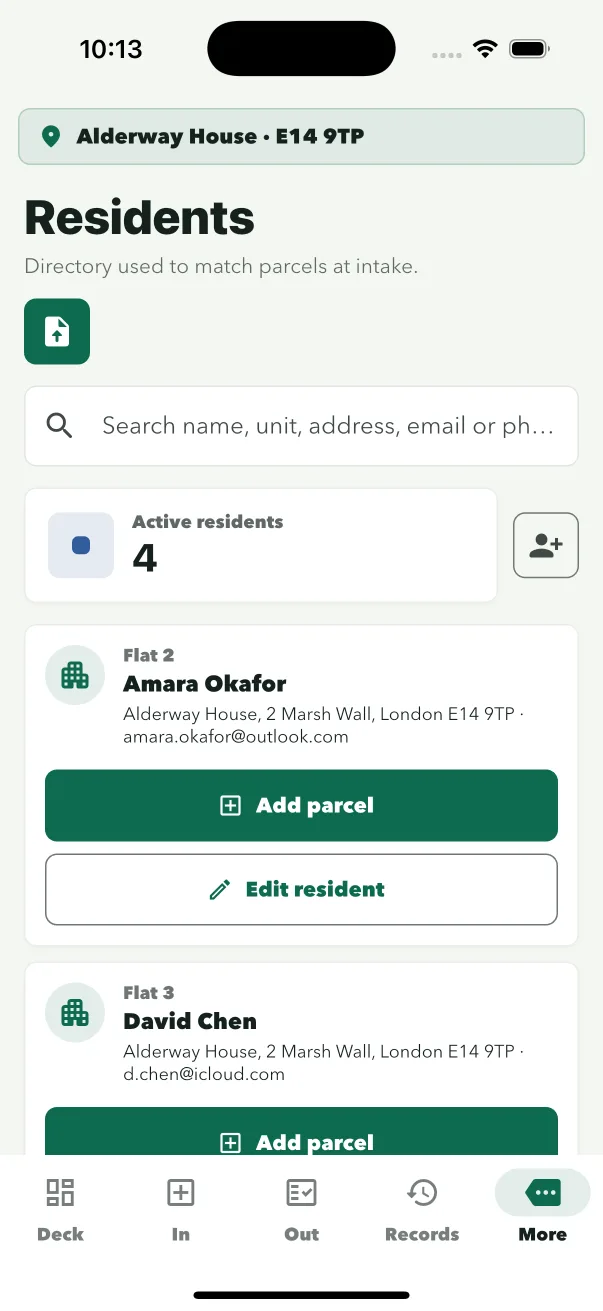
During turnover, reception becomes a processing line: new residents to register, leavers to archive, keys to chase, and a parcel room that briefly resembles a warehouse. ConciergeDeck imports the cohort spreadsheet as it is — it matches the columns, registers the new residents, offers to archive everyone who left in one step, and flags any keys still out against leavers before the flat is re-let.
- Import the cohort
Upload the move-in spreadsheet; columns are matched automatically.
- Register and archive
New residents join the directory; leavers are archived in one step.
- Chase the keys
Keys still out against leavers are flagged before the flat is re-let.
Keys and fobs
The key cupboard does not care who is on shift.
Build to Rent buildings hold more keys than any other residential model: flat sets, communal doors, plant rooms, contractor access. Key Desk records every set with its box position and contents, scans fobs and prints QR key tags for fobs an iPhone cannot read, and logs hand-out and return with the person, purpose and signature. Restricted and master keys need a staff PIN to release.
- Registered sets
Box position, set contents and any fob or QR tag stay together.
- Signed handovers
Who took it, why, and when it came back — with a signature.
- PIN-protected release
Restricted and master keys require the duty staff member’s PIN.
Visitors and contractors
Contractors in a BTR building are a daily event, not an exception.
Plumbers, electricians, cleaners, furniture delivery and viewings — a Build to Rent building signs people in and out all day. The visitor log records each visit with staff attribution, shows who is on site at any moment, and links any keys handed to the visit. When someone signs out with keys still out, the desk is told before they reach the door.
Read the visitor sign-in guide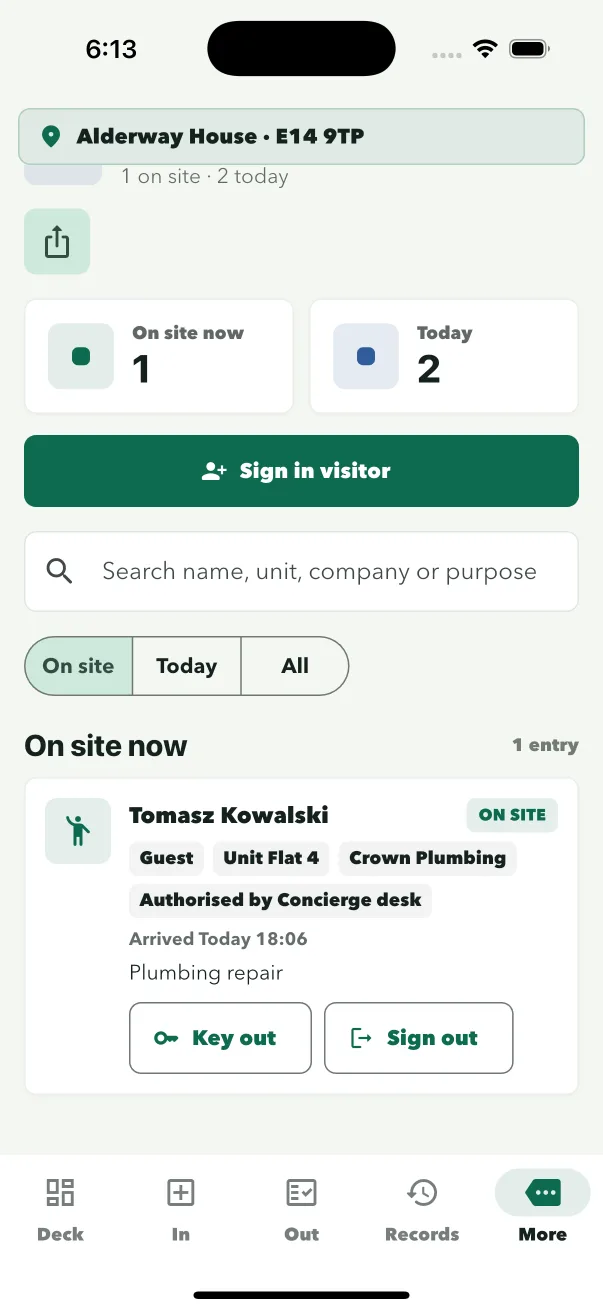
Common questions
Questions Build to Rent teams ask.
How does ConciergeDeck handle resident move-in season?
Import the cohort spreadsheet as it is. ConciergeDeck matches the columns, registers the new residents, offers to archive leavers in one step and flags any keys still out against leavers.
Can one team run several buildings from the same owner account?
Yes. Each building is a site with its own site credentials. The owner account manages plans, authorised devices and site settings across all of them.
Is the same app used for keys and parcels?
Yes. Parcel Desk and Key Desk run side by side with the same site sign-in and staff profiles, but keep separate records.
What happens to keys when a resident leaves?
Key Desk flags keys still out against leavers during turnover, so the team can chase returns before the flat is re-let.
Does Build to Rent need a resident app?
No. ConciergeDeck is operated by the reception and management team. Residents collect at the desk and sign on the reception device.
How are visitor and contractor access logged?
The visitor log signs guests and contractors in and out with staff attribution, keeps a live on-site list, and links each visit to any keys handed out.
Put ConciergeDeck on the desk
Run the next move-in season on a proper record.
Start a 30-day trial and see parcel, key and visitor workflows on the device your team already uses.