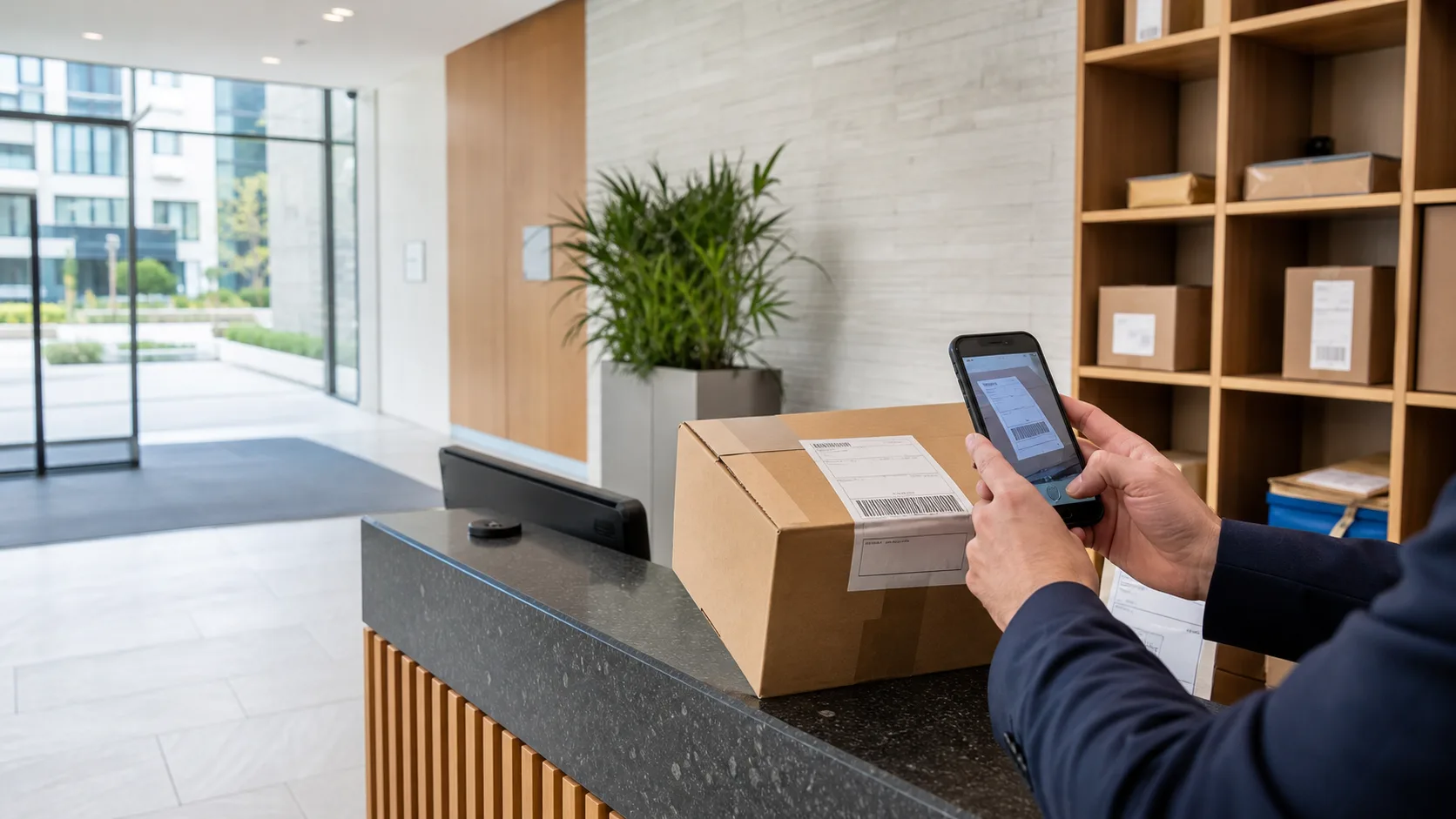
Guide · Visitor log
Visitor sign-in for residential buildings.
The paper visitor book answers one question: who visited. A residential front desk usually needs three: who is in the building right now, who took keys, and who has left without giving them back.
Runs on a supported iOS or Android device. No resident app or additional hardware required.
Why the paper book falls short
A visitor log is only as useful as the questions it can answer.
A paper visitor book records names in the order people arrived and answers almost nothing else. Who from the cleaning contractor is still on site? Which visitor was handed the spare flat key? Did that delivery driver sign out? ConciergeDeck’s visitor log keeps every visit with staff attribution, a live on-site list, and a direct link to any keys handed out — so the answers are on the screen, not in someone’s recollection.
- Fast sign-in
Only the name is required; unit, company and purpose are one tap.
- Live on-site list
Everyone currently signed in, visible to the desk at a glance.
- Keys linked to visits
Handing a key to a visitor records the visit and the handover together.
- Attributed sign-out
Each sign-out stays attached to the staff profile on duty.
Sign-in
Ten seconds at the desk, or one tap if you have done it before.
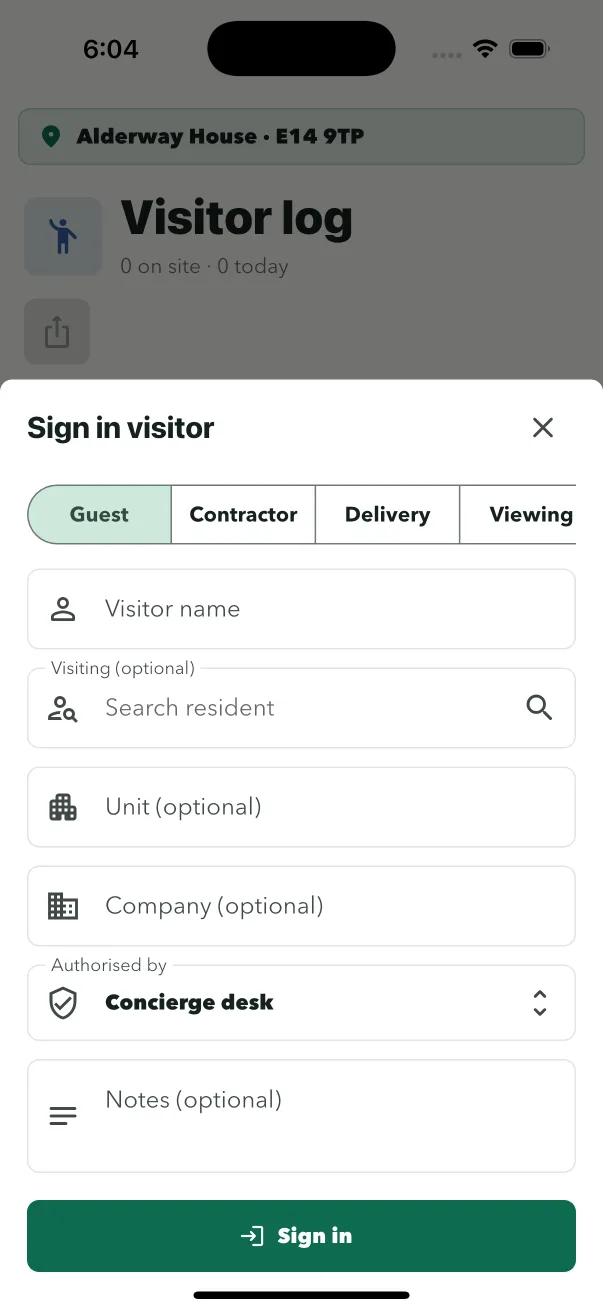
For a resident’s guest, sign-in should not feel like airport security. The visitor gives their name; everything else is optional. For contractors returning to the same building week after week, the process is quicker still — the desk signs them in with their company and purpose prefilled from the previous visit.
- Take the name
The only required field. Unit, company and purpose are one tap each.
- Hand keys in the same step
Key out to the visitor prefills their details and links the visit.
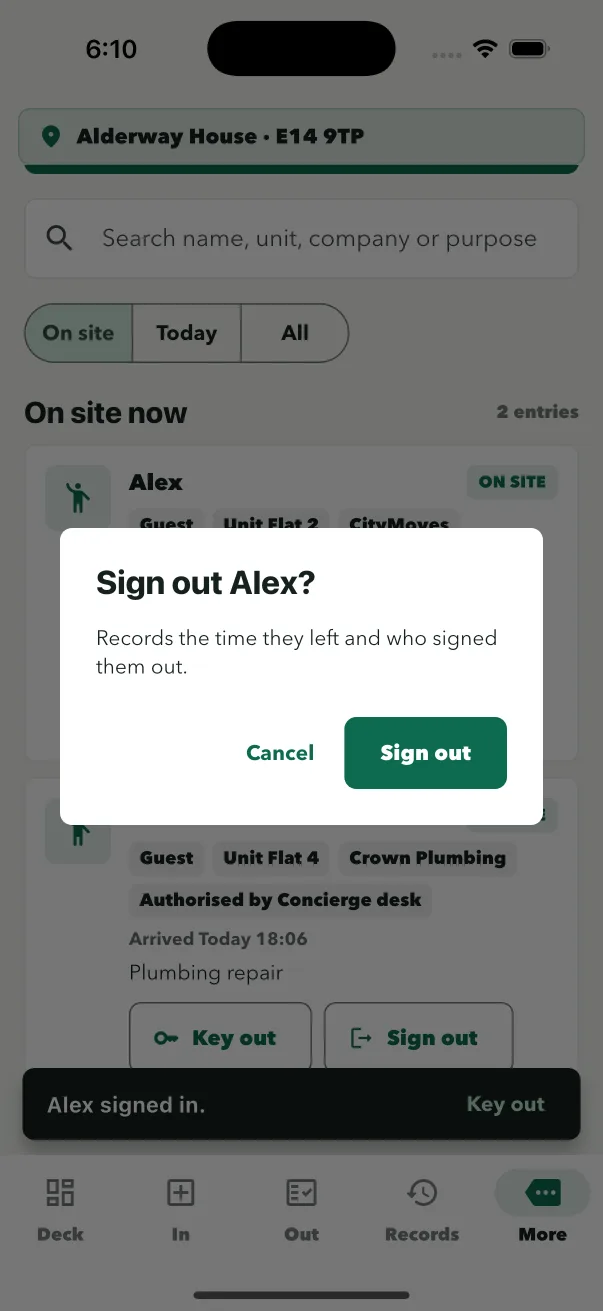
- They appear on site
The on-site list updates immediately for the whole team.
Keys and visitors
The dangerous visitor is the one who leaves with a key.
Viewings, contractors and temporary access all involve handing keys to people who are not residents. The visitor log links each key handover to the visit, and sign-out checks it: if someone is leaving with keys still out, the desk sees the flag before the person reaches the door. No more “did we get the cleaner’s key back?” at the end of the day.
- Linked handover
Keys handed to a visitor stay connected to that visit.
- Outstanding-key flag
Sign-out warns the desk when keys are still out.
- Full history
Who had which key, when, and who signed them back in.
The building view
Who is on site is a security question, not an admin one.
When the fire alarm goes, or when a resident reports a stranger in the stairwell, the desk needs an answer in seconds. The on-site list shows everyone currently signed in — guests, contractors, everyone. Combined with Key Desk and the parcel queue, the front desk can answer the three questions that matter: who is here, what are they holding, and what is still owed back.
- Live status
The on-site view updates with every sign-in and sign-out.
- Evacuation-ready
The desk knows who is in the building at any moment.
- One desk, three logs
Parcels, keys and visitors stay separate but run from the same site sign-in.
Common questions
Questions about replacing the visitor book.
Does the visitor log replace the paper visitor book?
Yes. The visitor log signs guests and contractors in and out with staff attribution, shows everyone currently on site at a glance, and links each visit to any keys handed out.
What does a visitor need to provide at sign-in?
Just a name. Unit, company and purpose are optional and one tap each, so the desk can stay fast during busy periods.
Can keys be handed to a visitor in the same step?
Yes. Key out to the visitor prefills their details, and the visit links to the key handover. Sign-out chases any keys still out.
Who can see who is on site?
The on-site list is visible to the building's authorised staff. It shows everyone currently signed in, so the desk can answer an evacuation or security question immediately.
How are contractors handled differently from guests?
Contractors sign in through the same log, with company and purpose recorded. Staff attribution stays with the sign-in, and any keys handed out are linked to the visit.
What happens if a visitor leaves with keys still out?
Sign-out flags keys still out against that visitor, so the desk is told before the person leaves the building.
Put ConciergeDeck on the desk
Sign your next contractor in on a real record.
Start a 30-day trial and run the visitor log, Key Desk and Parcel Desk from one device.